On this page
- 01Key takeaways
- 02What is an instant quote calculator?
- 03Why do quote calculators convert well?
- 04Which businesses suit a quote calculator?
- 05How do you build a calculator that qualifies leads?
- 06What are the risks of quote calculators?
- 07What does this look like in practice?
- 08Quote calculator checklist
- 09Next step
- 10Sources and further reading
- 11Frequently asked questions
Key takeaways
Instant quote calculators often win more enquiries because they answer the buyer's biggest question, 'roughly how much?', immediately and in exchange for a few details. They work best for services with predictable pricing drivers. They backfire when estimates are unrealistic or the calculator asks for contact details before showing anything.
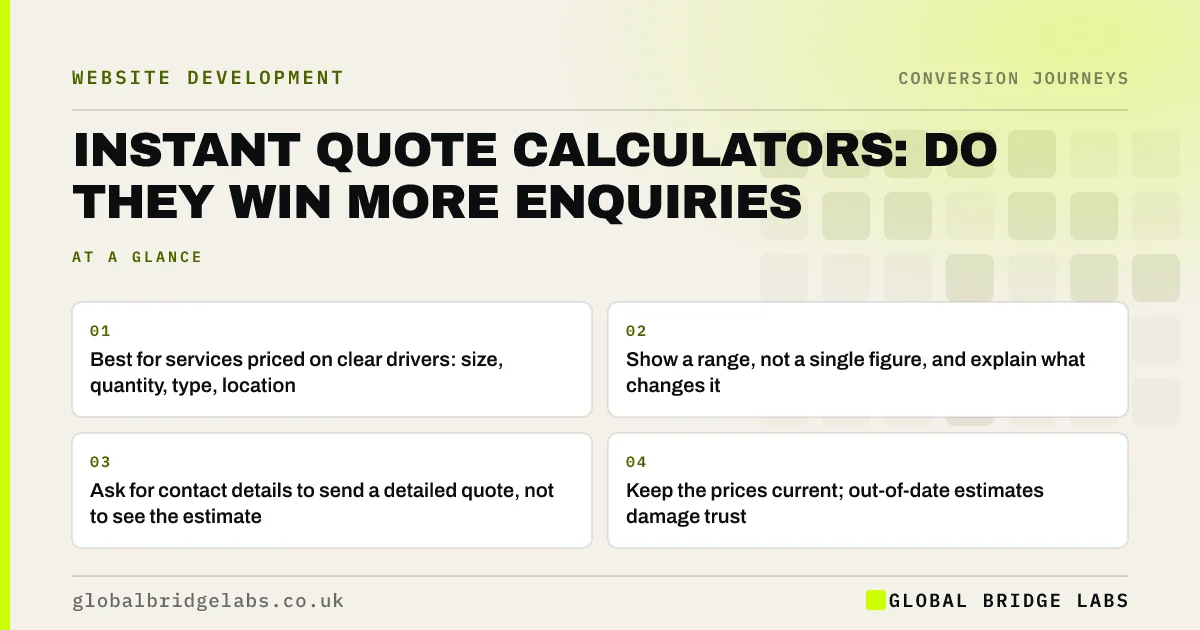
- Best for services priced on clear drivers: size, quantity, type, location.
- Show a range, not a single figure, and explain what changes it.
- Ask for contact details to send a detailed quote, not to see the estimate.
- Keep the prices current; out-of-date estimates damage trust.
Want to know whether a quote calculator suits your pricing? Ask us on WhatsApp.
Chat on WhatsApp →What is an instant quote calculator?
An instant quote calculator is an interactive tool on a website that asks a few questions about the job and returns an estimated price or range. It answers the price question that stops many buyers from enquiring, and gives the business useful details about the job before the first conversation.
Why do quote calculators convert well?
They turn the most uncomfortable question into an interactive step. Buyers who hesitate to ask for a quote will happily answer five tap-to-select questions. Seeing a range removes the fear of wasting time on something out of budget, and those who continue are already qualified on price.
Which businesses suit a quote calculator?
Calculators suit businesses whose prices follow clear drivers that a buyer can answer without expertise.
- Good fit: cleaning (area, frequency), removals (rooms, distance), windows (number, type), bookkeeping (transactions, staff).
- Possible fit: building work with typical project types and size bands.
- Poor fit: bespoke work where price depends on a site visit or detailed specification.
Send us your main pricing factors on WhatsApp and we will tell you if a calculator fits.
Chat on WhatsApp →How do you build a calculator that qualifies leads?
Keep it short, honest and useful. Show the estimate before asking for contact details, then offer a detailed quote or a call for those who want one.
- Ask 3 to 6 simple questions, mostly tap-to-select.
- Show a price range and what could move it up or down.
- Offer a detailed quote, survey or call as the next step.
- Pass the answers into the enquiry so sales has the detail.
- Track calculator starts, completions and resulting enquiries.
What are the risks of quote calculators?
The biggest risk is an estimate that does not match the final price. Buyers who see £3,000 online and are quoted £5,000 feel misled, and misleading pricing can breach UK consumer law. Keep ranges realistic, explain assumptions, and update prices whenever your costs change. Gating the estimate behind a contact form also frustrates buyers and can feel like a trick.
What does this look like in practice?
A UK domestic cleaning company replaced its 'Request a quote' form with a five-question calculator (bedrooms, bathrooms, frequency, extras, postcode) that showed a weekly price range. Enquiries increased, and more of them converted to regular cleans because buyers already knew the price and had chosen to continue.
Quote calculator checklist
- Confirm your prices follow clear, buyer-answerable drivers.
- Limit questions to 3 to 6.
- Show a range before asking for contact details.
- Explain what changes the price.
- Pass answers to the sales team.
- Review prices whenever costs change.
Next step
A quote calculator can be one of the highest-converting features on a service website when it suits the pricing. We can help you decide and design one that qualifies leads honestly.
Message us on WhatsApp to plan a quote calculator, or book a 30-minute consultation.
Chat on WhatsApp →Sources and further reading
- Unfair commercial practices guidance (CMA207) · Competition and Markets Authority
- About key events · Google Analytics Help
- Question pages pattern · GOV.UK Design System
Frequently asked questions
Do price calculators increase leads?
Often, for services with predictable pricing, because they answer the price question instantly and invite buyers to engage. They also improve lead quality, since buyers who continue have already seen the likely cost. They work best where prices follow clear drivers such as size, quantity or location, and where estimates are kept up to date.
Should a quote calculator ask for an email before showing the price?
Generally no. Gating the estimate frustrates buyers and can feel like a trick. Show the range first, then offer a detailed quote or call for those who want one. Those who continue are better qualified. Offer a detailed quote or call as the next step.
What if my prices vary too much for a calculator?
Show typical ranges for common project types instead, with what drives the price up or down. If every job is truly bespoke, a short enquiry form and a clear explanation of how you price may work better. Ranges still build trust.
How accurate does an online estimate need to be?
Accurate enough that the final quote usually falls within the range shown. Explain your assumptions and what could change the price, and update the calculator whenever costs change. Misleading estimates damage trust and can breach consumer law. Review ranges at least twice a year.
Written by

Global Bridge Labs (GBL) is a UK–Sri Lanka partner for social media, websites and BPO. Everything here comes from client delivery, not theory.