On this page
- 01Key takeaways
- 02What does a hospitality website need to do?
- 03Why do hospitality websites lose bookings?
- 04What should a hospitality website include?
- 05What are the allergen and pricing rules?
- 06How do hospitality websites win local search?
- 07When should you rely on a booking platform instead?
- 08What does this look like in practice?
- 09Hospitality website checklist
- 10Next step
- 11Sources and further reading
- 12Frequently asked questions
Key takeaways
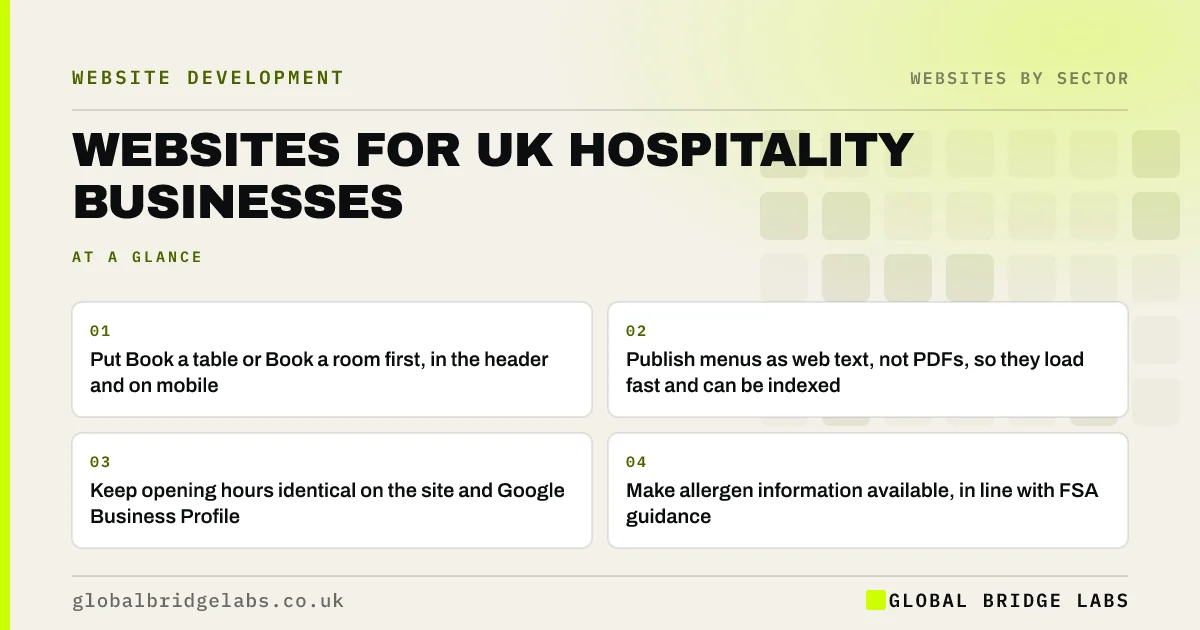
A UK hospitality website serves visitors who want three things fast: to book, to see the menu or rooms, and to check opening times and location. Put booking first, publish menus as text rather than PDFs, keep opening hours accurate everywhere, provide allergen information, and give private hire and events their own pages.
- Put Book a table or Book a room first, in the header and on mobile.
- Publish menus as web text, not PDFs, so they load fast and can be indexed.
- Keep opening hours identical on the site and Google Business Profile.
- Make allergen information available, in line with FSA guidance.
- Give private hire and events their own pages with an enquiry form.
Want your venue's website checked on a phone? Send us the URL on WhatsApp.
Chat on WhatsApp →What does a hospitality website need to do?
A hospitality website is a website for a restaurant, café, pub, bar, hotel or venue that helps guests decide to visit and lets them book, order or enquire, while providing practical information such as menus, prices, opening times and location.
Most visits are short and on a phone. Guests arrive from Google, Instagram or a map listing, want an answer in seconds, and leave if they do not find it.
Why do hospitality websites lose bookings?
Many hospitality sites prioritise atmosphere over action: a full-screen video, a slow image gallery, and the booking button hidden in the menu. Menus are often PDFs that load slowly on mobile and cannot be read by search engines.
Inaccurate opening hours are another common and damaging problem. A guest who turns up to a closed door after checking your website is unlikely to return.
- Booking hidden behind a menu icon.
- Menus as PDFs or images.
- Opening hours out of date or inconsistent with Google.
- Heavy galleries and video slowing mobile pages.
- Private hire enquiries through a generic contact form.
What should a hospitality website include?
Build the site around the guest's first questions.
- Booking button in the header and a sticky mobile bar.
- Menus as web text with prices and dietary labels.
- Opening times, address, map, parking and accessibility details.
- Allergen information and a clear way to ask about it.
- Private hire and events pages with capacities, packages and an enquiry form.
- Gift vouchers, if you sell them.
- Real photographs of the food, rooms and space.
- Reviews and awards with dates.
What are the allergen and pricing rules?
Food businesses must provide allergen information for the food they serve. The Food Standards Agency's guidance explains the requirements, including for food sold at a distance, such as online ordering, where allergen information must be available before the purchase is completed and when the food is delivered.
Prices on menus and booking pages should be the total price guests will pay. Mandatory service charges or booking fees should be clear and included where required, as drip pricing is banned under the Digital Markets, Competition and Consumers Act 2024.
Want your menu, allergen and booking pages reviewed? Message us on WhatsApp.
Chat on WhatsApp →How do hospitality websites win local search?
For hospitality, the Google Business Profile often drives more visits than the website itself, and the two must agree. Keep hours, menu links and booking links identical. Use Restaurant or Hotel structured data on the site, and publish menus as text so searches for specific dishes can find you.
Private hire pages can rank in their own right for searches such as private dining room in a particular town, which are high-value enquiries.
When should you rely on a booking platform instead?
Third-party booking and ordering platforms bring visibility and convenience, but take commissions and customer data. Many venues use them for discovery while encouraging direct bookings through their own site with a simple, fast booking flow.
The trade-off is reach against margin. Make direct booking at least as easy as the platform, and track where bookings come from.
What does this look like in practice?
A pattern in UK hospitality: a beautiful website with a video header and PDF menus, strong Instagram photography, and private hire enquiries arriving only occasionally through a general contact form.
Moving booking to the top, converting menus to text, and building a private hire page with capacities, sample menus and a dedicated enquiry form makes the site work as hard as the social channels. The events inbox becomes a source of planned revenue.
Hospitality website checklist
Check these on a phone.
- Put booking first on every page.
- Publish menus as text with prices.
- Keep hours identical everywhere.
- Provide allergen information.
- Build a private hire page with its own form.
- Compress galleries and remove autoplay video.
- Add Restaurant or Hotel structured data.
- Track bookings by source.
Next step
If your venue's website looks great but bookings and private hire enquiries come mainly through other channels, we will review it with you in 30 minutes.
Message us on WhatsApp for a hospitality website review, or book a 30-minute consultation.
Chat on WhatsApp →Sources and further reading
- Allergen guidance for food businesses · Food Standards Agency
- Unfair commercial practices guidance (CMA207) · Competition and Markets Authority
- Tips to improve your local ranking on Google · Google Business Profile Help
Frequently asked questions
What should a restaurant website include?
A prominent booking button, menus as web text with prices and dietary labels, accurate opening times, address and map, allergen information, private dining or events pages, real photographs, reviews and, if relevant, gift vouchers and online ordering. Everything should load quickly on a phone.
Should I put my menu on my website as a PDF?
It is better to publish menus as web text. Text menus load faster on mobile, are easier to read and update, work better with screen readers, and can be indexed by search engines, so people searching for specific dishes or dietary options can find you. Offer a PDF as an extra, not the only option.
Do I need allergen information on my website?
Food businesses must provide allergen information for the food they serve. If you sell food online or for delivery, the FSA's guidance says allergen information must be available before purchase and when the food is delivered. Make it easy to find and explain how guests can ask about allergens.
How can a hotel or restaurant get more direct bookings?
Make direct booking as fast as third-party platforms, place the booking button prominently on every page, keep hours and links consistent with your Google Business Profile, publish menus and room details as text, and track bookings by source to see what works.
Written by

Global Bridge Labs (GBL) is a UK–Sri Lanka partner for social media, websites and BPO. Everything here comes from client delivery, not theory.