On this page
- 01Key takeaways
- 02What does bounce rate mean in GA4?
- 03When is a high bounce rate a problem?
- 04What causes a high bounce rate?
- 05What is a normal bounce rate for a business website?
- 06When does bounce rate point to a redesign?
- 07When should you ignore bounce rate?
- 08Which pages should you look at first?
- 09What does this look like in practice?
- 10Bounce rate checklist
- 11Next step
- 12Sources and further reading
- 13Frequently asked questions
Key takeaways
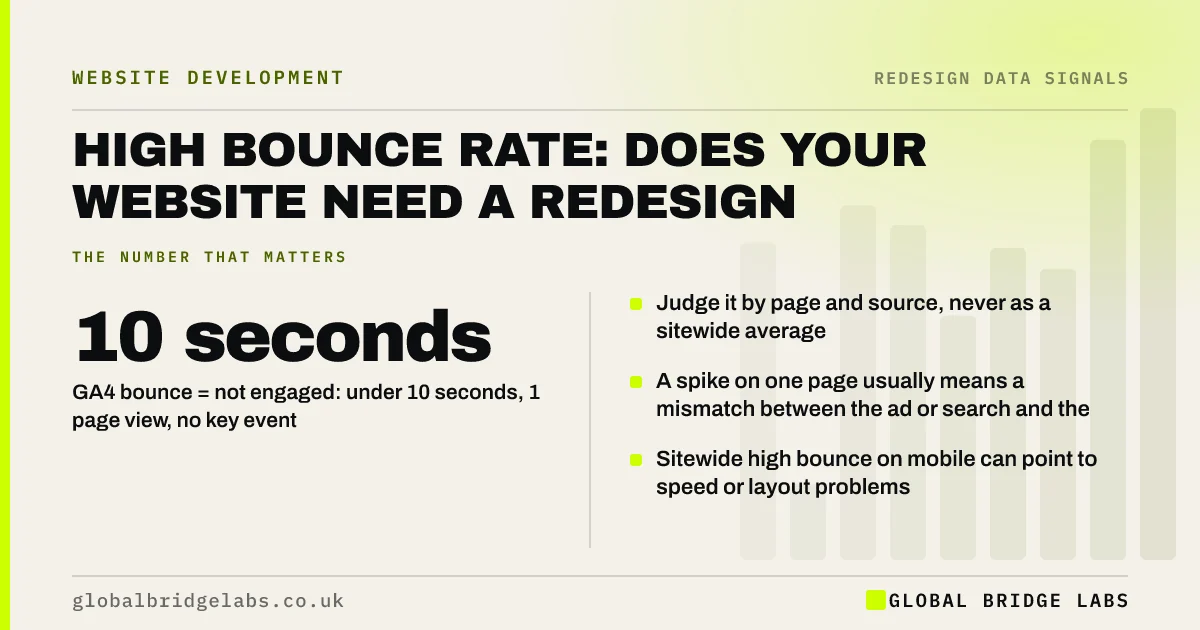
In GA4, bounce rate is the share of sessions that were not engaged: under 10 seconds, one page and no key event. A high bounce rate only matters on pages meant to lead somewhere. On a contact page or blog post it can be normal, so look at bounce rate by page and by traffic source before treating it as a redesign signal.
- GA4 bounce = not engaged: under 10 seconds, 1 page view, no key event.
- Judge it by page and source, never as a sitewide average.
- A spike on one page usually means a mismatch between the ad or search and the page.
- Sitewide high bounce on mobile can point to speed or layout problems.
Worried about your bounce rate? Send us a screenshot on WhatsApp.
Chat on WhatsApp →What does bounce rate mean in GA4?
In Google Analytics 4, bounce rate is the percentage of sessions that were not engaged sessions. An engaged session lasts longer than 10 seconds, includes a key event, or includes at least two page views. Bounce rate is therefore the opposite of engagement rate.
This differs from the older Universal Analytics definition, so comparisons with historic bounce rates are not like for like.
When is a high bounce rate a problem?
A high bounce rate is a problem on pages whose job is to move visitors onward: the homepage, service pages and landing pages for ads. It is less of a problem on pages that answer a question in one view, such as opening hours, a contact page or a helpful article.
- Homepage or service page with high bounce: the message or first screen is failing.
- Ad landing page with high bounce: the page does not match the ad's promise.
- Mobile far worse than desktop: speed or layout problems on phones.
- One traffic source far worse: that source brings the wrong audience.
What causes a high bounce rate?
Most causes are fixable on the current site. Slow loading, a vague headline, a cookie banner covering the first screen, pop-ups, and a mismatch between what the search or ad promised and what the page shows are the usual suspects.
- Write a website value proposition visitors understand in five seconds
- How fast a business website should load
Want to know which of these is driving your bounce rate? Ask us on WhatsApp.
Chat on WhatsApp →What is a normal bounce rate for a business website?
There is no universal benchmark, because it depends on page type, traffic source and how key events are set up. As a working rule from our audits, service and landing pages with bounce rates well above the site's own average deserve a look first. Compare pages with each other and with their own history rather than with an industry figure.
When does bounce rate point to a redesign?
When bounce is high across most key pages, on all traffic sources, and fixes to headlines, speed and first-screen layout have not moved it. That pattern suggests the structure or design is failing visitors broadly, and a redesign of the key templates may be justified.
When should you ignore bounce rate?
When enquiries are healthy. A visitor who lands on your contact page, taps your phone number and leaves will often count as a bounce unless the tap is tracked as a key event. Track calls, WhatsApp taps and form submissions properly, then judge pages by enquiries first.
Which pages should you look at first?
The landing pages that bring the most visitors from search and ads, because a problem there affects the most people. In GA4, open the landing page report, add engagement rate and key events, and sort by sessions. The top ten pages usually cover most of your traffic.
Then filter by device and source. A page that engages desktop visitors but not mobile ones has a mobile problem. A page that engages search visitors but not ad visitors has a message mismatch with the ad. Fixing the top three pages by traffic will typically do more than any sitewide change.
- Open the landing page report in GA4.
- Add engagement rate and key events.
- Sort by sessions and review the top 10.
- Split each by device and source.
What does this look like in practice?
A pattern in UK trades: a sitewide bounce rate of around 70% causes alarm, but the breakdown shows most bounces are on the contact page from people tapping the phone number. Once phone taps are tracked as key events, the real problem pages become obvious: two service pages with slow image galleries on mobile.
Bounce rate checklist
Check these before drawing conclusions.
- Track calls, WhatsApp taps and forms as key events.
- View bounce rate by landing page, not sitewide.
- Split by device and by traffic source.
- Test the worst pages on a phone for speed and first-screen clarity.
- Check the ad or search result matches the page.
- Fix and remeasure for 4 to 6 weeks before redesigning.
Next step
If your bounce rate worries you, we will break it down by page, device and source with you in 30 minutes and tell you which pages actually need attention.
Message us on WhatsApp for a bounce rate review, or book a 30-minute consultation.
Chat on WhatsApp →Sources and further reading
- Engagement rate and bounce rate · Google Analytics Help
- About key events · Google Analytics Help
- Understanding Core Web Vitals and Google search results · Google Search Central
Frequently asked questions
What is a good bounce rate for a business website?
There is no universal figure, because GA4 bounce rate depends on page type, traffic source and key event setup. Compare each page with its own history and with other pages on your site. Focus on service and landing pages whose bounce rate is well above your site average.
Does a high bounce rate hurt SEO?
Bounce rate in GA4 is an analytics measure and not something Google Search reads directly. However, the causes of high bounce, such as slow pages or content that does not match the search, can also make pages less useful and less competitive in search.
How do I reduce my bounce rate?
Make the first screen answer what you do and for whom, speed up mobile loading, remove pop-ups and oversized banners, and match landing pages to the ad or search that brought visitors. Track phone and WhatsApp taps as key events so genuine enquiries are not counted as bounces.
Why is my bounce rate so high on mobile?
Usually slow loading, layouts that push the main message below the first screen, cookie banners or pop-ups covering content, and buttons that are hard to tap. Test your key pages on a real phone over mobile data to see what visitors see.
Written by

Global Bridge Labs (GBL) is a UK–Sri Lanka partner for social media, websites and BPO. Everything here comes from client delivery, not theory.