On this page
Key takeaways
Successful growth work brings more customers, and more customers bring more routine work: orders, queries, invoices and records. Without a plan, that new admin lands on the same people whose growth time created it, and growth stalls again. Plan the next round of outsourcing in advance, triggered by volume thresholds rather than by overload.
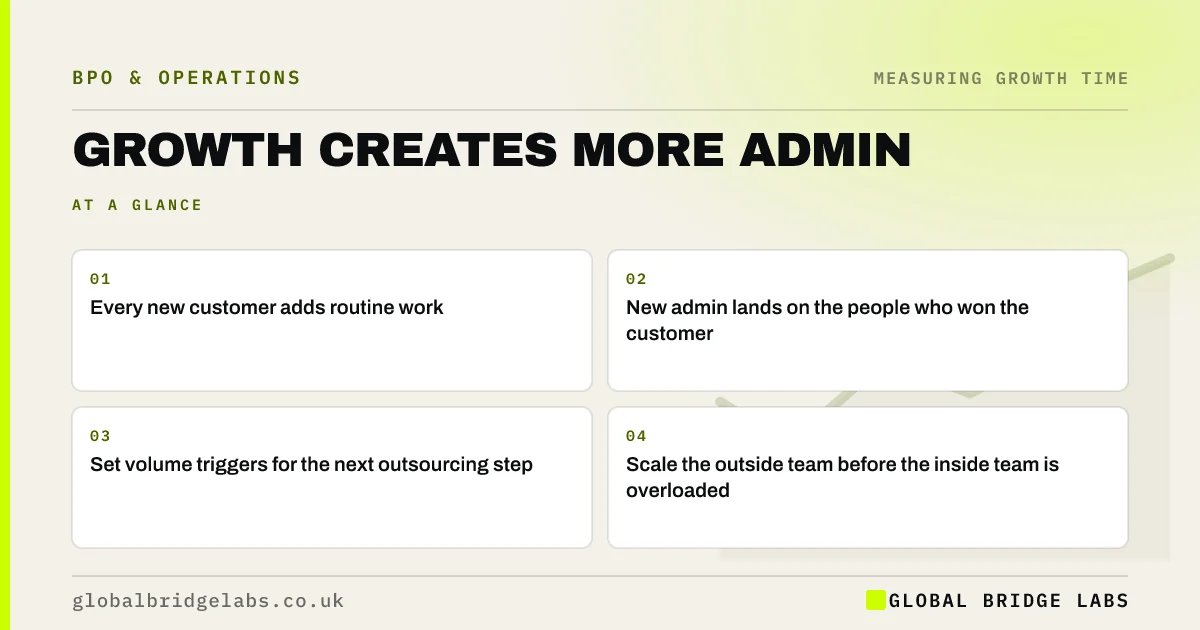
- Every new customer adds routine work.
- New admin lands on the people who won the customer.
- Set volume triggers for the next outsourcing step.
- Scale the outside team before the inside team is overloaded.
Want to plan the next round before admin catches up? Message us on WhatsApp.
Chat on WhatsApp →Why does growth create more admin?
Growth creates more admin because each new customer, order or service needs processing, support and records. That work is routine but unavoidable. In small firms it often lands on the account manager or salesperson who won the business, eating the very growth time that produced the win.
How do you plan for it?
- Estimate admin per new customer or order.
- Set triggers: for example, every 50 new customers or 20% volume rise.
- Agree with your provider how capacity scales.
- Route new-customer admin to the outside team from day one.
- Review triggers quarterly.
What happens if you do not plan?
Growth time is gradually swallowed, service quality slips as the team juggles more work, and the business hits a ceiling. Firms then hire reactively, often for admin roles, which is slower and costlier than scaling outside capacity.
When should new admin stay in-house?
When it involves new types of decision or new customer relationships that the team needs to learn first. Keep it in-house until it is routine, then move it.
What does this look like in practice?
A pattern we see: a firm's account review programme wins 30 new monthly contracts. Onboarding and billing admin for the new contracts starts landing on the account managers. Because a trigger was agreed, the provider adds capacity within a fortnight and the reviews continue.
Growth admin checklist
- Estimate admin per new customer.
- Set volume triggers.
- Agree scaling terms with your provider.
- Route new-customer admin out from day one.
- Review triggers quarterly.
Next step
Estimate how many hours of routine work each new customer adds. Multiply by your growth target to see the admin coming.
Message us on WhatsApp to plan admin scaling, or book a 30-minute consultation.
Chat on WhatsApp →Sources and further reading
- Business population estimates for the UK and regions 2025 · Department for Business and Trade
- Employee earnings in the UK (Annual Survey of Hours and Earnings) · Office for National Statistics
Frequently asked questions
Why does admin increase as a business grows?
Each new customer, order and service adds processing, support and record-keeping. Admin often grows in line with volume, while growth roles do not. Without a plan, the extra admin lands on existing staff and takes the time they were using to grow the business.
How do you stop admin growing with the business?
Remove unnecessary admin, automate what software handles reliably and plan to move routine admin to an outside team as volume rises, using agreed triggers. Route new-customer admin out from the start so it never lands on growth roles. The key is to decide in advance, write it down and check it at regular reviews.
When should you scale outsourced support?
Before your team is overloaded, using triggers such as a volume increase of 20% or a set number of new customers. Agree how quickly your provider can add capacity, so scaling is planned rather than reactive. Agree in advance how much notice the provider needs to add people.
Written by

Global Bridge Labs (GBL) is a UK–Sri Lanka partner for social media, websites and BPO. Everything here comes from client delivery, not theory.