On this page
Key takeaways
A data migration moves records from an old system to a new one, and most problems come from skipping the repetitive groundwork: mapping fields, cleansing duplicates, test loads and counting records in and out. Treat it as a project with a finish line, clean the data before moving it, and reconcile every table before switching off the old system.
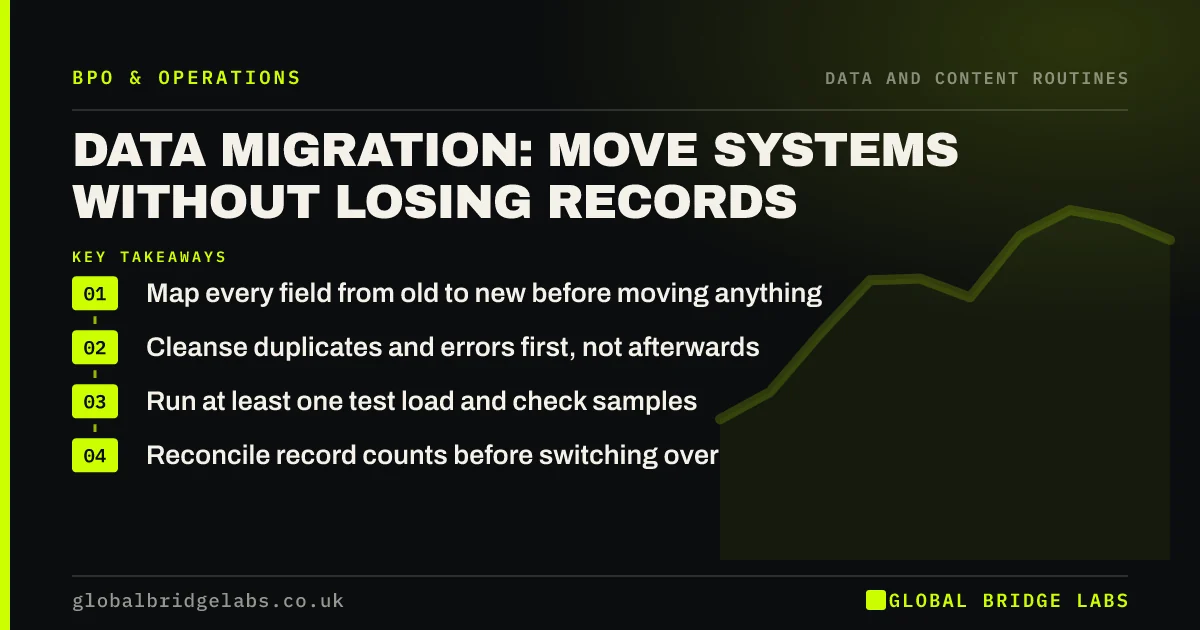
- Map every field from old to new before moving anything.
- Cleanse duplicates and errors first, not afterwards.
- Run at least one test load and check samples.
- Reconcile record counts before switching over.
Moving to a new system soon? Message us on WhatsApp with what you are migrating and how many records.
Chat on WhatsApp →Why do data migrations go wrong?
Migrations go wrong when they are treated as an export and an import. Fields do not match, formats differ, duplicates multiply, attachments are left behind and nobody counts what arrived. The fix is not cleverness but a long list of routine checks done consistently, which is ideal work for a dedicated team.
What are the steps in a migration?
Most small-business migrations follow the same sequence. Each step produces something you can check, so problems are caught before go-live rather than discovered by customers.
- Inventory the data: tables, fields, attachments, history.
- Map each old field to a new one, or decide to drop it.
- Cleanse: remove duplicates, fix formats, fill gaps.
- Test load a sample and check it field by field.
- Full load, then reconcile counts and totals.
- Freeze the old system as read-only.
How big is the job?
In an illustrative example, moving 8,000 customer records with notes and 2,000 open invoices to a new system takes about 60 to 90 hours of mapping, cleansing, testing and checking. These are example figures. The cleansing share is usually the largest and the most repetitive, which is why it is often outsourced.
- Recurring tasks vs one-off projects: what to outsource
- Double data entry: what rekeying costs and how to stop it
Send us your record counts on WhatsApp and we will help you size the migration.
Chat on WhatsApp →What about data protection?
A migration is a good moment to apply UK GDPR's storage limitation and accuracy principles: delete what you no longer need and correct what is wrong. Anyone helping with the migration who can see personal data is a processor and needs a written contract. Keep a backup of the old data until you are sure the new system is complete.
What does this look like in practice?
A pattern we see: a business migrates, then spends months fixing duplicates the old system had hidden. Cleansing before the move is slower in week one and much faster over the year.
Migration checklist
Do not switch over until these are done.
- Field map signed off.
- Duplicates and errors cleansed.
- Test load checked field by field.
- Counts and totals reconciled.
- Old system set to read-only and backed up.
Next step
Tell us the old and new systems and roughly how many records you have. We will outline the steps and say plainly which repetitive parts a team could take on.
Message us on WhatsApp about your data migration, or book a 30-minute consultation.
Chat on WhatsApp →Sources and further reading
- Principle (d): Accuracy · Information Commissioner's Office
- Contracts and liabilities between controllers and processors · Information Commissioner's Office
Frequently asked questions
How do you migrate data to a new system?
Inventory what you hold, map each old field to a new one, cleanse duplicates and errors, run a test load and check it, then do the full load and reconcile record counts and totals. Keep the old system read-only and backed up until the new one is confirmed complete.
Should you clean data before or after migration?
Before. Cleaning first means you move fewer, better records and avoid importing duplicates and errors into a system that may handle them differently. It also makes the field mapping simpler, because you have already decided what each value should look like.
Can data migration be outsourced?
The repetitive parts can: cleansing, formatting, test checks and reconciliation. Decisions about what to keep, how fields map and when to switch over should stay with someone who knows the business. Anyone handling personal data needs a processor contract.
Written by

Global Bridge Labs (GBL) is a UK–Sri Lanka partner for social media, websites and BPO. Everything here comes from client delivery, not theory.