On this page
- 01Key takeaways
- 02Which fields does every content calendar need?
- 03Why do owner and status matter most?
- 04Which tracking fields are worth adding?
- 05Which fields can you leave out?
- 06Do the fields change with more platforms?
- 07What does this look like in practice?
- 08Calendar fields checklist
- 09Next step
- 10Sources and further reading
- 11Frequently asked questions
Key takeaways
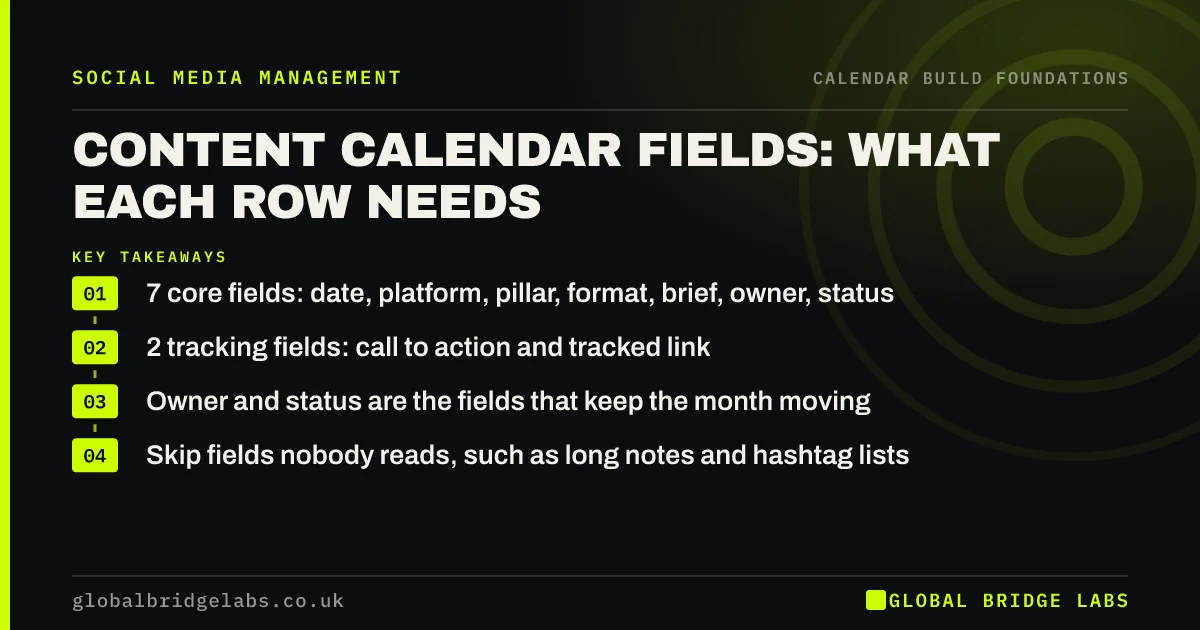
The content calendar fields that matter are date, platform, content pillar, format, a one-line brief, owner and status. Add call to action and link if you track enquiries. Every extra column is one more thing to fill in, so leave out anything you will not use when deciding what to post or checking whether it worked.
- 7 core fields: date, platform, pillar, format, brief, owner, status.
- 2 tracking fields: call to action and tracked link.
- Owner and status are the fields that keep the month moving.
- Skip fields nobody reads, such as long notes and hashtag lists.
Want a calendar layout set up for your team? Message us on WhatsApp.
Chat on WhatsApp →Which fields does every content calendar need?
Every content calendar needs seven fields: the date it publishes, the platform, the content pillar it belongs to, the format (photo, carousel, video, text), a one-line brief stating the point of the post, the owner who makes it, and its status. Together they answer what, where, why and who for every post.
Why do owner and status matter most?
Owner and status matter most because they show where the month is stuck. Without an owner, posts default to the busiest person and slip. Without a status, nobody can see that six posts are still at 'idea' a week before they are due. A glance down the status column is the whole mid-month check.
Which tracking fields are worth adding?
Add a call to action field and a link field if social media is meant to produce enquiries. The call to action says what the reader should do; the link is a tracked URL so you can see which posts sent visitors. Google's campaign URL builder adds UTM tags in seconds, and analytics then shows the post that brought each visit.
Which fields can you leave out?
Leave out fields nobody uses to make a decision: long caption drafts (write those in the scheduler), hashtag lists, mood notes and post-performance columns you never fill in. Keep the full caption and image somewhere linked from the row, not inside it, so the calendar stays readable on one screen.
Do the fields change with more platforms?
The fields stay the same; the rows multiply. With two platforms, add one row per platform version of a post, or a single row with a 'repurpose to' field naming the second platform. The single row is easier for small teams, because one idea stays in one place.
What does this look like in practice?
A pattern we see: a downloaded template with 18 columns, of which four are filled in by week two and none by week four. Cutting it to seven fields usually means the calendar gets filled in, which is the only thing that makes it useful.
Calendar fields checklist
- Date, platform, pillar, format, brief, owner, status.
- Add call to action and tracked link if you count enquiries.
- Link to captions and images rather than pasting them in.
- Remove any column nobody filled in last month.
- Keep the whole month readable on one screen.
Next step
Open your current calendar and count the columns. Delete any that were empty last month, and add owner and status if they are missing.
Message us on WhatsApp for our seven-field layout, or book a 30-minute consultation.
Chat on WhatsApp →Sources and further reading
- URL builders: collect campaign data with custom URLs · Google Analytics Help
- Meta Business Help Centre · Meta
Frequently asked questions
What columns should a social media content calendar have?
Date, platform, content pillar, format, a one-line brief, owner and status. Add a call to action and a tracked link if you want to see which posts bring enquiries. Anything beyond that usually goes unfilled.
Should captions go in the content calendar?
Keep a one-line brief in the calendar and the full caption in the scheduler or a linked document. Full captions make the calendar too long to read on one screen, which makes it harder to see gaps and who is behind.
Do I need a status column in my content calendar?
Yes. A status column, such as idea, drafted, approved, scheduled and published, shows at a glance which posts are stuck. Without it, problems are found only when a post fails to go out.
Written by

Global Bridge Labs (GBL) is a UK–Sri Lanka partner for social media, websites and BPO. Everything here comes from client delivery, not theory.