On this page
- 01Key takeaways
- 02Which images help visitors decide?
- 03Why do stock photos often hurt conversion?
- 04How do captions turn images into proof?
- 05How do you keep images from slowing the site?
- 06When should you use fewer images?
- 07What does this look like in practice?
- 08Converting images checklist
- 09Next step
- 10Sources and further reading
- 11Frequently asked questions
Key takeaways
Website images help visitors decide when they show something the buyer needs to know: the finished work, the real team, the product in use, the place they will visit. Images that only set a mood take space and attention without answering anything. The best-converting images double as proof.
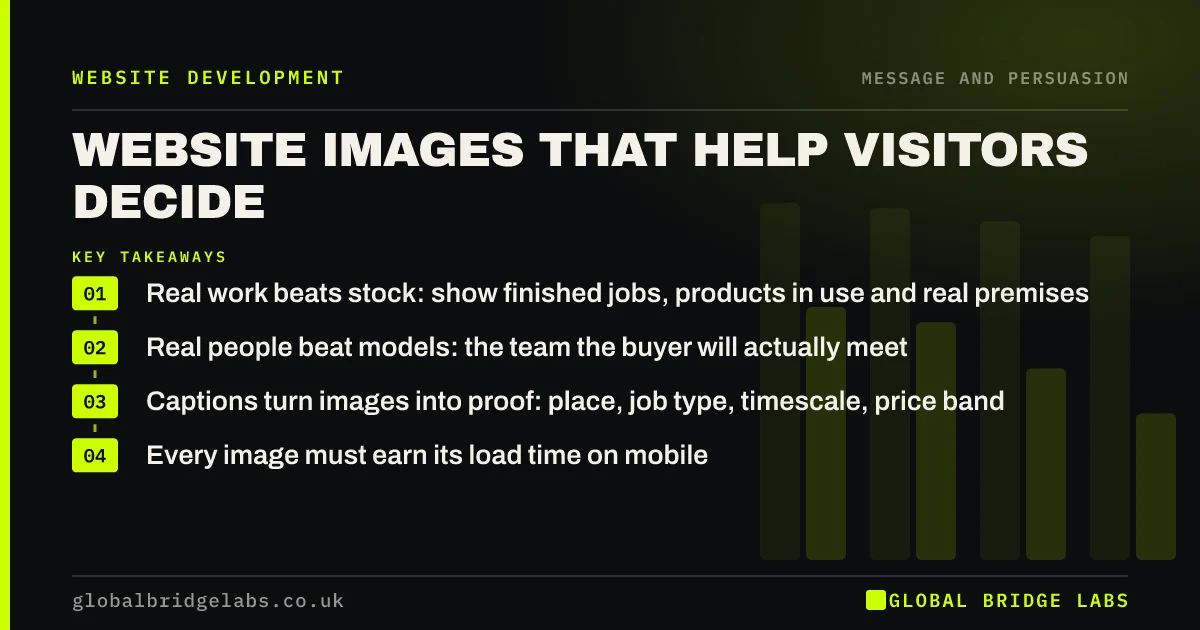
- Real work beats stock: show finished jobs, products in use and real premises.
- Real people beat models: the team the buyer will actually meet.
- Captions turn images into proof: place, job type, timescale, price band.
- Every image must earn its load time on mobile.
Want a photography brief that works as proof? Message us on WhatsApp.
Chat on WhatsApp →Which images help visitors decide?
Images help when they answer a buyer's question faster than words could. Will the finished kitchen look like this? Who will turn up at my house? What does the clinic look like inside? How big is the product? Each of those answers reduces uncertainty, which is what moves a visitor from browsing to enquiring.
- Finished work, ideally before and after.
- The real team, in work clothes, at work.
- Products in use, at a recognisable scale.
- Premises: entrance, waiting room, workshop.
- Process: what a visit, installation or appointment looks like.
Why do stock photos often hurt conversion?
Buyers recognise stock photos, and when they do, the image signals that you have nothing real to show. A smiling model in a hard hat tells a homeowner nothing about your firm. It also uses the space where real proof could be. Stock can work for abstract concepts, but not in place of your work or team.
How do captions turn images into proof?
An uncaptioned photo of a kitchen is decoration. The same photo captioned 'Shaker kitchen, Harpenden, fitted in 8 days, £18,000 to £22,000' is a case study in one line. Captions give scanning visitors the facts, help search engines understand the image and make proof specific.
Send us three project photos on WhatsApp and we will write proof captions for them.
Chat on WhatsApp →How do you keep images from slowing the site?
Every image adds weight. Compress images, serve them in modern formats such as WebP, size them for the space they fill and lazy-load anything below the first screen. The hero image matters most, because it often decides the Largest Contentful Paint time on mobile.
When should you use fewer images?
Use fewer images when they push the offer and next step out of the first screen, when they add seconds to mobile load time, or when you do not have real ones yet. A clear text-led page converts better than one filled with generic photos. Add real images as you collect them.
What does this look like in practice?
A UK roofing contractor's site used stock imagery throughout. Over two months, the team photographed every job before and after on their phones. We added the best 20 with captions giving town, job type and duration. Visitors viewed more pages per session, and quote requests increased, with several customers mentioning a specific project photo.
Converting images checklist
- Replace stock photos of 'your team' with real ones.
- Show finished work, ideally before and after.
- Caption each project image with place, job type and timescale.
- Compress and size every image, and use WebP.
- Keep the hero image light on mobile.
- Add descriptive alt text to every meaningful image.
Next step
Your best proof may already be on your team's phones. We can help you choose, caption and place images so they help buyers decide.
Message us on WhatsApp for an image review, or book a 30-minute consultation.
Chat on WhatsApp →Sources and further reading
- Google Images SEO best practices · Google Search Central
- Optimise Largest Contentful Paint · web.dev (Google)
- Web Content Accessibility Guidelines (WCAG) 2.2 · W3C
Frequently asked questions
What images should a business website have?
Real photos of finished work, the team, products in use and premises, with captions that give specific details. These answer buyer questions and act as proof. Avoid relying on stock photos, especially to represent your own team or work. Compress every image for mobile speed.
Do stock photos hurt conversion?
They often do when used in place of real proof, because buyers recognise them and learn nothing about your business. Stock images can work for abstract ideas, but real photos of your work and people are almost always more persuasive.
Are phone photos good enough for a business website?
Often, yes. Modern phones take good photos in decent light. Real, well-framed phone photos of your work usually outperform polished stock images. Invest in professional photography for the homepage and team shots when budget allows. Caption each project photo with place and job type.
How big should website images be?
As small as possible while looking sharp in the space they fill. Size images to their display width, compress them and use WebP. Keep the hero image especially light, as it often affects mobile loading time the most. Lazy-load images below the first screen.
Written by

Global Bridge Labs (GBL) is a UK–Sri Lanka partner for social media, websites and BPO. Everything here comes from client delivery, not theory.