On this page
- 01Key takeaways
- 02When does video increase enquiries?
- 03Which videos are worth making?
- 04When does video hurt conversion?
- 05How should video be placed on the page?
- 06How do you know if video is working?
- 07What does this look like in practice?
- 08Website video checklist
- 09Next step
- 10Sources and further reading
- 11Frequently asked questions
Key takeaways
Video on a website increases enquiries when it answers a question text cannot answer as well: showing the team, the process, the finished result or a customer telling their story. It hurts when it is a slow autoplay header that delays the offer. Place short, purposeful videos where buyers are deciding, and never let them block the page.
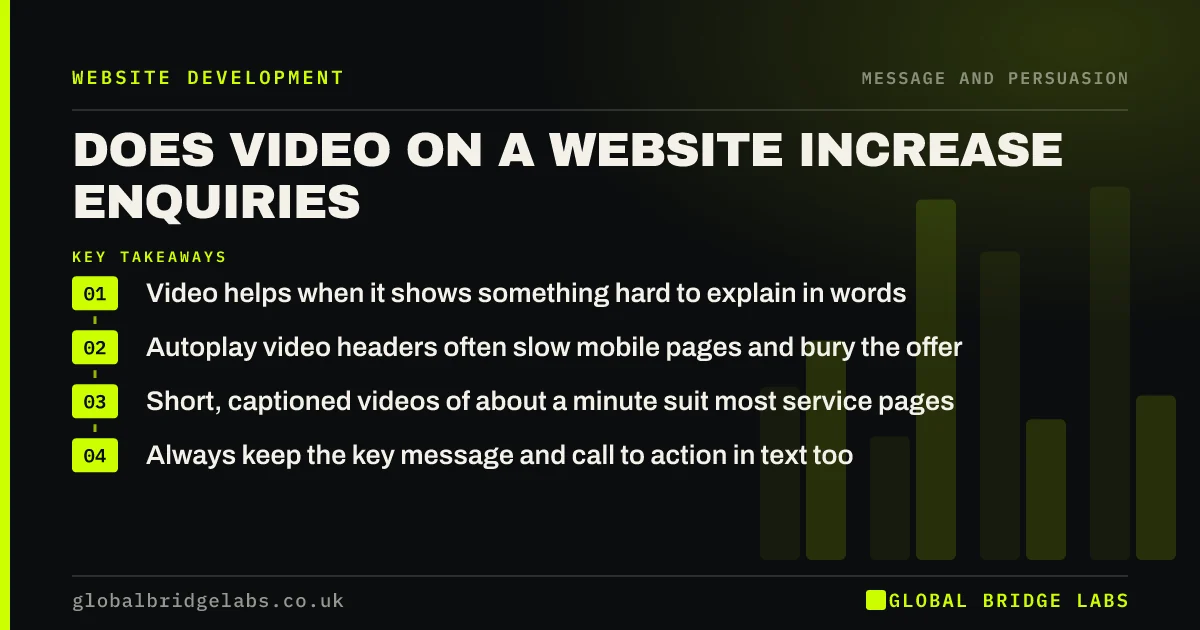
- Video helps when it shows something hard to explain in words.
- Autoplay video headers often slow mobile pages and bury the offer.
- Short, captioned videos of about a minute suit most service pages.
- Always keep the key message and call to action in text too.
Want to know whether video would help your site? Ask us on WhatsApp.
Chat on WhatsApp →When does video increase enquiries?
Video increases enquiries when it reduces a buyer's uncertainty faster than text or photos. A 60-second walk-through of a finished loft conversion, a clinician explaining a first appointment, or a client describing the problem you solved can all do that. The common thread is that video shows something real and relevant to the decision.
Which videos are worth making?
For most UK small businesses, these four types earn their place.
- Meet the team: who the buyer will speak to or see.
- Process: what happens from enquiry to finished job.
- Project walk-through: finished work with a short explanation.
- Customer story: a real client describing the problem and result.
Want a short video plan for your service pages? Message us on WhatsApp.
Chat on WhatsApp →When does video hurt conversion?
Video hurts when it slows the page or replaces the message. Autoplay headers are the most common problem: they add weight to the first screen on mobile, often have no sound or captions, and push the headline and call to action aside. Long brand films that say little also use attention visitors would have given to the offer.
How should video be placed on the page?
Place video beside the claim or question it answers, not as a full-screen header. Use a lightweight thumbnail that loads the player only when clicked, add captions so it works with sound off, and keep the key message and call to action in text next to it. Hosting on YouTube or Vimeo and embedding lazily avoids slowing the page.
- Click-to-play, not autoplay.
- Captions on every video.
- 30 to 90 seconds for most service videos.
- A text summary and call to action beside it.
How do you know if video is working?
Track video plays and completion as events, and compare enquiry rates for visitors who watched with those who did not. Be careful: watchers are often more interested anyway. A cleaner test is comparing the page's enquiry rate before and after adding the video, over the same season.
What does this look like in practice?
A UK hearing clinic replaced an autoplay stock video header with a still image and headline, and added a 70-second captioned video of an audiologist explaining the first appointment beside the booking button. Mobile load time improved and appointment requests from the page rose. Several patients said the video made them less nervous about booking.
Website video checklist
- Make video only where it shows something text cannot.
- Avoid autoplay video headers, especially on mobile.
- Keep service videos to 30 to 90 seconds.
- Add captions and a text summary.
- Use click-to-play embeds that load lazily.
- Measure the page's enquiry rate before and after.
Next step
Video is worth the effort when it answers a buyer's question on the page where they decide. We can help you choose which one video would make the most difference.
Message us on WhatsApp for a video plan, or book a 30-minute consultation.
Chat on WhatsApp →Sources and further reading
- Optimise Largest Contentful Paint · web.dev (Google)
- Web Content Accessibility Guidelines (WCAG) 2.2 · W3C
- Create a YouTube channel · YouTube Help
Frequently asked questions
Does adding video to a website increase conversions?
It can, when the video shows something that helps buyers decide, such as the team, the process or finished work, and when it does not slow the page. Autoplay headers and long brand films often hurt instead. Keep key messages in text beside it, and add captions.
Should I have a video on my homepage?
Only if it answers a key buyer question and does not delay the headline and call to action. A click-to-play video beside the offer usually works better than an autoplay full-screen header, particularly on mobile. Keep the headline and call to action visible without it.
How long should a website video be?
For most service pages, 30 to 90 seconds. Customer stories and detailed walk-throughs can be longer if the buyer is making a large decision. Put the most important point in the first 10 seconds. Add captions, because many people watch with the sound off.
Does video slow down a website?
It can if the video file loads with the page, especially as an autoplay header. Embedding from YouTube or Vimeo with a lightweight thumbnail that loads the player only on click keeps pages fast. Never autoplay large video files on mobile.
Written by

Global Bridge Labs (GBL) is a UK–Sri Lanka partner for social media, websites and BPO. Everything here comes from client delivery, not theory.