On this page
- 01Key takeaways
- 02How does GA4 tell paid from organic social?
- 03How should you tag links?
- 04What goes wrong without tags?
- 05How do you track enquiries by channel?
- 06How do you check the set-up is working?
- 07What does this look like in practice?
- 08GA4 social tracking checklist
- 09Next step
- 10Sources and further reading
- 11Frequently asked questions
Key takeaways
GA4 separates paid and organic social using UTM tags. Tag ad links with utm_medium set to paid_social (or cpc) and organic links with utm_medium set to social, and GA4's default channel groups will report them as Paid Social and Organic Social. Untagged ad traffic is often counted as organic, which overstates organic and understates paid.
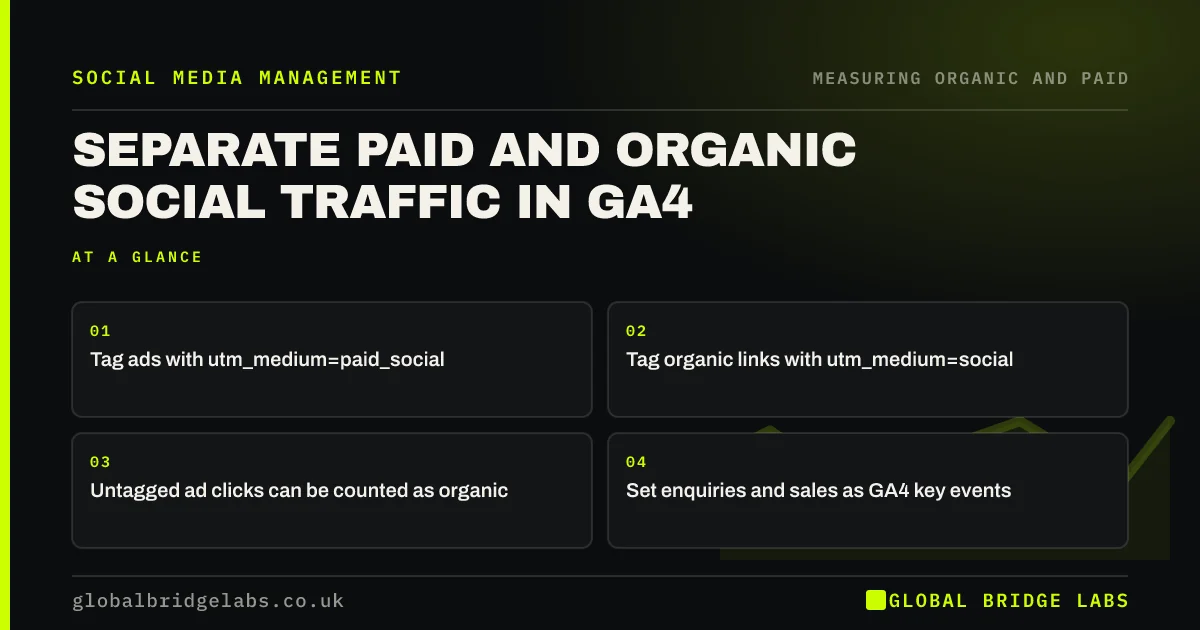
- Tag ads with utm_medium=paid_social.
- Tag organic links with utm_medium=social.
- Untagged ad clicks can be counted as organic.
- Set enquiries and sales as GA4 key events.
Want your GA4 social tracking checked? Message us on WhatsApp.
Chat on WhatsApp →How does GA4 tell paid from organic social?
GA4 uses the source and medium of each visit to assign it to a channel group. When utm_medium is a paid value such as paid_social or cpc and the source is a social platform, GA4 reports the visit as Paid Social. Social sources without a paid medium become Organic Social.
How should you tag links?
Use consistent UTM tags on every link. Google's guidance on custom campaign URLs explains the parameters.
- utm_source: the platform, such as facebook.
- utm_medium: paid_social for ads, social for organic.
- utm_campaign: the campaign or offer name.
- utm_content: the ad or post version.
What goes wrong without tags?
Without tags, ad clicks from social apps often arrive as referrals from the platform and are counted as Organic Social. That makes organic look stronger and paid weaker than reality. Some in-app browsers also strip referrer data, sending visits to Direct.
How do you track enquiries by channel?
Set enquiries, bookings and purchases as key events in GA4, then view them by session default channel group. GA4's attribution reports show how Paid Social and Organic Social contribute across a customer's visits.
How do you check the set-up is working?
Click one of your own ads and one organic link, then check GA4's real-time report to see the source and medium. Review the channel report monthly for unexpected spikes in Direct or Referral from social platforms.
What does this look like in practice?
A pattern we see: an online plant shop's GA4 showed Organic Social as its best channel and Paid Social as almost nothing, even though it spent heavily on ads. The ads had no UTM tags. Adding tags moved most of that traffic into Paid Social and changed the shop's view of both.
GA4 social tracking checklist
- Tag every ad with utm_medium=paid_social.
- Tag organic links with utm_medium=social.
- Use consistent source and campaign names.
- Set enquiries and sales as key events.
- Test tags in the real-time report.
- Review channel reports monthly.
Next step
Check your active ads for UTM tags today. Add any missing ones using a consistent naming convention, then test one click in GA4's real-time report.
Message us on WhatsApp for a UTM naming template, or book a 30-minute consultation.
Chat on WhatsApp →Sources and further reading
- URL builders: collect campaign data with custom URLs · Google Analytics Help
- About key events · Google Analytics Help
- Get started with attribution · Google Analytics Help
Frequently asked questions
What utm_medium should I use for social ads?
Use a paid value such as paid_social, paid-social or cpc, consistently. GA4's default channel grouping recognises these as paid when combined with a social source. Pick one naming convention, write it down and apply it to every ad and every platform so your GA4 reports stay clean and comparable month to month.
Why is my paid social traffic showing as organic in GA4?
Usually because ad links lack UTM tags, so GA4 sees a referral from the social platform and classifies it as Organic Social. Add tags with a paid medium to every ad. Some platforms can add tags automatically through URL parameter settings.
Do I need UTM tags on organic posts?
It helps. Tagging organic links with utm_medium=social and a clear campaign name lets you see which posts drive visits and enquiries. Links in bios and profiles are also worth tagging, with their own campaign name, so you can tell them apart from links in individual posts and stories.
Written by

Global Bridge Labs (GBL) is a UK–Sri Lanka partner for social media, websites and BPO. Everything here comes from client delivery, not theory.