On this page
- 01Key takeaways
- 02What does GA4 measure for social media?
- 03Step 1: how should you tag social links?
- 04Step 2: how do you set up key events?
- 05Step 3: which reports should you read?
- 06Why does social traffic show as direct?
- 07How do you count enquiries GA4 cannot see?
- 08What are GA4's limits for social media?
- 09What does this look like in practice?
- 10GA4 social tracking checklist
- 11Next step
- 12Sources and further reading
- 13Frequently asked questions
Key takeaways
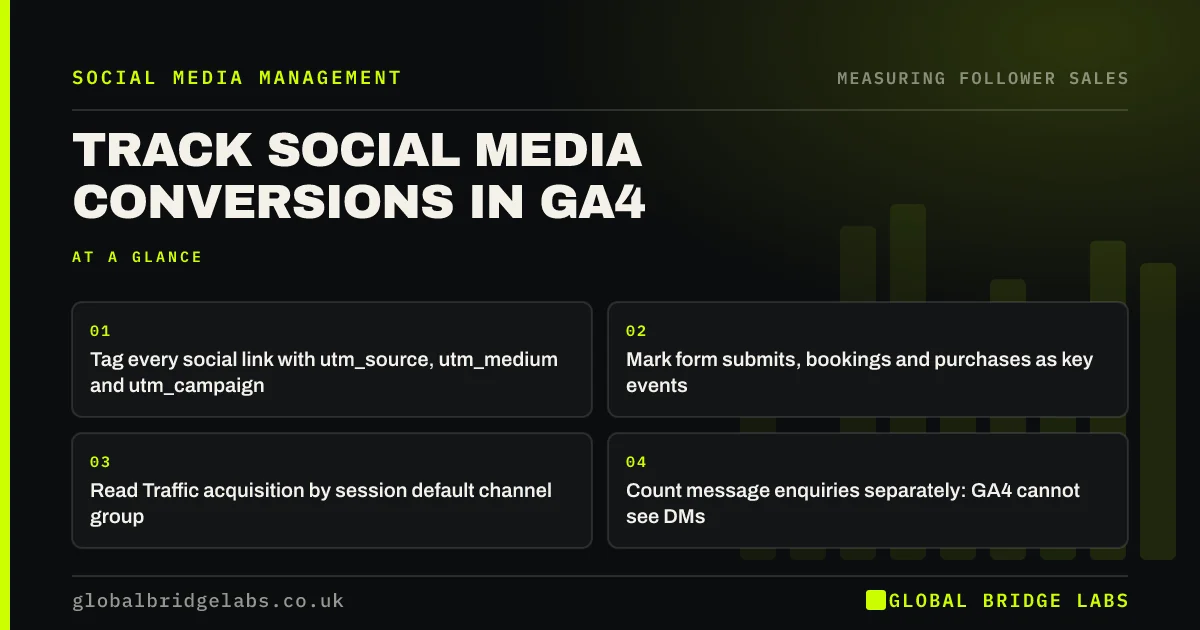
To track social media conversions in Google Analytics 4 (GA4), tag every social link with UTM parameters, mark your enquiry or purchase events as key events, then read the Traffic acquisition report filtered to Organic Social and Paid Social. Untagged in-app clicks often appear as direct traffic, so tagging is the step that matters most.
- Tag every social link with utm_source, utm_medium and utm_campaign.
- Mark form submits, bookings and purchases as key events.
- Read Traffic acquisition by session default channel group.
- Count message enquiries separately: GA4 cannot see DMs.
Want GA4 set up to show social conversions? Message us on WhatsApp.
Chat on WhatsApp →What does GA4 measure for social media?
GA4 measures what happens on your website after someone arrives from social media: sessions, engagement and key events such as enquiries or purchases. It groups visits into channels such as Organic Social and Paid Social using the referrer and UTM tags. It cannot see likes, comments or direct messages.
Step 1: how should you tag social links?
Tag every link you post with UTM parameters: utm_source for the platform (instagram), utm_medium for the type (social or paid_social), and utm_campaign for the offer or month. Use lower case and a fixed list of values. Google's URL builder creates them. Tag the bio link, story links and adverts.
- Bio: ?utm_source=instagram&utm_medium=social&utm_campaign=bio
- Advert: ?utm_source=facebook&utm_medium=paid_social&utm_campaign=spring_offer
Step 2: how do you set up key events?
Set up key events for the actions that matter: a form submission, a booking, a purchase, a WhatsApp or phone click. Create the event, often through Google Tag Manager or your site platform, then mark it as a key event in GA4 admin. Check it fires by testing it yourself in DebugView.
Key events not firing properly? Message us on WhatsApp and we will discuss your requirements.
Chat on WhatsApp →Step 3: which reports should you read?
Read Reports, Acquisition, Traffic acquisition, with the primary dimension set to session default channel group. Organic Social and Paid Social show sessions and key events. Switch to session source / medium to compare platforms, or session campaign to compare offers. Explorations can build a funnel from landing to enquiry.
Why does social traffic show as direct?
Social traffic shows as direct when clicks come from apps that do not pass a referrer, when links are shared in private messages, or when a cookie banner blocks analytics until consent. UTM tags fix the first two for your own links. Consent mode can model some of the third. Some social influence will always be invisible.
How do you count enquiries GA4 cannot see?
Count DMs, calls and WhatsApp messages in your inbox or CRM, and ask new customers how they found you. Add these to GA4's website figures in a simple monthly report. For many service businesses, messages are the larger share of social enquiries.
What are GA4's limits for social media?
GA4 credits conversions using its attribution settings, which by default favour channels close to the conversion. Someone who saw five posts and then searched your name may be credited to search. Use GA4 for website behaviour, not as the final word on social media's value.
What does this look like in practice?
A pattern we see: GA4 shows almost no social conversions, so social media is judged a failure. On checking, the bio link is untagged, Instagram clicks land as direct and the enquiry form is not a key event. Fixing those three often changes the conclusion.
GA4 social tracking checklist
- Agree a fixed list of UTM values.
- Tag bio, story and advert links.
- Create and mark key events.
- Test events in DebugView.
- Read Traffic acquisition monthly.
- Add inbox enquiries to the monthly report.
Next step
Tag your bio link today and check in GA4 next week that visits from it appear under Organic Social with the right source.
Message us on WhatsApp and we will help set up social tracking in GA4, or book a 30-minute consultation.
Chat on WhatsApp →Sources and further reading
- About key events · Google Analytics Help
- URL builders: collect campaign data with custom URLs · Google Analytics Help
- Get started with attribution · Google Analytics Help
- Funnel exploration · Google Analytics Help
Frequently asked questions
How do I see social media conversions in GA4?
Go to Reports, Acquisition, Traffic acquisition and set the primary dimension to session default channel group. Organic Social and Paid Social show sessions and key events. Make sure your enquiry or purchase events are marked as key events, and tag social links with UTMs.
Why does GA4 show my Instagram traffic as direct?
In-app browsers often do not pass the referring site, so untagged clicks look direct. Add UTM parameters to your bio and story links so GA4 records the source. Traffic blocked before cookie consent may also be missing or modelled.
What is a key event in GA4?
A key event, previously called a conversion, is an event you mark as important to your business, such as a form submission, booking or purchase. GA4 reports key events by channel, so you can see how many came from social media.
Written by

Global Bridge Labs (GBL) is a UK–Sri Lanka partner for social media, websites and BPO. Everything here comes from client delivery, not theory.