On this page
Key takeaways
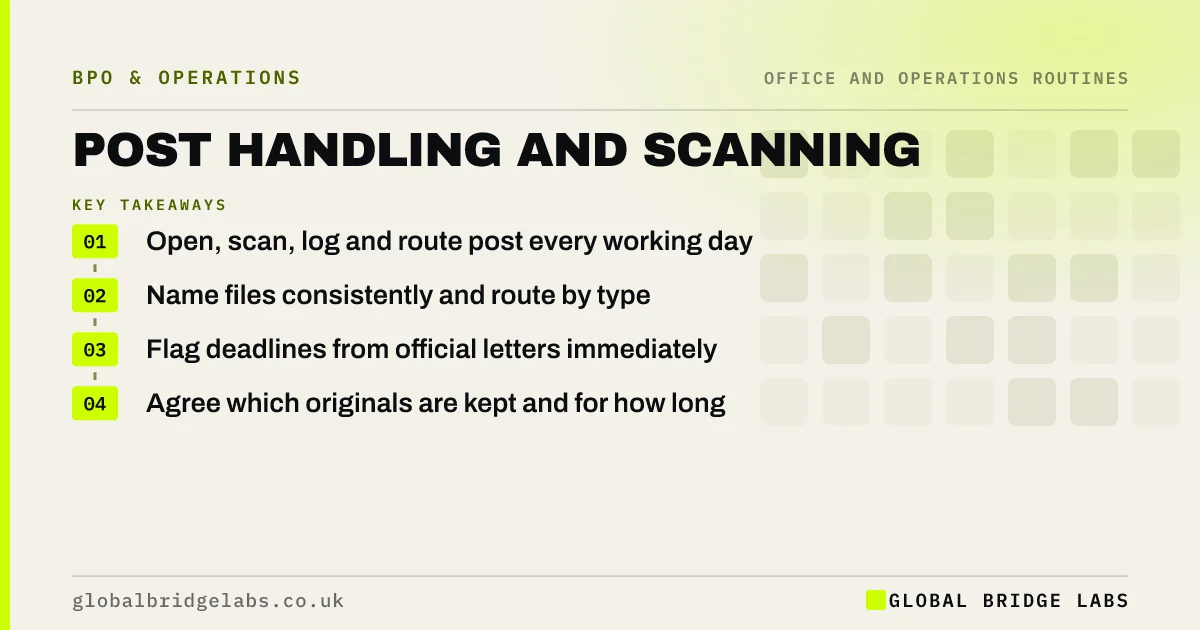
Post handling is the daily routine of opening, sorting, scanning, logging and routing paper mail. Turning it into a digital inbox means invoices reach accounts the same day, official letters are not missed and remote staff can see their post. The routine is simple and repetitive; the rules on originals and confidential mail need writing down.
- Open, scan, log and route post every working day.
- Name files consistently and route by type.
- Flag deadlines from official letters immediately.
- Agree which originals are kept and for how long.
Post sitting unopened for days? Message us on WhatsApp with roughly how much arrives each week.
Chat on WhatsApp →What does a post routine involve?
Each day: open the post, sort by type, scan to a set standard, name and log each item, route it to the right inbox or system, and flag anything with a deadline, such as letters from HMRC, Companies House or a court. Physical items are stored or forwarded by rule.
How should scanned post be routed?
Route by type so the right person sees each item without anyone forwarding it. A short routing table covers most post.
- Supplier invoices: accounts payable inbox.
- Customer cheques and remittances: cash allocation.
- HMRC, Companies House and legal letters: director, flagged.
- Marked private: unopened, to the addressee.
What does a post routine take?
In an illustrative example, a firm receiving 60 items a day spends about 1 to 1.5 hours opening, scanning and routing. These are example figures. The bigger saving is speed: invoices processed the day they arrive and deadlines spotted immediately rather than when someone gets to the pile.
Send us your weekly post volume on WhatsApp and we will help you plan the routine.
Chat on WhatsApp →What about originals and confidentiality?
Decide which originals must be kept, such as signed contracts or certain legal documents, and how long other paper is kept before shredding. Your accountant can advise on retaining accounting records; companies generally must keep them for six years. Mark confidential categories that should never be opened by the post team.
What does this look like in practice?
A pattern we see: an important letter sits in a pile for a week because the person it was for works remotely. A daily scan and route ends that, and the post tray stops being a source of missed deadlines.
Post routine checklist
Set up the routine with these points.
- Post opened every working day.
- Scan standard and naming rule.
- Routing table by item type.
- Deadlines flagged on arrival.
- Retention rule for originals.
Next step
Tell us how much post arrives and where it needs to go. We will suggest a routing table and say plainly what a routine would involve.
Message us on WhatsApp about post handling, or book a 30-minute consultation.
Chat on WhatsApp →Sources and further reading
- Running a limited company: company and accounting records · GOV.UK
- Why GOV.UK content should be published in HTML and not PDF · Government Digital Service
Frequently asked questions
What is a post scanning service?
A post scanning service opens your business mail, scans it and sends it to you or the right inbox digitally, usually the same day. Some services receive post at their address; others work alongside your own office. Originals are stored, forwarded or shredded by agreed rules.
Do you need to keep paper originals after scanning?
Some originals should be kept, such as signed contracts or documents a court or regulator may need. Accounting records must be kept for set periods, generally six years for companies, in a form you can produce. Ask your accountant which originals to retain.
How should scanned post be organised?
Use a consistent file naming rule, route each item by type to the right inbox or system, and log it with the date received. Flag any letter with a deadline straight away. A simple routing table means nobody has to forward items by hand.
Written by

Global Bridge Labs (GBL) is a UK–Sri Lanka partner for social media, websites and BPO. Everything here comes from client delivery, not theory.