On this page
- 01Key takeaways
- 02What should a photographer's website include?
- 03How should packages be described?
- 04How should copyright be explained?
- 05What about privacy and consent?
- 06What booking terms should be shown?
- 07When is less better?
- 08What does this look like in practice?
- 09Photographer website checklist
- 10Next step
- 11Sources and further reading
- 12Frequently asked questions
Key takeaways
A photographer's business website should show packages and prices, what clients receive (number of edited images, format, turnaround), booking and deposit terms, travel areas, how copyright and image use work, and how you handle clients' and subjects' personal data. A strong portfolio gets attention; clear terms win the booking.
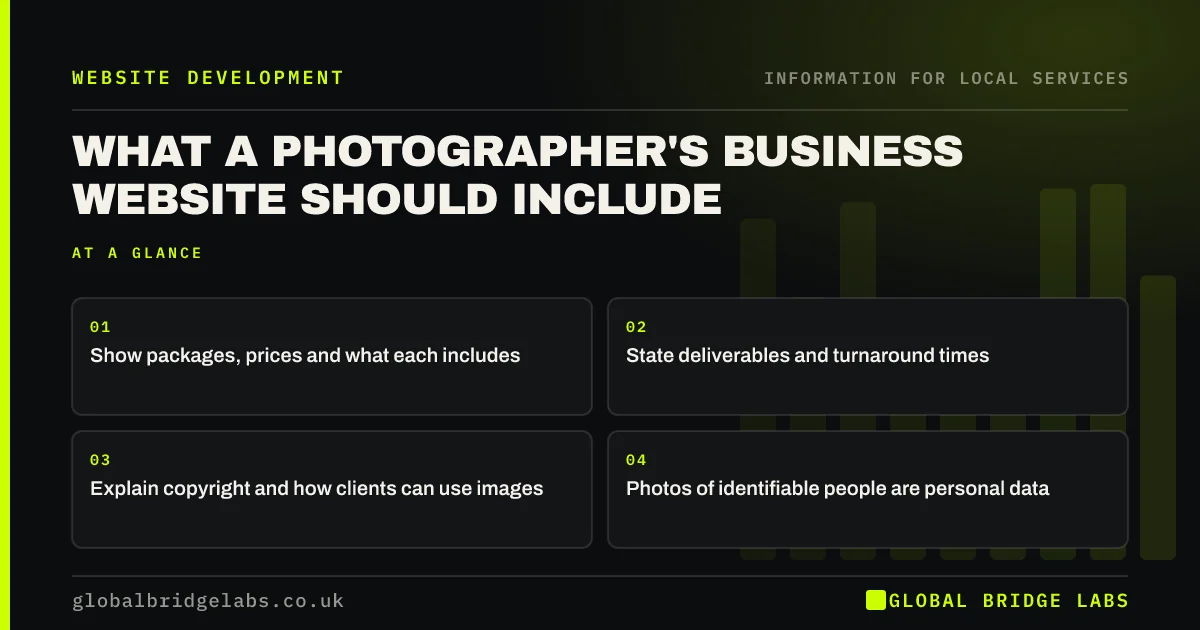
- Show packages, prices and what each includes.
- State deliverables and turnaround times.
- Explain copyright and how clients can use images.
- Photos of identifiable people are personal data.
Running a photography website? Message us on WhatsApp.
Chat on WhatsApp →What should a photographer's website include?
A photographer's website should include a focused portfolio, packages and prices, deliverables and turnaround, booking and deposit terms, travel areas, copyright and usage terms, and privacy information. Global Bridge Labs (GBL) sees deliverables and usage rights as the items most often missing, and the ones that cause disputes.
How should packages be described?
Describe each package by what the client gets: hours of coverage, number of edited images, delivery format, turnaround time and extras such as albums. Show prices or 'from' prices. Concrete inclusions make packages easy to compare and reduce scope arguments later.
How should copyright be explained?
By default, the photographer usually owns copyright in their photos, and clients receive a licence to use them. Explain in plain words what clients can do, such as personal use, social media or commercial use, and whether you may use images in your portfolio.
What about privacy and consent?
Photos of identifiable people are personal data under UK GDPR. Explain how you store images, how long you keep them and whether you use client photos for marketing, and get permission for portfolio use, especially for children. Link to your privacy notice.
What booking terms should be shown?
Show deposits or booking fees, when the balance is due, cancellation and rescheduling terms, and what happens if you are ill. Services booked for a specific date are often exempt from the 14-day cancellation right, so fair, clear terms matter.
When is less better?
Less is better in the portfolio. Twenty strong images that match the work you want to book beat two hundred mixed ones. Curate by service, such as weddings, headshots or products, so clients see what applies to them.
What does this look like in practice?
A pattern we see: a photographer's site is a beautiful gallery with a contact form and nothing else. Clients email to ask prices, image counts and usage rights. Adding packages with inclusions and a short usage section answers all three before the first email.
Photographer website checklist
- Curate the portfolio by service.
- Show packages and prices.
- State image counts and turnaround.
- Explain copyright and usage.
- Explain privacy and portfolio consent.
- Show deposits and cancellation terms.
Next step
Write one paragraph explaining what clients can do with their photos and how you may use them. Add it to each package page.
Message us on WhatsApp for a website review, with no pitch.
Chat on WhatsApp →Sources and further reading
- How copyright protects your work · GOV.UK
- Lawful basis for processing personal data · Information Commissioner's Office
- Consumer Contracts (Information, Cancellation and Additional Charges) Regulations 2013 · legislation.gov.uk
Frequently asked questions
Who owns the copyright in photos I take for clients?
By default the photographer usually owns copyright, and the client receives a licence to use the images. Your terms can change this. Explain usage rights plainly on your website and in contracts to avoid disputes.
Should photographers show prices online?
Yes, at least as 'from' prices with what each package includes. Clients shortlist on budget, and clear packages reduce back-and-forth emails and scope disputes about image numbers or delivery times.
Can I use client photos on my website?
Get permission, especially for identifiable people and children, because photos of people are personal data. State in your terms and privacy notice whether you use client images for marketing, and respect requests to remove them.
Written by

Global Bridge Labs (GBL) is a UK–Sri Lanka partner for social media, websites and BPO. Everything here comes from client delivery, not theory.