On this page
- 01Key takeaways
- 02Why does patching matter so much?
- 03What does a patching routine look like?
- 04Which patching work can be outsourced?
- 05When can patching cause problems?
- 06What does this look like in practice?
- 07Patch management checklist
- 08Next step
- 09Sources and further reading
- 10Frequently asked questions
Key takeaways
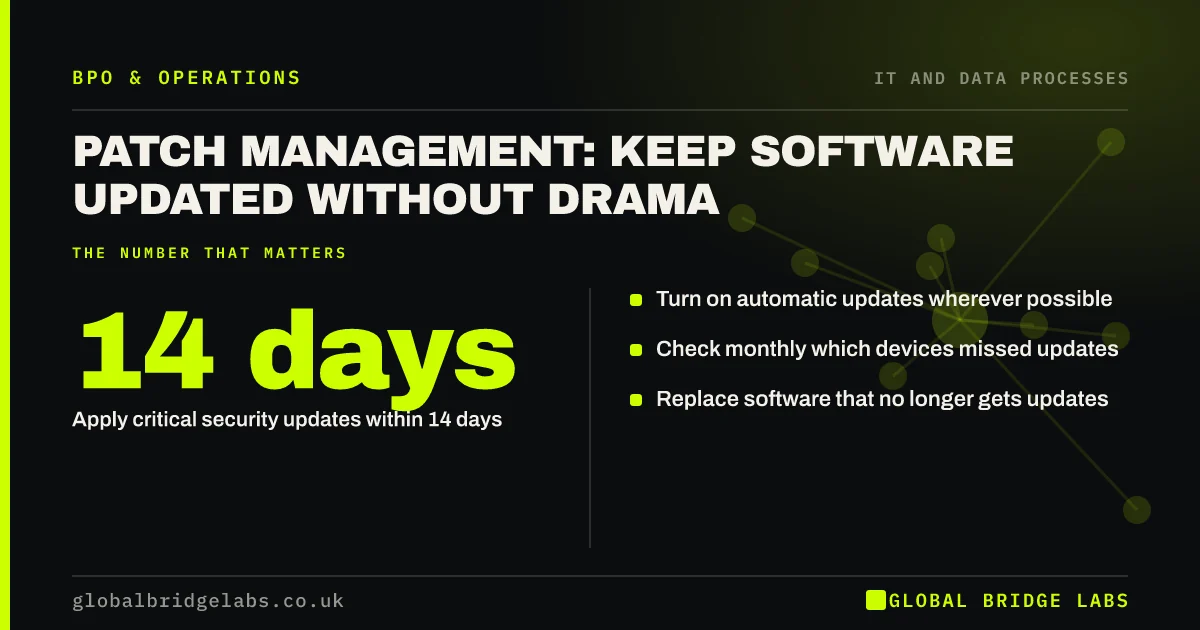
Patch management in a small business means applying software updates to every device and system promptly and checking they worked. Cyber Essentials requires high-risk and critical security updates to be applied within 14 days of release. A monthly routine with automatic updates, a check of what failed and a short exceptions list outsources well.
- Apply critical security updates within 14 days.
- Turn on automatic updates wherever possible.
- Check monthly which devices missed updates.
- Replace software that no longer gets updates.
Not sure every device is up to date? Message us on WhatsApp.
Chat on WhatsApp →Why does patching matter so much?
Many attacks exploit known weaknesses for which an update already exists. Unpatched devices, old operating systems and out-of-date website software are some of the easiest ways in. The NCSC lists keeping devices and software up to date among the most important steps a small organisation can take.
What does a patching routine look like?
Turn on automatic updates for operating systems, browsers and common apps. Each month, check a report of which devices are behind, chase or fix them, and record exceptions. Apply critical updates faster, within 14 days. Plan replacement for devices and software that are out of support.
- Automatic updates on by default.
- Monthly report of devices behind.
- Critical updates within 14 days.
- Exceptions recorded with a reason.
- Out-of-support items replaced.
Which patching work can be outsourced?
Monitoring update status, applying and scheduling updates, testing important ones on a single device first, chasing users whose devices are behind and reporting monthly. The business decides when updates can cause downtime and approves replacing out-of-support systems.
Want a monthly patch report for your devices? Message us on WhatsApp.
Chat on WhatsApp →When can patching cause problems?
Occasionally an update breaks a business-critical app. Test major updates on one device first, schedule them outside busy hours and keep a way to roll back. Delaying all updates to avoid that small risk creates a far bigger one.
What does this look like in practice?
A pattern we see: most devices update automatically, but two or three never restart, and those are the ones that stay vulnerable for months. A monthly exceptions list finds them.
Patch management checklist
Run these monthly.
- Automatic updates confirmed on all devices.
- Devices behind listed and fixed.
- Critical updates applied within 14 days.
- Website software updated.
- Out-of-support systems on a replacement plan.
Next step
Tell us how many devices you have and how updates are handled today. We will suggest a routine and tell you what we could run.
Message us on WhatsApp, or book a 30-minute consultation.
Chat on WhatsApp →Sources and further reading
- Cyber Essentials overview · National Cyber Security Centre
- Small organisations guide to cyber security · National Cyber Security Centre
Frequently asked questions
How quickly should security updates be applied?
Cyber Essentials requires high-risk and critical security updates to be applied within 14 days of release. Turning on automatic updates for operating systems, browsers and common apps is the simplest way for a small business to meet that.
What is patch management?
Patch management is the routine of applying software updates to devices and systems, checking they were installed, handling failures and replacing software that no longer receives updates. It closes known security weaknesses before attackers can use them.
Can patch management be outsourced?
Yes. Monitoring update status, applying and scheduling updates, testing major ones and reporting monthly are routine tasks for a managed IT or security provider. The business decides acceptable downtime and approves replacing out-of-support systems.
Written by

Global Bridge Labs (GBL) is a UK–Sri Lanka partner for social media, websites and BPO. Everything here comes from client delivery, not theory.