On this page
- 01Key takeaways
- 02What parking and access details should a website give?
- 03Why does it matter so much?
- 04How should directions be written?
- 05What about accessible arrival?
- 06Where should this information appear?
- 07When is parking information unnecessary?
- 08What does this look like in practice?
- 09Parking and access checklist
- 10Next step
- 11Sources and further reading
- 12Frequently asked questions
Key takeaways
If customers visit you, your website should say where to park, what it costs, whether there is disabled parking or drop-off, how to arrive by public transport, and how to find the entrance. These details prevent late arrivals and stressed first visits, and they are among the questions most often phoned in to clinics, venues and showrooms.
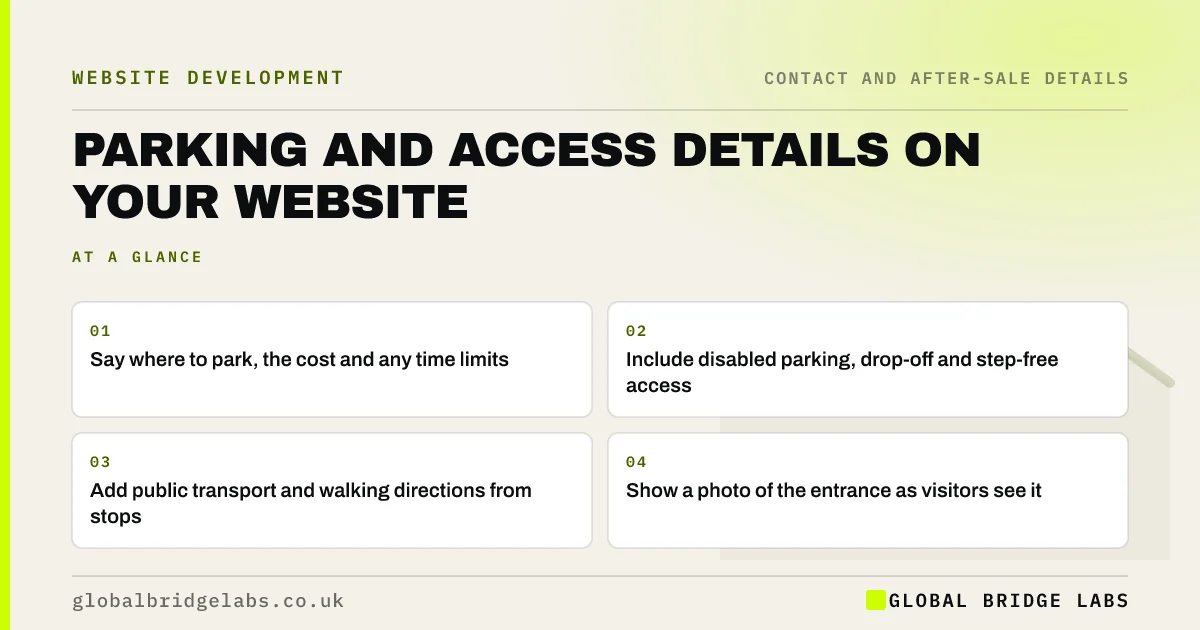
- Say where to park, the cost and any time limits.
- Include disabled parking, drop-off and step-free access.
- Add public transport and walking directions from stops.
- Show a photo of the entrance as visitors see it.
Want a 'how to find us' page outline? Message us on WhatsApp.
Chat on WhatsApp →What parking and access details should a website give?
Give the nearest parking, its cost and time limits, disabled bays and drop-off points, public transport routes, walking directions from stops, and how to find the entrance. Global Bridge Labs (GBL) recommends a short 'how to find us' section on the contact page and in booking confirmations.
Why does it matter so much?
First visits are stressful when people do not know where to park or which door to use. Late arrivals disrupt appointments, and a bad arrival colours the whole visit. Parking questions are also among the most common phone calls for clinics, venues and showrooms, so answering them online saves staff time.
How should directions be written?
Write directions from where people actually come from: the main road, the station, the car park. Use landmarks rather than compass points. Add a map link that opens the visitor's map app, and a daylight photo of the entrance. Keep it short enough to read on a phone in a car park.
What about accessible arrival?
Say where disabled parking is, whether the route to the entrance is step-free, and whether there is a ramp, lift or level threshold. Under the Equality Act 2010, service providers must make reasonable adjustments, and clear arrival information helps disabled visitors plan.
Where should this information appear?
Put it on the contact page, in booking confirmations and reminders, and on your Google Business Profile where relevant. Venues and clinics may also give it a dedicated 'visiting us' page. Keep one master version so changes reach every channel.
When is parking information unnecessary?
It is unnecessary when customers never visit, for example trades who go to the customer or online-only businesses. In that case, focus on your service area instead. Do not invite visits to an address you do not receive visitors at.
What does this look like in practice?
A pattern we see in clinics: the reception team spends the first minutes of many calls explaining parking and the side entrance. A 'how to find us' section with a photo and a map link, added to booking emails, cuts those calls and the late starts that follow.
Parking and access checklist
- Name the nearest car parks and costs.
- Add disabled bays and drop-off points.
- Give public transport routes.
- Describe the walk to the entrance.
- Add an entrance photo and map link.
- Send it with every booking confirmation.
Next step
Walk from the nearest car park to your entrance with a phone. Write down what a first-time visitor would need to know, and publish it.
Message us on WhatsApp for help with visitor information, with no pitch.
Chat on WhatsApp →Sources and further reading
- Maps URLs: launch Google Maps for search and directions · Google Maps Platform
- Equality Act 2010 · legislation.gov.uk
- Google Business Profile Help · Google
Frequently asked questions
What should a 'how to find us' page include?
It should include your address, a map link, parking options and costs, disabled parking, public transport, walking directions and a photo of the entrance. Keep it short and readable on a phone.
Should I put parking information on my website?
Yes, if customers visit. Parking and access questions are common, and clear information reduces late arrivals and phone calls. Add it to booking confirmations as well as the contact page.
How do I add directions to my website?
Add written directions from main roads and transport stops, a link that opens the visitor's map app, and a photo of the entrance. Avoid relying only on an embedded map, which can be slow and hard to use on phones.
Written by

Global Bridge Labs (GBL) is a UK–Sri Lanka partner for social media, websites and BPO. Everything here comes from client delivery, not theory.