On this page
- 01Key takeaways
- 02What should a 'how to book' page include?
- 03Why not just add a booking button?
- 04How should availability be described?
- 05What details should buyers have ready?
- 06How do deposits and cancellations fit in?
- 07When is a booking page unnecessary?
- 08What does this look like in practice?
- 09How to book page checklist
- 10Next step
- 11Sources and further reading
- 12Frequently asked questions
Key takeaways
A 'how to book' page explains every way to book, how far ahead availability runs, what information to have ready, whether a deposit is taken, how confirmation works and how to change or cancel. It suits appointment, event and visit-based businesses, and lets customers book without phoning to ask how.
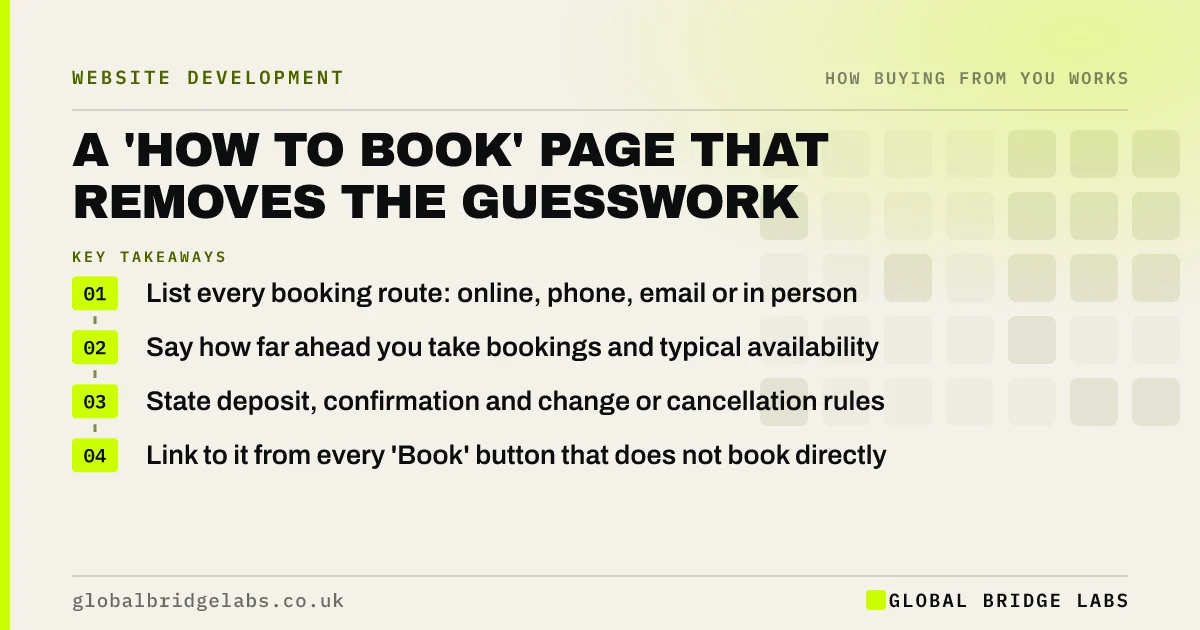
- List every booking route: online, phone, email or in person.
- Say how far ahead you take bookings and typical availability.
- State deposit, confirmation and change or cancellation rules.
- Link to it from every 'Book' button that does not book directly.
Want a booking page outline? Message us on WhatsApp.
Chat on WhatsApp →What should a 'how to book' page include?
A 'how to book' page should include each way to book, availability and lead times, what details to have ready, deposits and payment, how and when bookings are confirmed, and how to change or cancel. Global Bridge Labs (GBL) sees it help most where booking needs more than one click, such as consultations, events and site visits.
Why not just add a booking button?
A booking button works when booking is simple and instant. When it involves a call-back, a deposit or a choice between services, buyers want to know what happens before they commit. A short page answers that and makes the button feel safe to press.
How should availability be described?
Describe availability honestly: 'We book about three weeks ahead; urgent slots are held each Friday.' If you have an online calendar, link to it. Avoid 'call for availability' as the only answer, which pushes every buyer onto the phone.
What details should buyers have ready?
Tell buyers what you will ask for, so they are ready: address and postcode, photos of the job, measurements, dates, number of guests or reference numbers. A short list stops abandoned bookings and repeat calls asking for missing details.
How do deposits and cancellations fit in?
State any deposit and when it is taken, how confirmation arrives, and the notice needed to change or cancel. For consumer bookings made online or by phone, cancellation rights may apply, with exceptions for services booked for a specific date. Link to your full cancellation policy.
When is a booking page unnecessary?
It is unnecessary when an online booking system already shows availability, prices and terms before the customer confirms. In that case, make sure the system's text is clear and consistent with your policies, and skip the extra page.
What does this look like in practice?
A pattern we see with venues and clinics: the 'Book now' button opens a contact form, and buyers do not know whether they have booked or just enquired. A short 'how to book' page that explains the call-back and confirmation steps removes the confusion and the follow-up calls.
How to book page checklist
- List every booking route.
- Describe availability honestly.
- Say what details to have ready.
- State deposits and confirmation.
- Link to the cancellation policy.
- Make 'Book' buttons honest about what they do.
Next step
Press your own 'Book' button and note what happens next. If a customer could not predict it, write a 'how to book' page.
Message us on WhatsApp for help with your booking journey, with no pitch.
Chat on WhatsApp →Sources and further reading
- Consumer Contracts (Information, Cancellation and Additional Charges) Regulations 2013 · legislation.gov.uk
- User research · GOV.UK Service Manual
Frequently asked questions
What should a booking page include?
It should include how to book, availability, information needed, deposits, confirmation and how to change or cancel. If bookings are not instant, explain the call-back or confirmation step so customers know whether they have booked.
Should I take bookings online or by phone?
Offer what suits your service and buyers. Online booking suits simple, fixed services; phone or call-back suits complex or high-value bookings. Many businesses offer both. Whichever you use, explain the process on the website.
Do customers have a right to cancel bookings?
Consumers usually have 14 days to cancel services booked online or by phone, but services booked for a specific date, such as catering or leisure, are often exempt. State your cancellation terms clearly before the booking is made.
Written by

Global Bridge Labs (GBL) is a UK–Sri Lanka partner for social media, websites and BPO. Everything here comes from client delivery, not theory.