On this page
- 01Key takeaways
- 02What is a sticky CTA bar?
- 03When does a sticky bar work?
- 04How should a sticky bar be designed?
- 05When does a sticky bar get in the way?
- 06How do you measure whether it works?
- 07What does this look like in practice?
- 08Sticky bar checklist
- 09Next step
- 10Sources and further reading
- 11Frequently asked questions
Key takeaways
A sticky call-to-action bar stays visible at the edge of the screen as mobile visitors scroll, so the next step is always one tap away. It works well for call-led and booking-led businesses with long pages, and badly when it covers content, duplicates too many options or distracts on short pages.
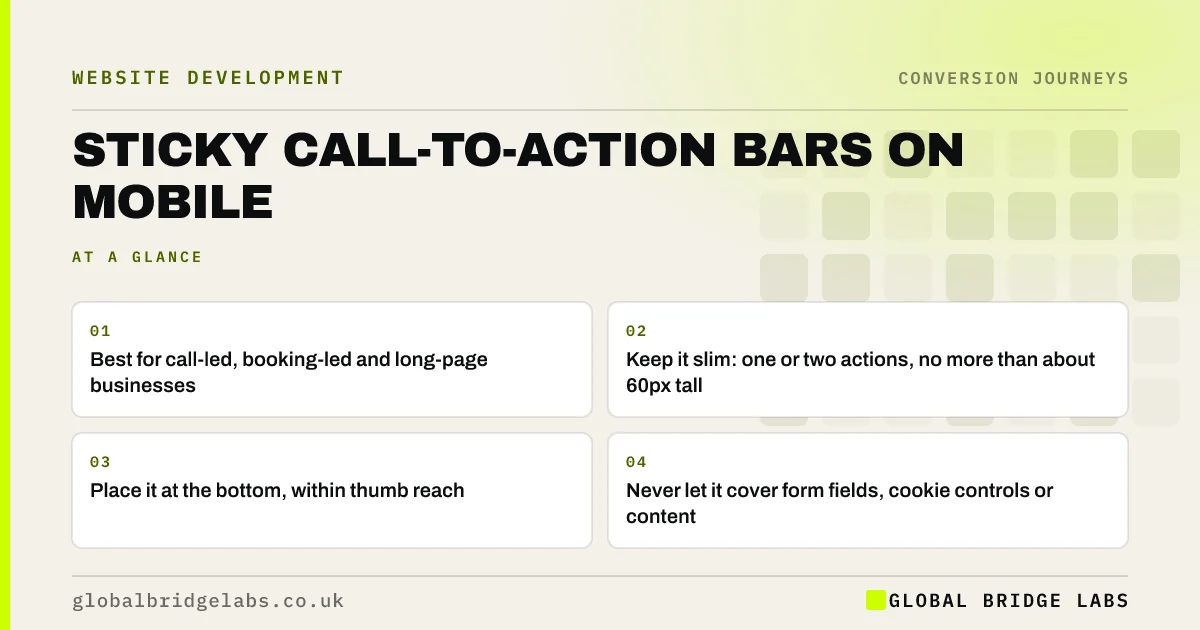
- Best for call-led, booking-led and long-page businesses.
- Keep it slim: one or two actions, no more than about 60px tall.
- Place it at the bottom, within thumb reach.
- Never let it cover form fields, cookie controls or content.
Want a sticky bar designed for your site? Message us on WhatsApp.
Chat on WhatsApp →What is a sticky CTA bar?
A sticky call-to-action bar is a small, fixed element, usually at the bottom of a mobile screen, that remains visible while the visitor scrolls. It typically offers one or two actions, such as 'Call' and 'Get a quote', so visitors can act at the moment they decide, without scrolling back up.
When does a sticky bar work?
Sticky bars work when visitors read a long page on a phone and may decide at any point. Service pages with detailed information, product pages and pricing pages are good candidates. They work particularly well for businesses whose main action is a call or a booking.
How should a sticky bar be designed?
Keep it small, useful and out of the way.
- Bottom of the screen, where thumbs reach easily.
- One or two actions only, labelled clearly.
- Slim, so it does not eat the small mobile screen.
- High contrast, meeting WCAG 2.2 target size and contrast rules.
- Hidden when a form or keyboard is open.
- Consistent across pages, so visitors learn it.
Want a mock-up of a sticky bar on your service pages? Ask us on WhatsApp.
Chat on WhatsApp →When does a sticky bar get in the way?
It gets in the way when it covers content, stacks on top of a chat widget and cookie banner, or offers too many options. On short pages it adds little because the main call to action is already visible. And if the phone is not answered, a sticky 'Call now' simply sends buyers to voicemail.
How do you measure whether it works?
Track taps on the sticky bar as separate events from other buttons. Compare mobile key events for the pages with the bar against the same period before it was added. If the sticky bar gets taps but total mobile enquiries do not rise, it is moving clicks rather than adding them.
What does this look like in practice?
A UK emergency plumbing firm added a slim sticky bar with 'Call now' and 'WhatsApp us' to its mobile service pages. The bar hid when the quote form was open. Tracked mobile enquiries increased, mostly as calls, and the firm could see which service pages generated the most sticky bar taps.
Sticky bar checklist
- Use it on long pages and for call- or booking-led businesses.
- Limit it to one or two actions.
- Keep it slim and at the bottom.
- Hide it when forms or keyboards are open.
- Check it does not clash with chat widgets or cookie banners.
- Track taps separately and compare total mobile enquiries.
Next step
A sticky bar is a small change that can lift mobile enquiries when it suits the site. We can tell you whether it fits yours and design it so it helps rather than hinders.
Message us on WhatsApp for a sticky bar review, or book a 30-minute consultation.
Chat on WhatsApp →Sources and further reading
- Web Content Accessibility Guidelines (WCAG) 2.2 · W3C
- About key events · Google Analytics Help
- Mobile-first indexing best practices · Google Search Central
Frequently asked questions
What is a sticky CTA?
A sticky call to action is a button or bar that stays visible as visitors scroll, usually fixed to the bottom of a mobile screen. It keeps the next step, such as calling or getting a quote, one tap away throughout the page.
Do sticky buttons increase conversions?
They often increase mobile enquiries on long pages and for call-led or booking-led businesses. On short pages they add little. Measure total mobile enquiries before and after, not just taps on the bar. If taps rise but enquiries do not, the bar is moving clicks rather than adding them.
Should a sticky bar be at the top or bottom?
The bottom on mobile, because it is easier to reach with a thumb and does not compete with the header. Keep it slim so it does not take up too much of the small screen. Hide it while forms or the keyboard are open, so it never covers a field.
Are sticky bars bad for accessibility?
They can be if they cover content, trap keyboard focus or are too small to tap. Follow WCAG 2.2 on target size and contrast, make sure content is not hidden behind the bar, and test with screen readers. Keep it clear of cookie controls too.
Written by

Global Bridge Labs (GBL) is a UK–Sri Lanka partner for social media, websites and BPO. Everything here comes from client delivery, not theory.