
On this page
- 01Key takeaways
- 02How are speed and accessibility connected?
- 03Who do slow websites shut out?
- 04Which speed fixes also help accessibility?
- 05Which speed fixes can harm accessibility?
- 06What do the standards and the law expect?
- 07What does this look like in practice?
- 08Speed and accessibility checklist
- 09Next step
- 10Sources and further reading
- 11Frequently asked questions
Key takeaways
Website speed is an accessibility issue because slow, heavy pages fall hardest on people with the least room to cope: those on older phones, limited data, weak signal or assistive technology. A page that is merely irritating on a new handset can be unusable on a five-year-old one. Most speed fixes improve access. A few, done carelessly, harm it. Both deserve checking together.
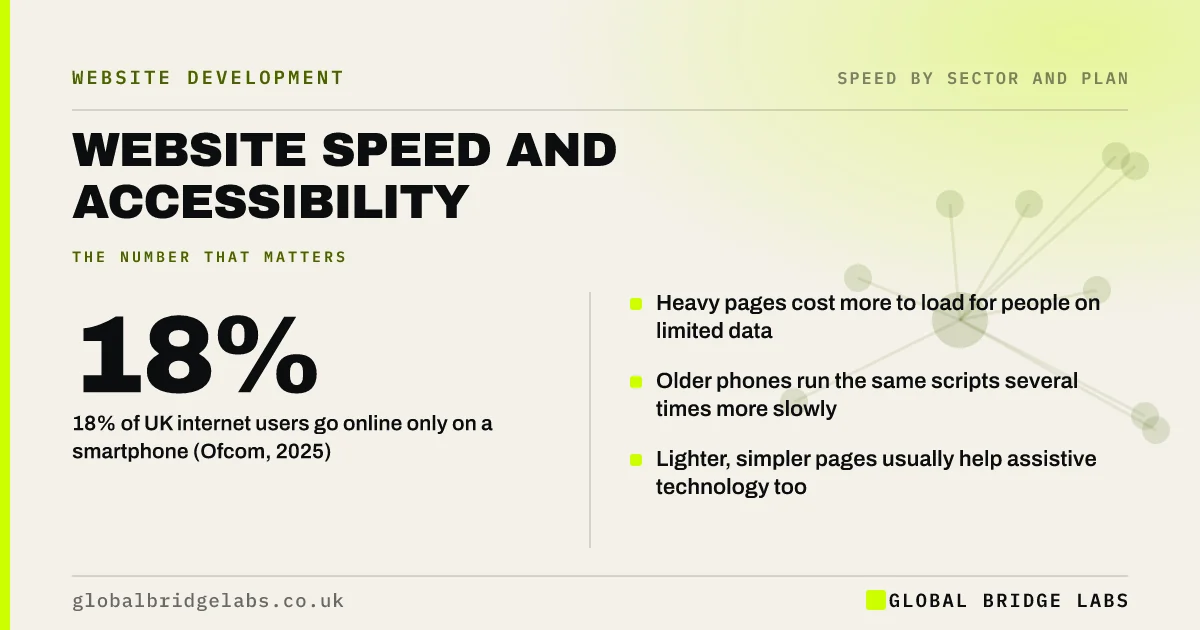
- 18% of UK internet users go online only on a smartphone (Ofcom, 2025).
- Heavy pages cost more to load for people on limited data.
- Older phones run the same scripts several times more slowly.
- Lighter, simpler pages usually help assistive technology too.
Want your site checked on an older phone and a slow connection? Message us on WhatsApp.
Chat on WhatsApp →How are speed and accessibility connected?
Speed and accessibility are connected because both are about whether a person can complete a task with the device and abilities they have. Accessibility is usually discussed in terms of disability. In practice, a site also excludes people through cost, age of device and connection quality, and speed is where those show up.
Ofcom's research on adults' media use found that 18% of UK internet users go online only through a smartphone. For that group, a site that works on a laptop and struggles on a phone is simply a site that does not work.
Who do slow websites shut out?
Slow websites shut out more people than most owners realise.
- People on older or lower-cost phones, where scripts run slowly.
- People on pay-as-you-go or capped data, for whom heavy pages cost money.
- People in areas with weak mobile signal.
- People using screen readers, who wait while late content reshuffles the page.
- People with cognitive or attention difficulties, for whom delays and movement break concentration.
- People with limited dexterity, who mis-tap when a page shifts.
Which speed fixes also help accessibility?
Most of them. The same discipline serves both aims.
- Fewer scripts: pages respond sooner on slow devices and assistive technology has less to contend with.
- Stable layout: nothing moves under a finger, a pointer or a screen reader's focus.
- Text as text: it appears first, scales and can be read aloud.
- No auto-playing sliders or video: less distraction and less data.
- Immediate feedback on buttons and forms: nobody is left guessing.
- Why your website jumps around while it loads
- Website slow to respond to taps and clicks? Causes and fixes
Want a combined speed and accessibility check of your key pages? Ask us on WhatsApp.
Chat on WhatsApp →Which speed fixes can harm accessibility?
A few shortcuts make a page faster and worse for some users.
- Lazy loading done by script, which can hide content from assistive technology.
- Content loaded only on tap or hover, with no keyboard route.
- Replacing text with images of text to avoid loading a font.
- Removing visible focus styles or labels to slim the page.
- Loading indicators that are visual only and never announced.
What do the standards and the law expect?
The Web Content Accessibility Guidelines (WCAG) 2.2 do not set a load-time target, but several requirements touch performance. Moving content that starts automatically and lasts more than five seconds must be pausable, and content must remain usable when text is enlarged or the layout reflows.
In the UK, the Equality Act 2010 requires service providers to make reasonable adjustments for disabled people. A private business is not held to the public sector's specific regulations, but a site that is unusable for a disabled customer carries legal and reputational risk. This is general information, not legal advice.
What does this look like in practice?
A pattern we see when sites are tested only on staff devices: everything feels acceptable on recent phones and office broadband. On a five-year-old Android phone, the same page takes three times as long to respond, the cookie banner covers the content and the menu ignores the first tap.
Keeping one older phone for testing changes what gets noticed. Global Bridge Labs (GBL) tests on a mid-range device as standard, because it represents more customers than the newest handset does.
Speed and accessibility checklist
- Test key pages on a phone at least four years old.
- Test on a slow connection setting.
- Check the page with text enlarged.
- Tab through the page with a keyboard.
- Stop anything that moves automatically.
- Confirm every speed fix left labels, focus and content intact.
Next step
A site that is fast only for people with new phones is not fast. We will test yours the way your least well-equipped customer experiences it.
Message us on WhatsApp for a combined speed and accessibility review.
Chat on WhatsApp →Sources and further reading
- Adults' media use and attitudes · Ofcom
- Web Content Accessibility Guidelines (WCAG) 2.2 · W3C
- Understanding SC 2.2.2: Pause, Stop, Hide · W3C Web Accessibility Initiative
- Equality Act 2010 · legislation.gov.uk
Frequently asked questions
Is website speed an accessibility issue?
Yes. Slow, heavy pages disproportionately affect people on older devices, limited data, weak signal or assistive technology. A page that is slightly slow on a new phone can be unusable on an old one, which excludes customers as surely as a missing label.
Does WCAG require a website to load fast?
WCAG 2.2 sets no load-time target. It does include requirements that relate to performance, such as being able to pause automatically moving content and keeping content usable when text is resized. Lighter pages make these easier to meet.
Do speed optimisations improve accessibility?
Most do. Fewer scripts, stable layouts, real text and immediate feedback help everyone. A few can harm access, such as script-based lazy loading that hides content or replacing text with images. Check both after any change.
How do I test my website on an older phone?
Keep a mid-range phone that is four or five years old for testing, and use it on mobile data. Browser developer tools can also simulate a slower device and connection, which is useful but not a full substitute for the real thing.
Written by

Global Bridge Labs (GBL) is a UK–Sri Lanka partner for social media, websites and BPO. Everything here comes from client delivery, not theory.


