On this page
- 01Key takeaways
- 02How should a multi-location business structure its website?
- 03What should each location page include?
- 04What about service areas without premises?
- 05When does adding locations require a restructure?
- 06How should enquiries be routed?
- 07Should each branch have its own website?
- 08How should location pages be linked together?
- 09What does this look like in practice?
- 10Multi-location checklist
- 11Next step
- 12Sources and further reading
- 13Frequently asked questions
Key takeaways
A business with several locations needs one genuinely useful page per branch, each with its own address, hours, team, reviews and directions, linked to its Google Business Profile. Thin pages that only swap the town name do not help. Restructure when the site has no place for locations, or treats every branch as one.
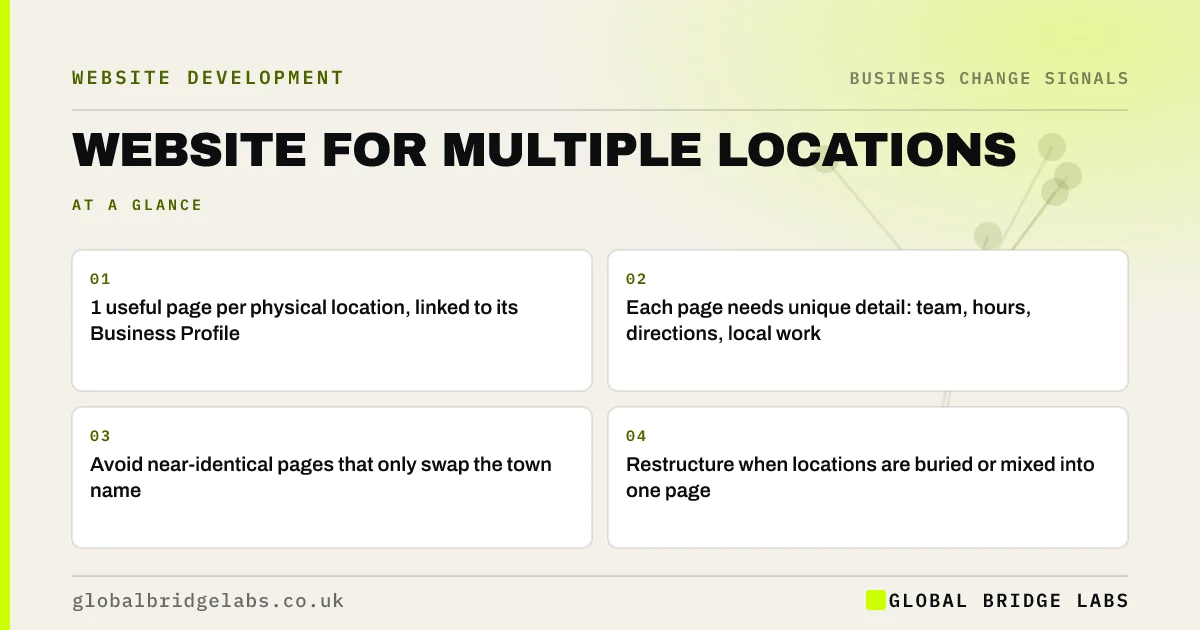
- 1 useful page per physical location, linked to its Business Profile.
- Each page needs unique detail: team, hours, directions, local work.
- Avoid near-identical pages that only swap the town name.
- Restructure when locations are buried or mixed into one page.
Opening another branch? We will tell you on WhatsApp what the site needs.
Chat on WhatsApp →How should a multi-location business structure its website?
A multi-location business should keep one website with a dedicated page for each physical location, reachable from a 'Locations' menu item and linked from each branch's Google Business Profile. Each page should carry unique, useful detail about that branch rather than repeating the same text with a different town name.
What should each location page include?
Everything a local buyer needs to choose and visit that branch.
- Full address, phone number and opening hours.
- A map and directions, including parking or public transport.
- Photos of the premises and the local team.
- Services available at that branch, if they differ.
- Reviews and examples of local work.
- LocalBusiness structured data for that address.
Want a location page template built for your branches? Ask us on WhatsApp.
Chat on WhatsApp →What about service areas without premises?
Be careful. Pages for towns you cover but have no presence in can be useful if they show real local work, response times and reviews from that area. Pages that repeat the same content with the town swapped risk being treated as doorway pages, which Google's spam policies warn against.
When does adding locations require a restructure?
When the site was built for one location and has no place for more: the address is hard-coded in the header, contact forms send everything to one inbox, and the homepage talks about one town. Adding the second or third branch then needs changes to templates, forms and navigation, which is a redesign of those parts.
How should enquiries be routed?
To the right branch. Put a branch choice on the form, or place a form on each location page that goes to that branch's inbox. Track enquiries by location so you can see which pages and branches perform.
Should each branch have its own website?
Usually not. Separate websites split your authority, multiply maintenance and create brand inconsistency. One site with strong location pages is easier to rank and manage. Separate sites make sense only for genuinely separate brands.
How should location pages be linked together?
Through a 'Locations' page that lists every branch with its address, a short description and a link, reachable from the main menu and the footer. Each service page can also list the branches that offer that service, so buyers find the nearest one from wherever they land.
Link location pages to each other only where it helps, for example 'Also near you' for branches in neighbouring towns. Avoid footers stuffed with dozens of town links, which help neither buyers nor search engines and make the site look like it is trying too hard.
- Add a Locations page linked from the menu.
- List branches on relevant service pages.
- Link neighbouring branches where useful.
- Avoid footers packed with town links.
What does this look like in practice?
A pattern in UK healthcare: a clinic group opens a third site, but the website lists all three addresses on the contact page and every Business Profile links to the homepage. Creating a page per clinic with its practitioners, hours and parking, and linking each profile to its page, makes the local listings and the site work together.
Multi-location checklist
Apply this whenever you add a branch.
- Create one page per physical location.
- Add unique detail: team, hours, directions, reviews.
- Add LocalBusiness structured data for each address.
- Link each Google Business Profile to its location page.
- Route enquiries to the right branch.
- Avoid thin town-swap pages for areas without presence.
Next step
If you are adding locations, we will review your site structure with you in 30 minutes and tell you whether location pages will do or the templates need changing.
Message us on WhatsApp for a multi-location website review, or book a 30-minute consultation.
Chat on WhatsApp →Sources and further reading
- Tips to improve your local ranking on Google · Google Business Profile Help
- LocalBusiness type · Schema.org
- Google Business Profile Help · Google
Frequently asked questions
Should I have separate pages for each business location?
Yes, one page per physical location, each with its address, hours, directions, team, services and reviews, linked from that branch's Google Business Profile. Unique, useful detail on each page helps buyers choose a branch and supports local search. Keep the details consistent with each Business Profile.
Should each branch have its own website?
Usually not. One website with strong location pages is easier to rank, manage and keep consistent. Separate websites split authority and multiply maintenance, and suit only branches that trade as genuinely separate brands. Reserve separate websites for separate brands. Link each branch's profile to its page.
Are location pages for towns I serve a good idea?
Only if each page offers genuinely useful local content, such as real local projects, response times and reviews from that area. Near-identical pages that just swap the town name can be treated as doorway pages and do not help buyers.
How do I link Google Business Profiles to my website?
Set each profile's website link to the matching location page rather than the homepage. Make sure the name, address and phone number on the page match the profile exactly, and add LocalBusiness structured data for that address. Update both when hours or details change.
Written by

Global Bridge Labs (GBL) is a UK–Sri Lanka partner for social media, websites and BPO. Everything here comes from client delivery, not theory.