On this page
- 01Short answer
- 02What is schema markup?
- 03Why does structured data matter more now?
- 04Which schema types should a small business use?
- 05How do you add schema markup safely?
- 06What are the rules and pitfalls?
- 07When is schema markup not worth the effort?
- 08What does this look like in practice?
- 09Schema markup checklist
- 10Next step
- 11Sources and further reading
- 12Frequently asked questions
Short answer
Schema markup for a small business website is structured data, usually in JSON-LD format, that labels facts on your pages, such as business name, address, opening hours, services, products, reviews and articles, so search engines and AI systems can understand them reliably. Start with Organization or LocalBusiness, then add types for your page content.
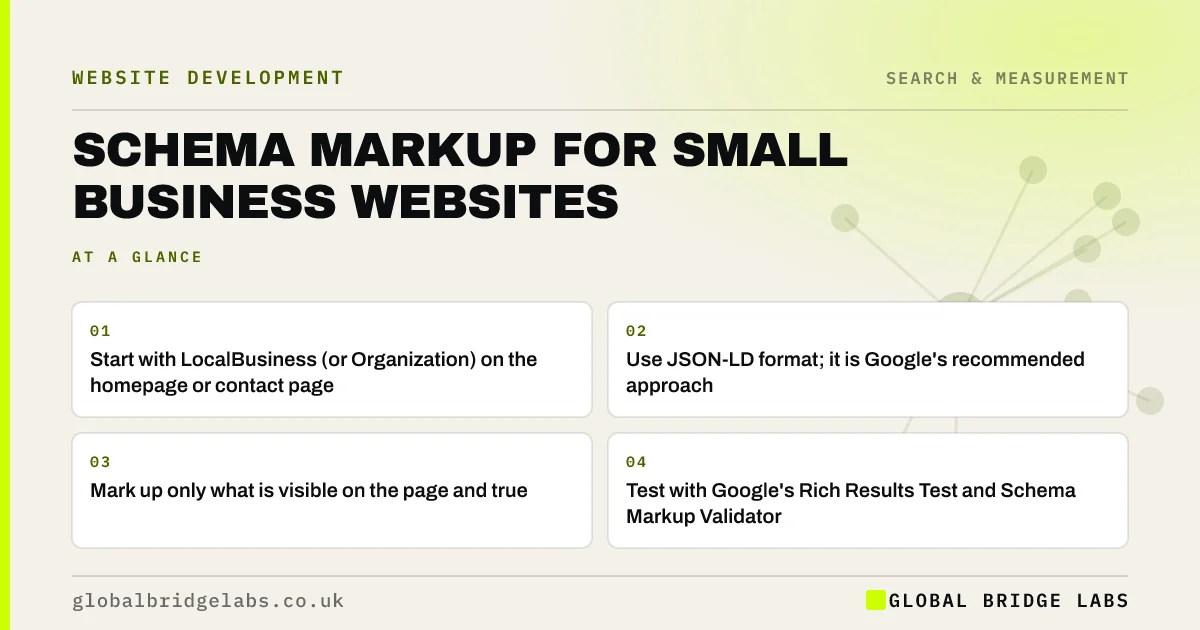
- Start with LocalBusiness (or Organization) on the homepage or contact page.
- Use JSON-LD format; it is Google's recommended approach.
- Mark up only what is visible on the page and true.
- Test with Google's Rich Results Test and Schema Markup Validator.
- FAQ rich results are now limited to government and health sites.
Want your business schema drafted from your real details? Message us on WhatsApp.
Chat on WhatsApp →What is schema markup?
Schema markup is code added to a web page, using the shared Schema.org vocabulary, that describes the page's content in a structured, machine-readable way, such as identifying a business, its address, a product's price or an article's author.
Google's introduction to structured data explains that it uses this markup to understand page content and to enable certain rich results in search. It does not guarantee rich results, and it is not a direct ranking boost, but it removes ambiguity.
Why does structured data matter more now?
Search engines and AI systems increasingly assemble answers from facts rather than just listing pages. Structured data gives them those facts in an unambiguous form: this is the business name, this is the phone number, these are the opening hours.
For a local business, consistent structured data that matches your Google Business Profile and footer details supports the entity consistency that both local search and AI assistants rely on.
It also protects against a quieter problem: search engines guessing. Without markup, Google infers your opening hours, address and services from page text, directories and old listings. With accurate markup, you state them directly, in a format that leaves little room for misreading.
Which schema types should a small business use?
Choose the types that match what is actually on each page.
- LocalBusiness or a subtype (Plumber, Dentist, Restaurant): name, address, phone, hours, area served.
- Organization: for non-local businesses, with logo and official profiles.
- Service: on service pages, describing the service and area.
- Product and Offer: on e-commerce product pages, with price and availability.
- Article or BlogPosting: on articles, with author and dates.
- BreadcrumbList: on pages with breadcrumb navigation.
- Event: for classes, workshops and events with dates.
How do you add schema markup safely?
Add JSON-LD in a script tag in the page's HTML, either through your platform's SEO plugin, a theme setting or your developer. Keep the data identical to what visitors see: the same phone number, hours and prices.
Then test each page type in Google's Rich Results Test and the Schema Markup Validator, fix errors, and monitor the Enhancements reports in Google Search Console. Recheck whenever you change details such as opening hours.
Want your structured data tested and fixed across key pages? Message us on WhatsApp.
Chat on WhatsApp →What are the rules and pitfalls?
Google's structured data guidelines prohibit marking up content that is not visible to users, is misleading or is irrelevant. Violations can lead to manual actions that remove rich results.
Two common pitfalls for small businesses: adding review star markup for reviews about your own business on your own site, which Google does not show as rich results for LocalBusiness and Organization, and adding FAQ markup expecting rich results, which since 2023 Google shows only for well-known government and health sites.
When is schema markup not worth the effort?
Complex markup on low-value pages is rarely worth it. For most small businesses, correct LocalBusiness data, Service markup on key service pages and Article markup on the blog cover almost all the value.
The trade-off is maintenance. Every piece of markup must be kept accurate. Wrong opening hours in structured data are worse than none.
What does this look like in practice?
A pattern in audits: a plugin generating Organization schema with the theme developer's company name, an old phone number and no address, while the footer and Business Profile show different details.
Replacing it with accurate LocalBusiness markup that matches the footer and profile exactly, then testing it, removes a source of confusion for search engines and AI assistants at almost no cost.
Schema markup checklist
Work through these for each page type.
- Add LocalBusiness or Organization with accurate details.
- Add Service markup to key service pages.
- Add Product markup to product pages.
- Add Article markup with author and dates.
- Match every value to visible content.
- Test in the Rich Results Test.
- Monitor Search Console enhancements.
- Update markup when details change.
Next step
If you are not sure what structured data your site outputs, we will test it with you in 30 minutes and tell you what to fix or add.
Message us on WhatsApp for a schema markup check, or book a 30-minute consultation.
Chat on WhatsApp →Sources and further reading
- Introduction to structured data markup in Google Search · Google Search Central
- LocalBusiness type · Schema.org
- SEO Starter Guide · Google Search Central
Frequently asked questions
Does schema markup help SEO?
It helps search engines understand your content and can make pages eligible for rich results, but it is not a direct ranking factor. It also gives AI systems clear, structured facts about your business. The benefit comes from clarity and eligibility, not from a guaranteed boost in position.
What schema should a local business use?
Use LocalBusiness or the most specific subtype, such as Plumber or Dentist, with your name, address, phone number, opening hours, area served and website. Add Service markup on service pages and Article markup on blog posts. Keep every value identical to what visitors see.
How do I add schema markup to my website?
Add JSON-LD structured data in a script tag, using your platform's SEO plugin, theme settings or your developer. Then test each page type with Google's Rich Results Test and the Schema Markup Validator, and monitor the enhancement reports in Google Search Console.
Can I add review stars to my own website?
You can mark up genuine reviews, but Google does not show review star rich results for reviews a LocalBusiness or Organization publishes about itself on its own site. Adding that markup expecting stars in search will not work, and misleading markup can lead to manual actions.
Written by

Global Bridge Labs (GBL) is a UK–Sri Lanka partner for social media, websites and BPO. Everything here comes from client delivery, not theory.