On this page
- 01Key takeaways
- 02What does a website heatmap show?
- 03What should you look for?
- 04Which tools can a small business use?
- 05What about privacy and cookies?
- 06When do heatmaps point to a redesign?
- 07What are the limits of heatmaps?
- 08How do you turn heatmap findings into changes?
- 09What does this look like in practice?
- 10Heatmap checklist
- 11Next step
- 12Sources and further reading
- 13Frequently asked questions
Key takeaways
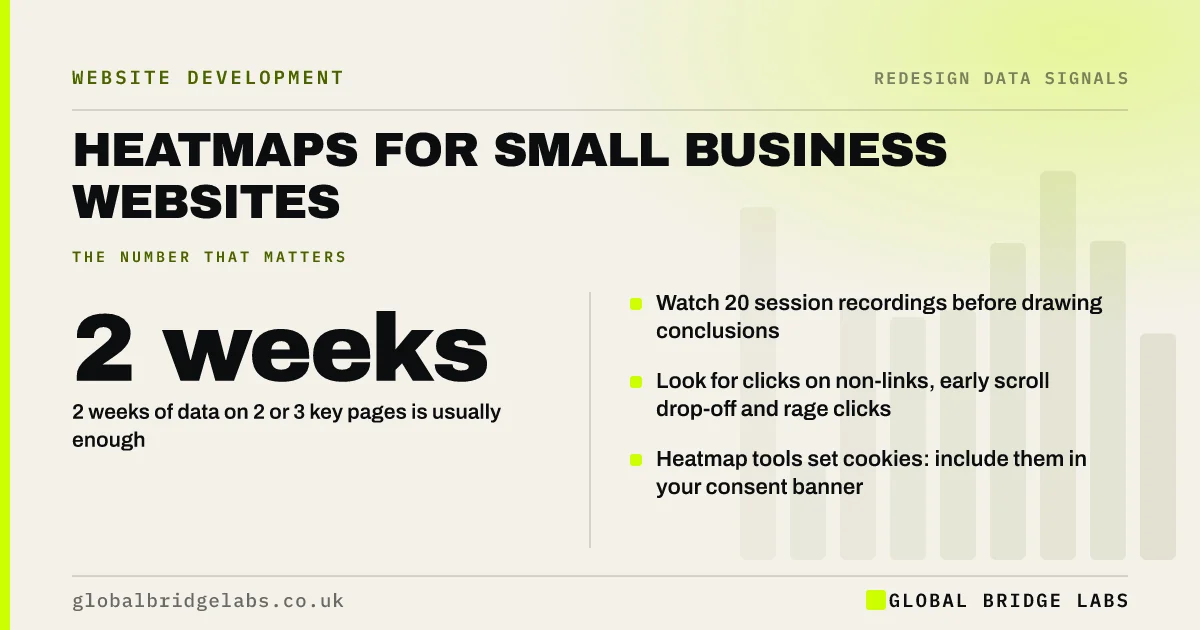
Heatmaps show where visitors click, how far they scroll and where they hesitate. For a small business, two weeks of heatmaps and 20 session recordings on the homepage and top service page reveal most problems. Free tools such as Microsoft Clarity make this possible without a budget, provided consent is handled properly.
- 2 weeks of data on 2 or 3 key pages is usually enough.
- Watch 20 session recordings before drawing conclusions.
- Look for clicks on non-links, early scroll drop-off and rage clicks.
- Heatmap tools set cookies: include them in your consent banner.
Want us to set up and read heatmaps with you? Message us on WhatsApp.
Chat on WhatsApp →What does a website heatmap show?
A website heatmap is a visual overlay that shows where visitors click, tap, move and scroll on a page, with the most activity shown in warm colours. Session recordings add anonymised replays of individual visits. Together they show what visitors do, which analytics numbers cannot.
What should you look for?
Four patterns reveal most problems on small business sites.
- Clicks on things that are not links: visitors expect more detail there.
- Scroll drop-off above the call to action: it is too far down.
- Rage clicks, repeated taps in one spot: something is broken or slow.
- Ignored navigation items: labels that do not match what visitors want.
Which tools can a small business use?
Microsoft Clarity is free and provides heatmaps and session recordings. Paid tools such as Hotjar add surveys and more filtering. For most small businesses a free tool on two or three key pages is enough to spot problems before paying for more.
Want help reading your first heatmaps? Ask us on WhatsApp.
Chat on WhatsApp →What about privacy and cookies?
Heatmap and recording tools generally use cookies or similar storage, so under UK PECR they need consent unless an exemption applies. Include them in your cookie banner, mask form fields so personal data is not recorded, and mention the tool in your privacy notice.
When do heatmaps point to a redesign?
When the same problems appear across every key template: visitors scrolling past the main message on every page, ignoring the navigation, and failing to find contact routes. Fixing one page will not solve a pattern built into the templates, and a redesign of the templates is then justified.
What are the limits of heatmaps?
Small sample sizes. A page with 200 visits a month produces patterns you can see, but not precise measurements. Treat heatmaps as a way to form hypotheses, then test changes against enquiries. And do not install them sitewide and leave them running for a year; collect for a purpose, then switch off.
How do you turn heatmap findings into changes?
Write each finding as a problem and a proposed fix, then rank them by how many visitors they affect and how easy they are to change. A problem on the homepage that affects most visitors and takes an hour to fix goes first. A problem on a rarely visited page waits.
Make changes in a batch with a clear date, then compare enquiries on those pages for the following four to six weeks against the same weeks last year. Collect a second short round of heatmaps to confirm the behaviour changed. Without that loop, heatmaps produce interesting observations and no improvement.
- Write each finding as problem plus proposed fix.
- Rank by visitors affected and effort.
- Change in one dated batch.
- Re-run heatmaps to confirm the change worked.
What does this look like in practice?
A pattern in UK hospitality: a heatmap shows heavy tapping on menu photos that are not links, and almost nobody reaching the booking button at the bottom of the page. Making the photos open the menu and adding a booking button to the first screen are changes of hours, not a redesign.
Heatmap checklist
Use these steps for a two-week study.
- Install a heatmap tool on the homepage and top 2 service pages.
- Add it to your cookie consent and privacy notice.
- Mask form fields.
- Collect data for 2 weeks.
- Watch 20 recordings and note repeated problems.
- Fix the top three and compare enquiries after 4 to 6 weeks.
Next step
If you want to see what visitors actually do on your site, we will set up a two-week heatmap study with you and review it together in 30 minutes.
Message us on WhatsApp for a heatmap review, or book a 30-minute consultation.
Chat on WhatsApp →Sources and further reading
- About Microsoft Clarity (heatmaps and session recordings) · Microsoft
- Cookies and similar technologies under PECR · Information Commissioner's Office
- About key events · Google Analytics Help
Frequently asked questions
Are website heatmaps worth it for a small business?
Yes, used for a short, focused study. Two weeks of heatmaps and about 20 session recordings on your key pages usually reveal the main problems. Free tools make the cost negligible; the value is in watching the recordings and acting on repeated patterns.
What is the best free heatmap tool?
Microsoft Clarity is a widely used free option that provides heatmaps and session recordings. Whichever tool you use, include it in your cookie consent, mask form fields and mention it in your privacy notice. Choose a tool that lets you mask sensitive fields easily.
Do heatmaps need cookie consent in the UK?
Generally yes. Heatmap and recording tools usually set cookies or use similar storage that is not strictly necessary, so PECR requires consent. Configure them to load only after consent and mask personal data in recordings. Check your tool's documentation for consent settings.
What do rage clicks mean?
Rage clicks are repeated clicks or taps in the same spot within a short time. They usually mean something looks clickable but is not, a button is broken, or the page is responding slowly. They are one of the quickest ways to find frustrating problems.
Written by

Global Bridge Labs (GBL) is a UK–Sri Lanka partner for social media, websites and BPO. Everything here comes from client delivery, not theory.