On this page
- 01Key takeaways
- 02Why do system migrations need team capacity?
- 03What do key users need time for?
- 04What can move out during migration?
- 05When should you delay a migration?
- 06What does this look like in practice?
- 07Migration capacity checklist
- 08Next step
- 09Sources and further reading
- 10Frequently asked questions
Key takeaways
New software only delivers when the team has time to test it, clean up data, learn it properly and change how they work. During a migration, key users are often expected to do all that on top of their normal week, so the system is adopted half-heartedly. Free key users from routine work for the migration period.
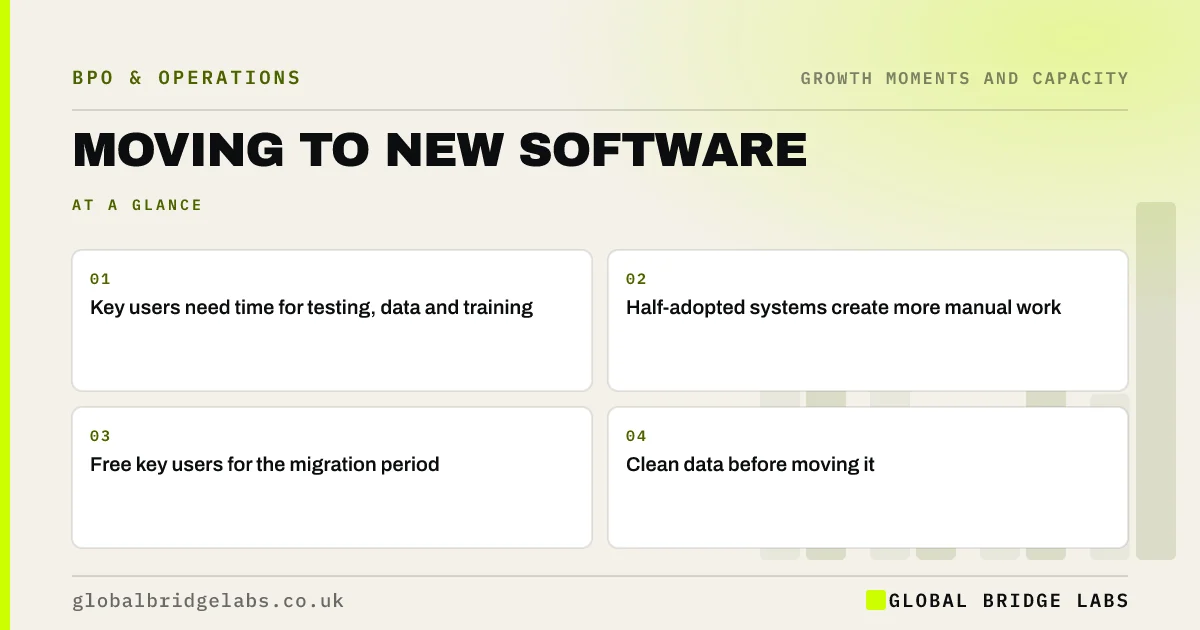
- Key users need time for testing, data and training.
- Half-adopted systems create more manual work.
- Free key users for the migration period.
- Clean data before moving it.
Want to plan team capacity for a system change? Message us on WhatsApp.
Chat on WhatsApp →Why do system migrations need team capacity?
System migrations need team capacity because the people who know how the work is done must design the new workflow, test it, check migrated data and train others. Without time, they rush testing, accept messy data and keep old workarounds, and the new system ends up adding manual steps.
What do key users need time for?
Accurate data matters under UK GDPR as well as for operations; the ICO's accuracy principle applies to personal data you migrate.
- Mapping current processes and deciding the new ones.
- Cleaning data before migration.
- Testing with real scenarios.
- Learning the system and training colleagues.
- Fixing issues in the first weeks after go-live.
What can move out during migration?
Key users' routine admin, and some migration support such as data cleansing and document scanning. Make sure any provider handling data during migration has proper access controls, following the NCSC's small business guidance.
When should you delay a migration?
During peak season, when key users are leaving or when processes are still changing. Fix the process first, then migrate.
What does this look like in practice?
A pattern we see: a firm moves to a new job management system with no change to workloads. Six months later, staff still keep parallel spreadsheets. A second attempt, with two key users freed for six weeks, gets the team fully onto the system.
Migration capacity checklist
- Name key users.
- Free their routine work for the migration.
- Clean data before moving it.
- Test with real scenarios.
- Plan support for the first weeks.
Next step
Before choosing new software, decide who the key users are and how many hours a week they will need.
Message us on WhatsApp to plan migration capacity, or book a 30-minute consultation.
Chat on WhatsApp →Sources and further reading
- Principle (d): Accuracy · Information Commissioner's Office
- Small Business Guide: cyber security · National Cyber Security Centre
Frequently asked questions
How much staff time does a software migration take?
It depends on the system, but key users often need several hours a week over a period of weeks or months for process design, data clean-up, testing and training. Underestimating this time is one of the most common reasons new systems are poorly adopted.
Why do new systems fail to be adopted?
Common reasons are rushed testing, messy migrated data, too little training and staff keeping old workarounds because they lack time to learn the new way. Freeing key users during the migration and planning support after go-live addresses most of these.
Can data migration be outsourced?
Parts can, such as data cleansing, formatting and scanning documents, with appropriate access controls and a written contract. Decisions about how processes should work and final checks of migrated data should stay with people who understand the business. Agree written instructions, access controls and a data processing contract before any work moves.
Written by

Global Bridge Labs (GBL) is a UK–Sri Lanka partner for social media, websites and BPO. Everything here comes from client delivery, not theory.