On this page
- 01Short answer
- 02Do you need a scheduling tool at all?
- 03What should you check before paying?
- 04Does scheduling reduce reach?
- 05What should never be scheduled?
- 06How do you set a queue up so it survives absence?
- 07How do you migrate between scheduling tools?
- 08Next step
- 09Sources and further reading
- 10Frequently asked questions
Short answer
Choose a scheduler on four criteria: the channels you actually use, whether it supports approval steps, how it handles video and first comments, and what happens to scheduled content if the subscription lapses. Below about 30 posts a month, a spreadsheet plus native scheduling is usually sufficient.
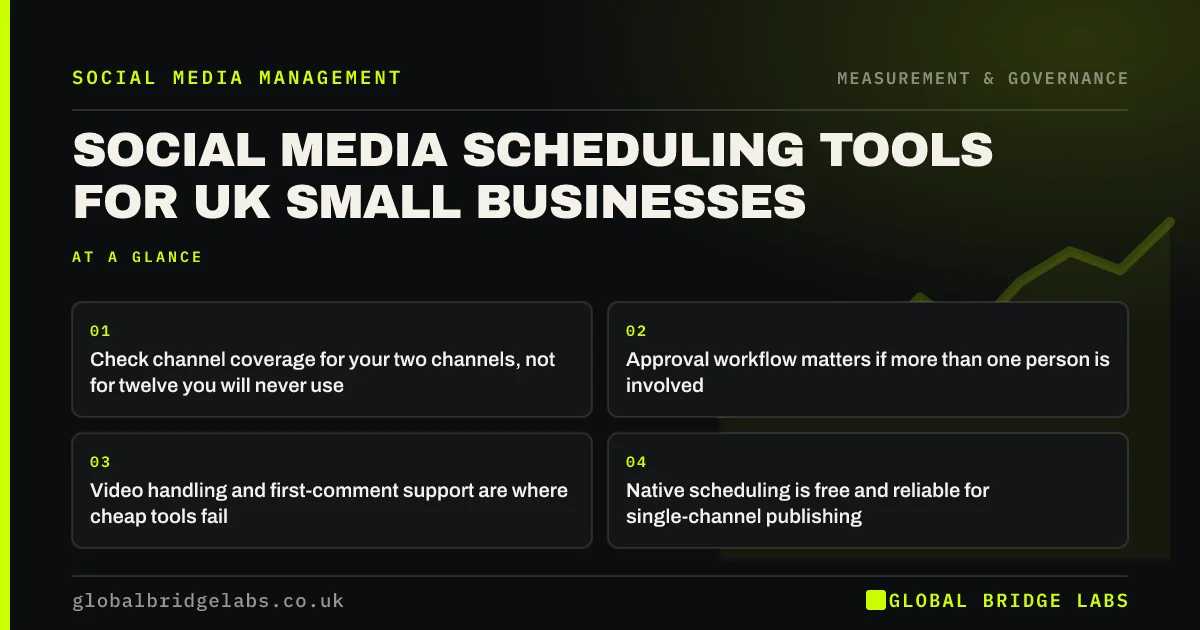
- Check channel coverage for your two channels, not for twelve you will never use.
- Approval workflow matters if more than one person is involved.
- Video handling and first-comment support are where cheap tools fail.
- Native scheduling is free and reliable for single-channel publishing.
- Export your calendar regularly. Tools change pricing and features.
Want a recommendation for your setup? Tell us your channels and team size on WhatsApp.
Chat on WhatsApp →Do you need a scheduling tool at all?
Not necessarily. Most platforms offer free native scheduling, which is reliable, supports platform-specific features immediately, and has no subscription attached.
The case for a third-party tool is cross-channel visibility, approval workflows, and not having to open four apps. For a one-person operation on two channels, those benefits may not justify the cost or the setup time.
What should you check before paying?
Five things, and most comparison articles cover only the first.
- Channel coverage for your actual channels, including any publishing limitations.
- Whether video publishes directly or requires a manual step, which defeats the purpose.
- First-comment scheduling, needed for putting links out of the main post body.
- Approval steps, if anyone other than the publisher signs content off.
- What happens to scheduled posts if billing fails. Some tools simply stop publishing.
Does scheduling reduce reach?
No. The long-standing belief that platforms penalise third-party scheduling does not hold up, and platforms have publicly stated that publishing method is not a ranking factor.
What does reduce performance is publishing into a moment you have not checked, and not being present for the first hour of comments. Those are consequences of how scheduling is used rather than of scheduling itself.
We handle scheduling and community response for UK clients. Message us on WhatsApp for how it works.
Chat on WhatsApp →What should never be scheduled?
Anything topical, anything referencing current events, and anything going out during a live issue affecting your business or your sector.
Build a habit of checking the queue each morning, and a rule that the queue is paused immediately if anything significant happens. Scheduled cheerfulness published into a bad news cycle is one of the most avoidable reputational risks a small business carries.
How do you set a queue up so it survives absence?
The point of scheduling is that publishing does not depend on anyone being available, and that only holds if the queue is maintained by more than one person and monitored by someone who is not on holiday.
Four arrangements make it robust. Keep at least two weeks of content queued at all times. Give a second person access, not just the primary publisher. Set a calendar reminder to check the queue depth weekly. And keep the evergreen bank stocked so a missed batching session does not become a visible gap.
Then agree who can pause the queue and how. It should be a single action available to more than one person, because the scenarios where it matters are exactly the scenarios where the usual owner is unreachable.
- Two weeks of content queued at all times.
- Two people with access, always.
- Weekly queue-depth check in the calendar.
- A pause action that more than one person can trigger.
How do you migrate between scheduling tools?
Export first, and assume nothing transfers. Most tools export a calendar of scheduled posts but not the media, the approval history or the analytics, which means a migration done in the wrong order loses the record of what you published and how it performed.
The order that works: export your published history and analytics to a spreadsheet, download every media asset to your own storage, screenshot or export the current queue, then connect the new tool and rebuild two weeks of queue before disconnecting the old one. Keep both running for a fortnight so nothing falls between them.
Reconnect channels one at a time and publish a test post on each. Broken connections are the most common migration failure, and they are silent: the tool reports the post as scheduled and the platform never receives it.
- Export published history and analytics before anything else.
- Download all media to storage you control.
- Rebuild two weeks of queue before disconnecting the old tool.
- Reconnect channels one at a time and test-publish on each.
- Broken connections fail silently. Verify, do not assume.
Next step
A scheduler is a convenience, not a strategy. Choose on workflow fit, and do not pay for channel coverage you will never use.
Message us on WhatsApp for a tool recommendation based on your channels and team.
Chat on WhatsApp →Sources and further reading
- Meta Business Help Centre · Meta
- LinkedIn Pages best practices · LinkedIn
Frequently asked questions
Does scheduling posts reduce reach?
No. Platforms have stated that publishing method is not a ranking factor. What harms performance is publishing into a moment you have not checked and missing the first hour of comments, both of which are about how scheduling is used.
Do I need a paid scheduling tool?
Below about 30 posts a month on two channels, native scheduling plus a shared calendar is usually enough. Pay for a tool when you need cross-channel visibility, approval steps, or you are opening four apps to publish one week of content.
What features matter most in a scheduling tool?
Direct video publishing without manual steps, first-comment scheduling, approval workflow, and clarity about what happens to queued posts if billing fails. Channel count matters far less, since most small businesses use two channels.
Should I schedule every post?
Schedule routine slots so consistency does not depend on availability, but publish topical content manually. Never leave a queue running during a live issue affecting your business or sector, and check the queue each morning before it publishes.
Written by

Global Bridge Labs (GBL) is a UK–Sri Lanka partner for social media, websites and BPO. Everything here comes from client delivery, not theory.