On this page
- 01Key takeaways
- 02What is a social media CRM?
- 03What should you record?
- 04Spreadsheet or CRM tool?
- 05Which integrations help?
- 06What does UK GDPR require?
- 07What can the CRM tell you?
- 08When is a CRM more trouble than it is worth?
- 09What does this look like in practice?
- 10CRM checklist
- 11Next step
- 12Sources and further reading
- 13Frequently asked questions
Key takeaways
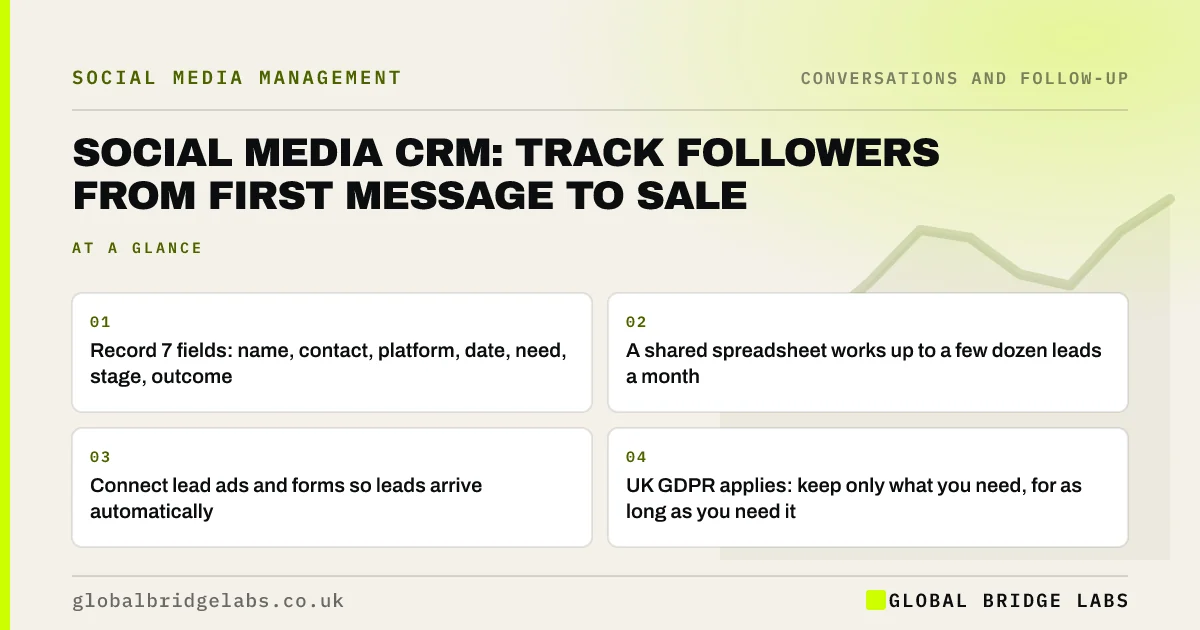
A social media CRM is a record of every follower who enquires, from first message to sale, so nothing is forgotten and you can see which platform produces customers. A small business can start with a spreadsheet and move to a CRM tool when several people share leads. Record seven fields and update them the same day.
- Record 7 fields: name, contact, platform, date, need, stage, outcome.
- A shared spreadsheet works up to a few dozen leads a month.
- Connect lead ads and forms so leads arrive automatically.
- UK GDPR applies: keep only what you need, for as long as you need it.
Want a simple lead tracker set up? Message us on WhatsApp.
Chat on WhatsApp →What is a social media CRM?
A social media CRM (customer relationship management) is a system for recording and tracking people who enquire through social media, including their details, the conversation, the stage they have reached and the outcome. It can be a dedicated CRM tool, a feature of a social media tool, or a well-kept spreadsheet.
What should you record?
Record seven fields for every sales enquiry: name, how to contact them, which platform and post brought them, the date, what they want, the stage, and the outcome with value. That is enough to follow up, hand over and report. More fields tend to go unfilled.
- Stages: new, replied, quoted, follow-up, won, lost.
- Outcome: value if won, reason if lost.
Spreadsheet or CRM tool?
A shared spreadsheet is enough while one or two people handle a few dozen leads a month. Move to a CRM tool when several people share leads, when follow-ups are being missed, or when you want lead ads and forms to arrive automatically. Many CRM tools have free or low-cost plans for small teams.
Which integrations help?
The integrations that help most send leads in automatically: Facebook and LinkedIn lead forms, website forms and booking tools. Direct messages are harder to connect for small businesses, so a daily habit of logging sales enquiries from the inbox is usually needed.
Want leads flowing into one place automatically? Message us on WhatsApp and we will discuss your requirements.
Chat on WhatsApp →What does UK GDPR require?
Lead records are personal data under UK GDPR. Have a lawful basis for keeping them, usually legitimate interests or steps towards a contract, tell people how you use their data in your privacy notice, keep records secure, and delete leads you no longer need after a set period. Do not use enquiry data for marketing without the right consent.
What can the CRM tell you?
Once kept for a few months, the CRM tells you which platform produces the most customers, how long leads take to decide, your enquiry-to-sale rate and why you lose. Those answers decide where to spend effort far better than likes and reach.
When is a CRM more trouble than it is worth?
A CRM is more trouble than it is worth when nobody updates it. A complex tool that sits half-filled is worse than a simple spreadsheet kept daily. Start small, make logging part of the inbox routine, and add features only when the basics are habitual.
What does this look like in practice?
A pattern we see: enquiries tracked in people's heads and chat histories, so nobody knows how many came from Instagram last month. A shared sheet with seven columns, updated as part of the inbox routine, usually answers that question within a month.
CRM checklist
- Create the seven fields.
- Log every sales enquiry the same day.
- Connect lead forms and website forms.
- Review open leads weekly.
- Report monthly by platform.
- Set a deletion period for old leads.
Next step
Create a sheet with the seven columns today and log every sales enquiry from this week.
Message us on WhatsApp and we will share a simple tracker layout, or book a 30-minute consultation.
Chat on WhatsApp →Sources and further reading
- Lawful basis for processing personal data · Information Commissioner's Office
- Right to be informed (privacy information) · Information Commissioner's Office
- Advice for small organisations · Information Commissioner's Office
- Lead ads · Meta
Frequently asked questions
Do I need a CRM for social media leads?
You need a record of every sales enquiry, but it does not have to be a CRM tool at first. A shared spreadsheet works while one or two people handle a few dozen leads a month. Move to a CRM when leads are shared or follow-ups are missed.
How do I track Instagram DMs to sales?
Log each sales enquiry from Instagram in your tracker the same day, with the date, need and stage, then record the outcome. Label conversations in your inbox too. Over a few months you will see how many DMs became customers and their value.
How long can I keep lead data under UK GDPR?
Only as long as you need it for the purpose you collected it. Set a period, such as 12 or 24 months after last contact for leads who did not buy, state it in your privacy notice and delete or anonymise records after that.
Written by

Global Bridge Labs (GBL) is a UK–Sri Lanka partner for social media, websites and BPO. Everything here comes from client delivery, not theory.