On this page
- 01Key takeaways
- 02What is the difference between features and benefits?
- 03Why do benefits convert better than features alone?
- 04How do you turn a feature into a benefit?
- 05Where should features and benefits go on the page?
- 06When do features matter more than benefits?
- 07What does this look like in practice?
- 08Features and benefits checklist
- 09Next step
- 10Sources and further reading
- 11Frequently asked questions
Key takeaways
Features describe what you provide. Benefits describe what changes for the buyer because of it. Good websites list features. High-converting websites lead with the benefit, then prove it with the feature. Buyers need both: the benefit to care, and the feature to believe.
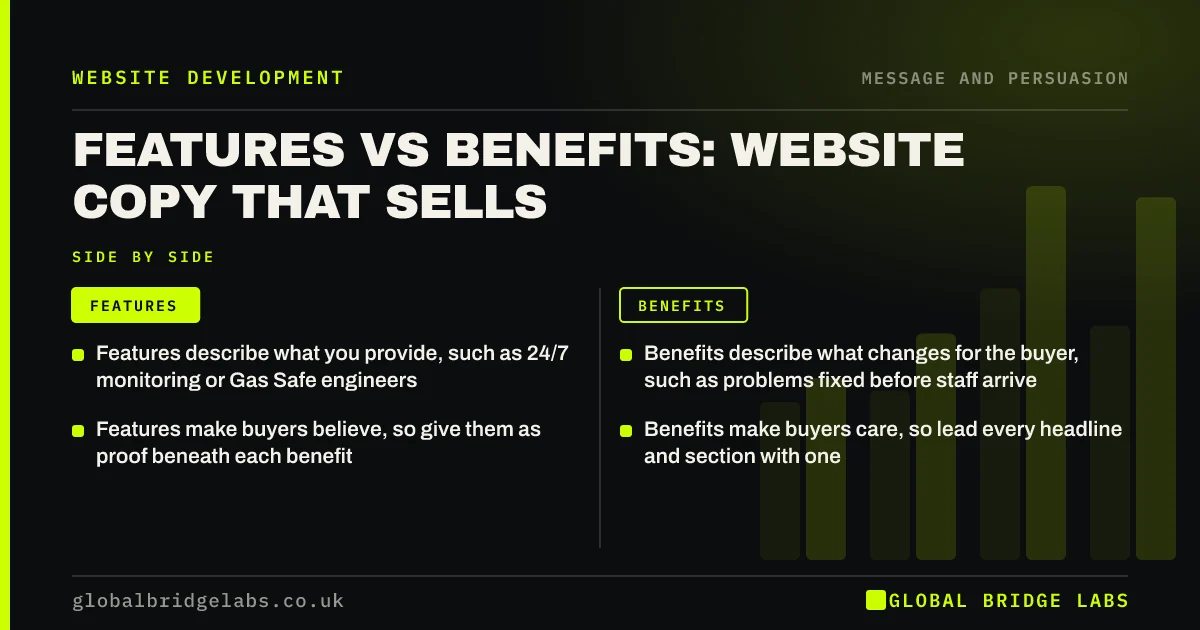
- Features describe what you provide, such as 24/7 monitoring or Gas Safe engineers.
- Benefits describe what changes for the buyer, such as problems fixed before staff arrive.
- Features make buyers believe, so give them as proof beneath each benefit.
- Benefits make buyers care, so lead every headline and section with one.
Want your service page rewritten benefit-first? Message us on WhatsApp.
Chat on WhatsApp →What is the difference between features and benefits?
A feature is a fact about your product or service: '24/7 monitoring', 'Gas Safe registered engineers', 'cloud-based software'. A benefit is the result the buyer gets from that fact: 'problems fixed before your staff arrive', 'a boiler you can trust around your children', 'your team works from anywhere'.
Most small business sites are written from the inside, so they list features. Buyers read from the outside, so they look for benefits.
Why do benefits convert better than features alone?
Benefits connect your offer to the buyer's problem, which is what they searched for. A buyer searching for a bookkeeper is not looking for 'Xero-certified advisers'. They want their evenings back and no penalties from HMRC. Lead with that, and the Xero certification becomes the reason to believe you.
How do you turn a feature into a benefit?
Use the 'which means' test. Write the feature, add 'which means', and finish the sentence from the buyer's point of view. Repeat until you reach something the buyer would say out loud.
- 'Same-day dispatch', which means you get it tomorrow.
- 'Fixed monthly fee', which means no surprise bills.
- 'Local team of 12', which means someone can be with you within two hours.
- 'Cyber Essentials certified', which means your data is handled to a government-backed standard.
Send us your feature list on WhatsApp and we will return the benefits.
Chat on WhatsApp →Where should features and benefits go on the page?
Put the main benefit in the headline, supporting benefits in the first section, and the features as proof beneath each benefit. Detailed specifications belong lower on the page or in a separate section for buyers who need them, such as technical or procurement teams.
When do features matter more than benefits?
Features matter more when the buyer already understands the benefit and is comparing specifications: a trade buyer choosing between two identical products, an IT manager checking compatibility, a buyer with a compliance checklist. For them, vague benefit language is frustrating. Give a clear specification table and keep benefits brief.
What does this look like in practice?
A UK IT support company's homepage led with 'Proactive managed services with RMM and 24/7 NOC'. We rewrote it to 'IT problems fixed before your team notices, for offices of 10 to 50 people in the Thames Valley', with the monitoring details as proof beneath. Enquiries from non-technical office managers, who had previously bounced, increased over the next quarter.
Features and benefits checklist
- List every feature of your main service.
- Apply the 'which means' test to each one.
- Lead the headline with the strongest benefit.
- Place each feature beneath the benefit it proves.
- Keep a specification section for technical buyers.
- Read the page as a buyer and remove internal jargon.
Next step
If your website reads like a specification sheet, a benefit-first rewrite of your top pages is one of the cheapest conversion improvements available. We can do it with you.
Message us on WhatsApp for a benefit-first rewrite, or book a 30-minute consultation.
Chat on WhatsApp →Sources and further reading
- Writing to GOV.UK standards: writing guidelines · GOV.UK
- Creating helpful, reliable, people-first content · Google Search Central
Frequently asked questions
What is the difference between a feature and a benefit?
A feature is a fact about what you provide, such as '24/7 support'. A benefit is what the buyer gains from it, such as 'help whenever something goes wrong, even at weekends'. Benefits make buyers care; features make them believe.
Should website copy focus on features or benefits?
Lead with benefits, then prove them with features. Most buyers first need to see that you solve their problem. Technical or procurement buyers comparing specifications need features too, so include a clear specification section lower on the page. Lead each section with the benefit.
How do I write benefits for my website?
Take each feature and add 'which means', then finish the sentence from the buyer's point of view. Keep going until the result is something a buyer would say, such as 'no surprise bills' or 'someone with you within two hours'.
Can benefit copy be too vague?
Yes. Benefits like 'peace of mind' or 'growth' mean little without specifics. Make benefits concrete with numbers, timescales and situations, and support each with a feature or piece of proof so it is believable. Specific benefits are also harder for competitors to copy.
Written by

Global Bridge Labs (GBL) is a UK–Sri Lanka partner for social media, websites and BPO. Everything here comes from client delivery, not theory.