On this page
- 01Key takeaways
- 02Why must email stay under your control?
- 03How should outsourced teams access email?
- 04What about email sent in your name?
- 05What happens when someone leaves?
- 06What does this look like in practice?
- 07Email control checklist
- 08Next step
- 09Sources and further reading
- 10Frequently asked questions
Key takeaways
Business email account ownership means your company controls the email domain, the admin console and every mailbox. Email is where invoices, contracts, password resets and customer conversations live, so whoever controls it controls much of the business. Outsourced teams can work in shared mailboxes through their own named accounts, never through the owner's login.
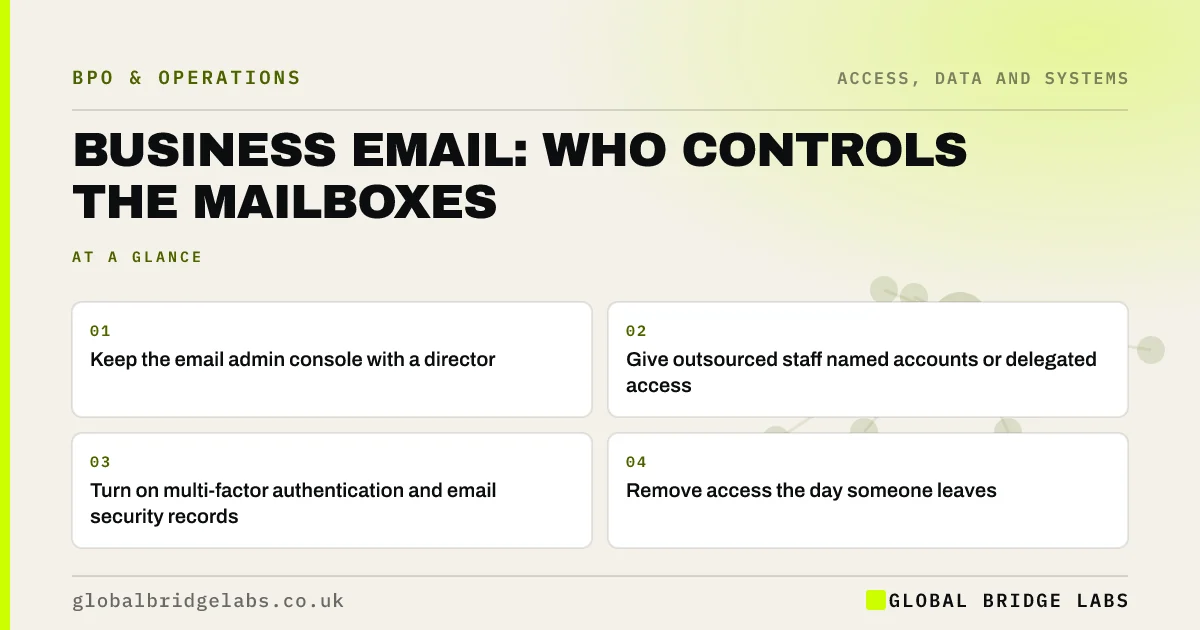
- Keep the email admin console with a director.
- Give outsourced staff named accounts or delegated access.
- Turn on multi-factor authentication and email security records.
- Remove access the day someone leaves.
Want your shared inbox set up safely for an outsourced team? Message us on WhatsApp.
Chat on WhatsApp →Why must email stay under your control?
Because email is the master key to other systems: password resets for banking, software and social accounts go there. A compromised or provider-held email admin account can lead to invoice fraud, data loss and lock-outs. The NCSC recommends email security measures such as SPF, DKIM and DMARC to reduce spoofing.
How should outsourced teams access email?
Through shared mailboxes or a helpdesk tool, using their own named logins.
- Shared mailboxes such as info@ or accounts@.
- Delegated access, not the owner's password.
- Helpdesk tools that log who replied.
- No access to directors' personal mailboxes.
What about email sent in your name?
Agree templates, tone and what the team can promise. Some messages, such as contract changes or responses to legal letters, should only come from named people in the business. Make that a written rule.
What happens when someone leaves?
Remove their access the same day, keep their mailbox for the business's records where appropriate, and forward or redirect important messages. Do not let a former provider keep a mailbox 'for handover'.
What does this look like in practice?
A pattern we see: an outsourced team logs in as the owner to manage the inbox. Moving them to a shared mailbox with named access gives the same coverage and a clear record of who said what.
Email control checklist
- A director holds the admin console.
- Use shared mailboxes for team work.
- Give everyone named logins.
- Set up SPF, DKIM and DMARC.
- Remove access on the day someone leaves.
Next step
Check who holds the super admin role in your email system. If it is a provider or a former employee, change it today.
Message us on WhatsApp, or book a 30-minute consultation.
Chat on WhatsApp →Sources and further reading
- Email security and anti-spoofing · National Cyber Security Centre
- Password administration for system owners · National Cyber Security Centre
Frequently asked questions
Should an outsourced team have access to company email?
Yes, where their work needs it, through shared mailboxes or delegated access using their own named accounts. They should not use the owner's login or hold administrator rights, and their access should be removed when they leave.
Who should be the email administrator in a small business?
A director or trusted senior person should hold the main administrator role, with multi-factor authentication. An IT provider may have a separate admin account for support, but the business should always keep control of the top-level account.
What are SPF, DKIM and DMARC?
They are email authentication records that help receiving servers check whether email claiming to come from your domain is genuine. Setting them up, as the NCSC recommends, makes it harder for criminals to spoof your business's email address.
Written by

Global Bridge Labs (GBL) is a UK–Sri Lanka partner for social media, websites and BPO. Everything here comes from client delivery, not theory.