On this page
- 01Key takeaways
- 02Why is buying tools first a mistake?
- 03What tool mistakes are common?
- 04What does a small business actually need?
- 05Is automation a mistake?
- 06How do you audit your tool spend?
- 07What does this look like in practice?
- 08Tools checklist
- 09Next step
- 10Sources and further reading
- 11Frequently asked questions
Key takeaways
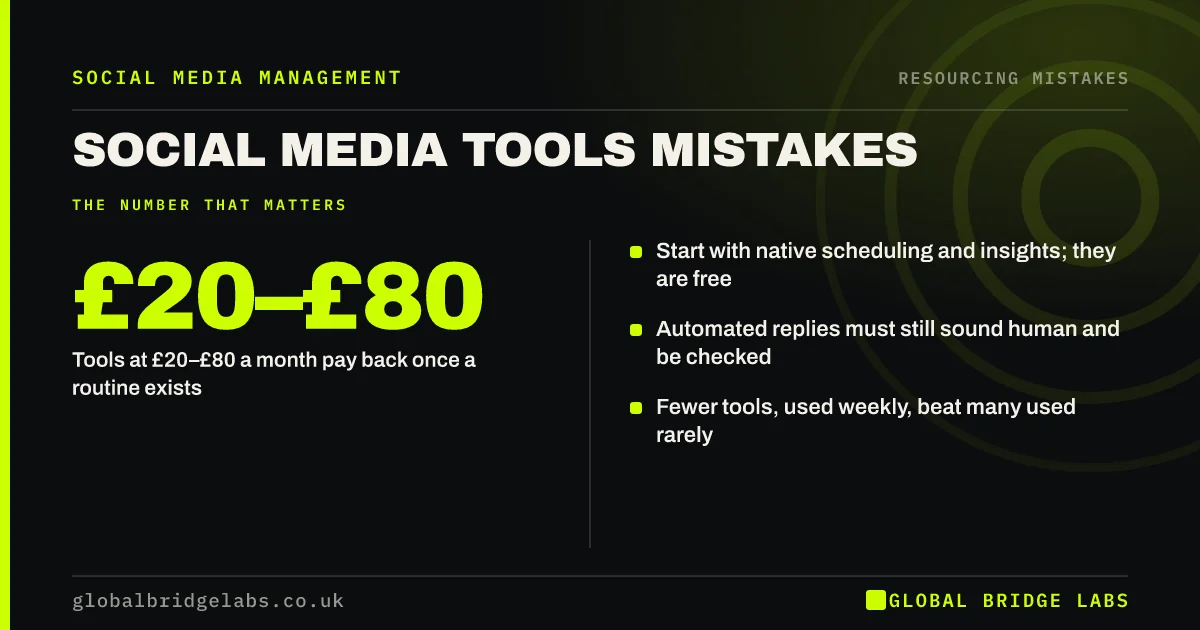
The common social media tools mistakes are buying software before there is a routine, paying for features nobody uses, automating replies so they sound robotic and spreading work across several tools. Native scheduling and insights cover most small businesses on one platform. Paid tools at £20–£80 a month pay back once a routine across two or more platforms exists.
- Start with native scheduling and insights; they are free.
- Tools at £20–£80 a month pay back once a routine exists.
- Automated replies must still sound human and be checked.
- Fewer tools, used weekly, beat many used rarely.
Want to know which tools you actually need? Message us on WhatsApp.
Chat on WhatsApp →Why is buying tools first a mistake?
Buying tools first is a mistake because a tool speeds up a routine; it does not create one. Without a plan, a batching slot and a reply habit, a scheduling tool sits empty. Many businesses pay for months of software they log into twice.
What tool mistakes are common?
The common mistakes are paying for an enterprise plan, using different tools for scheduling, inbox and design that do not connect, and turning on automated replies that answer the wrong questions.
- Paying before there is a routine.
- Several tools that do not connect.
- Features nobody uses.
- Robotic automated replies.
- Logins held by one person only.
Want your tool stack reviewed? Message us on WhatsApp and we will discuss your requirements.
Chat on WhatsApp →What does a small business actually need?
Most small businesses need four things: a way to schedule posts (native tools or one scheduler), one inbox for comments and messages, a simple design tool and Google Analytics 4 with tagged links. Add more only when a clear task takes too long without it.
Is automation a mistake?
Not if it is used carefully. Saved replies, away messages and simple keyword responses can help. Fully automated replies to complaints or complex questions often frustrate customers. Keep a person in the loop, and follow platform messaging rules.
How do you audit your tool spend?
Audit tool spend by listing every subscription with its monthly cost, who uses it and when it was last opened. Cancel anything not used weekly, merge tools that overlap and check whether a native feature does the same job. Most small businesses can cut at least one subscription.
- Tools not opened weekly.
- Overlapping features.
- Native features that do the same job.
- Logins held by one person.
What does this look like in practice?
A pattern we see: three paid tools, a scheduler, an analytics dashboard and a design suite, costing over £100 a month and used occasionally. Dropping to native scheduling and one design tool, with the savings put into an hour of replies a week, usually helps more.
Tools checklist
- Build the routine before buying tools.
- Start with native scheduling and insights.
- Use one inbox for messages.
- Cancel tools not used weekly.
- Keep automation human and checked.
Next step
List every social media tool you pay for and when you last used it. Cancel any not used in the last month.
Message us on WhatsApp for help, or book a 30-minute consultation.
Chat on WhatsApp →Sources and further reading
- Meta Business Help Centre · Meta
- Messenger Platform and Instagram Messaging API policy · Meta for Developers
- About key events · Google Analytics Help
Frequently asked questions
Do I need a paid social media scheduling tool?
Not for one platform. Native scheduling in Meta Business Suite, LinkedIn and TikTok covers most small businesses. A paid tool helps once you post regularly on two or more platforms.
How much should a small business spend on social media tools?
Often nothing at first, then about £20–£80 a month as an indicative range for a scheduler or inbox tool once a routine exists. Review subscriptions every quarter.
Are automated social media replies a good idea?
Simple saved replies, away messages and keyword answers can help. Fully automated handling of complaints or complex questions often frustrates customers. Keep a person checking.
Written by

Global Bridge Labs (GBL) is a UK–Sri Lanka partner for social media, websites and BPO. Everything here comes from client delivery, not theory.