On this page
- 01Key takeaways
- 02What is a social media chatbot?
- 03When is a chatbot worth it?
- 04What should a chatbot handle and what should it not?
- 05What rules apply to chatbots?
- 06Are AI chatbots safe to use?
- 07When is a chatbot a bad idea?
- 08What does this look like in practice?
- 09Chatbot checklist
- 10Next step
- 11Sources and further reading
- 12Frequently asked questions
Key takeaways
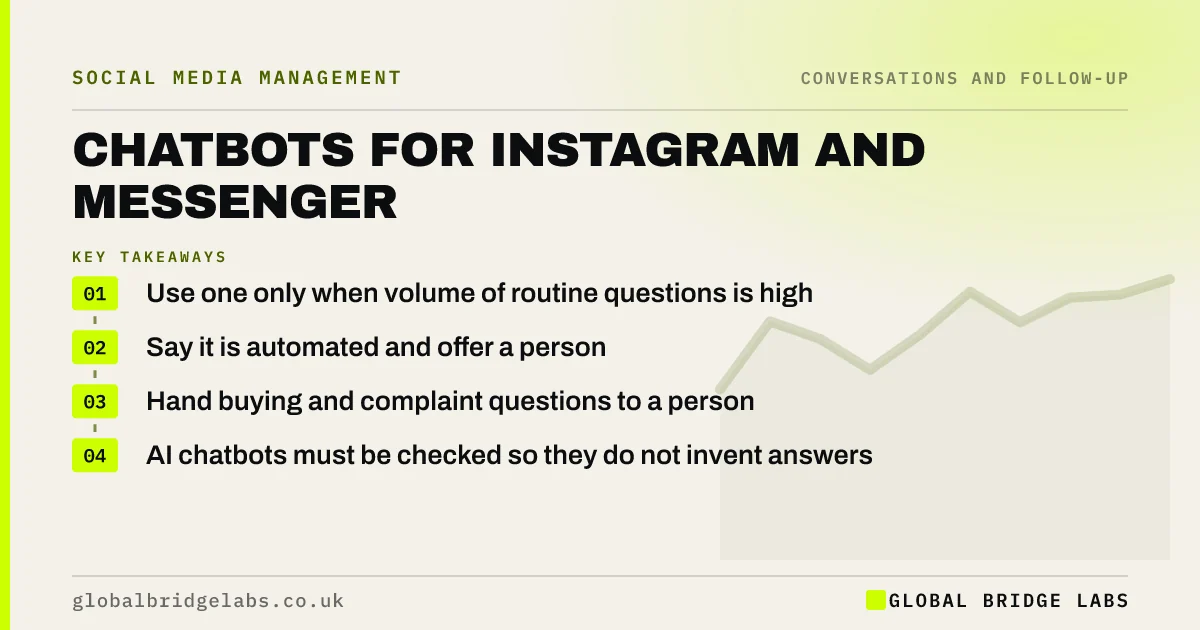
A chatbot on Instagram or Messenger is worth using when the same questions arrive many times a day and the answers are standard: hours, prices, booking links, order status. It should say it is automated, hand over to a person for anything specific, and never be the only way to reach you. For most small businesses, saved replies and an away message do the job.
- Use one only when volume of routine questions is high.
- Say it is automated and offer a person.
- Hand buying and complaint questions to a person.
- AI chatbots must be checked so they do not invent answers.
Wondering whether a chatbot is worth it for you? Message us on WhatsApp.
Chat on WhatsApp →What is a social media chatbot?
A social media chatbot is software connected to a business's Instagram or Messenger account that replies automatically to messages, using set menus and answers or AI-generated text, through Meta's approved messaging APIs. It aims to answer routine questions instantly, at any hour.
When is a chatbot worth it?
A chatbot is worth it when you receive many messages a day with predictable answers, such as a restaurant answering hours and booking questions or a shop answering order and delivery questions. If you receive ten messages a day and each is different, a person with saved replies is faster and better.
What should a chatbot handle and what should it not?
A chatbot should handle standard information and simple routing: opening hours, price lists, booking links, delivery times, and collecting a name and need for a person to follow up. It should not handle specific quotes, complaints, health or financial questions, or anyone who asks for a person.
- Handle: hours, standard prices, links, order status.
- Collect: name, need, postcode, best time to call.
- Hand over: quotes, complaints, sensitive topics, "talk to a person".
Want help deciding what to automate? Message us on WhatsApp and we will discuss your requirements.
Chat on WhatsApp →What rules apply to chatbots?
Chatbots must use Meta's approved messaging platform and follow its messaging policy, including limits on when the business can send messages. Make clear the person is talking to an automated service. Personal data collected is covered by UK GDPR, so your privacy notice must explain it. Marketing messages sent later generally need consent under PECR.
Are AI chatbots safe to use?
AI chatbots can answer more varied questions but can also give confident wrong answers, such as an incorrect price or a promise you cannot keep. Limit them to your own approved information, test them with real questions, review conversations weekly, and keep a person available. Under consumer law, what your bot tells a customer can bind you.
When is a chatbot a bad idea?
A chatbot is a bad idea when it blocks people from a person, when it is used to look busier than you are, or in sensitive services where a cold automated reply feels wrong. A bot that traps a buyer in menus loses the sale more surely than a slow reply.
What does this look like in practice?
A pattern we see in hospitality: dozens of daily messages asking the same five questions. A simple menu bot answering those five, with a button to reach a person, frees staff time for booking questions and events, where the money is.
Chatbot checklist
- Count routine questions per day first.
- Use Meta's approved platform or partner.
- Say it is automated.
- Offer a person at every step.
- Limit AI answers to approved information.
- Review conversations weekly.
Next step
Tally the questions in last week's messages. If five questions make up most of them, a simple bot might help. If not, write saved replies instead.
Message us on WhatsApp and we will help you decide, or book a 30-minute consultation.
Chat on WhatsApp →Sources and further reading
- Messenger Platform and Instagram Messaging API policy · Meta for Developers
- Meta Business Help Centre · Meta
- Right to be informed (privacy information) · Information Commissioner's Office
- Electronic and telephone marketing under PECR · Information Commissioner's Office
Frequently asked questions
Should my small business use a chatbot on Instagram?
Only if you get many routine questions with standard answers every day. For most small businesses, saved replies, an away message and a booking link do the job. If you do use one, say it is automated and make it easy to reach a person.
Can a chatbot answer sales questions?
It can share standard prices and booking links and collect details for follow-up. Specific quotes, objections and complex questions need a person, because that is where sales are won or lost. Route them to someone who can reply within the working hour.
Are AI chatbots reliable for customer messages?
They can be useful but may give wrong answers confidently. Restrict them to your approved information, test them with real questions, review conversations regularly and keep a person available. Treat anything the bot tells a customer as if a member of staff said it.
Written by

Global Bridge Labs (GBL) is a UK–Sri Lanka partner for social media, websites and BPO. Everything here comes from client delivery, not theory.