On this page
- 01Key takeaways
- 02Why are business accounts targeted?
- 03What are the common security mistakes?
- 04How do you secure a business account?
- 05What should you do if you are hacked?
- 06How do you spot weak security before a hacker does?
- 07What does this look like in practice?
- 08Security checklist
- 09Next step
- 10Sources and further reading
- 11Frequently asked questions
Key takeaways
Most business social media accounts are hacked through avoidable mistakes: reused passwords, no two-factor authentication, and admins clicking fake messages claiming a copyright breach or account suspension. Turn on two-factor authentication for every admin, use a password manager and check any warning inside the platform itself, never through a link.
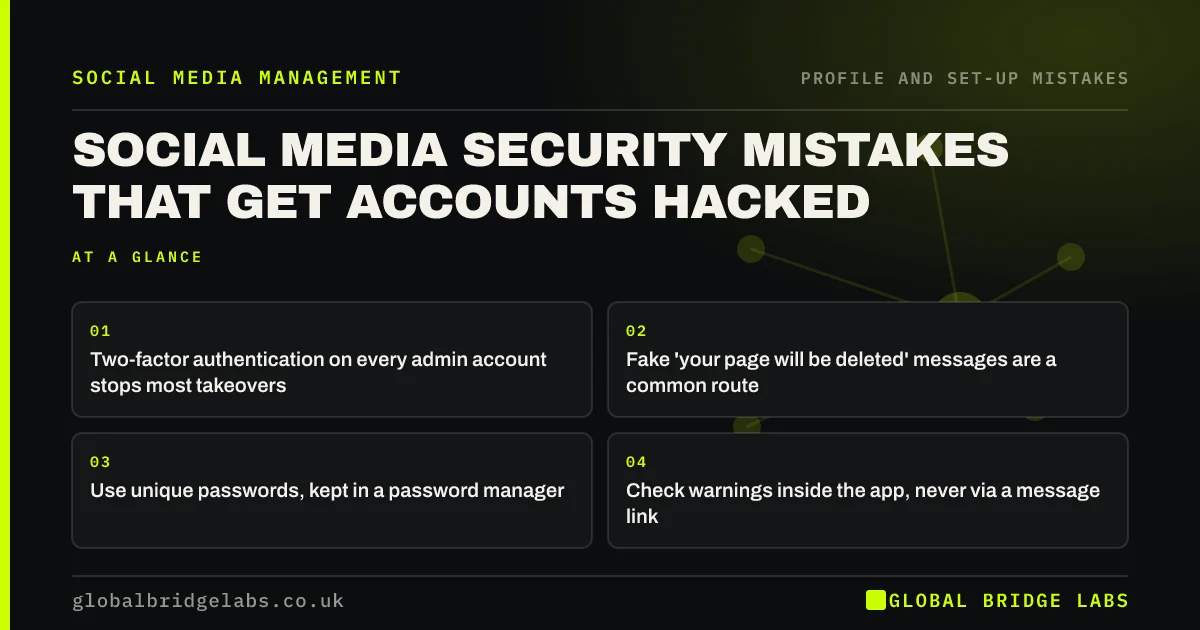
- Two-factor authentication on every admin account stops most takeovers.
- Fake 'your page will be deleted' messages are a common route in.
- Use unique passwords, kept in a password manager.
- Check warnings inside the app, never via a message link.
Worried your accounts are exposed? Message us on WhatsApp.
Chat on WhatsApp →Why are business accounts targeted?
Business accounts are targeted because they have followers to scam, ad accounts with payment cards attached and owners who panic when told the page will be deleted. A hacked page can run ads on your card or message your customers before you notice.
What are the common security mistakes?
The common mistakes are reusing a password from another site, no two-factor authentication, too many admins, old staff with access, and clicking links in messages that look like they come from Meta, Instagram or TikTok support.
How do you secure a business account?
Secure it in an afternoon. The National Cyber Security Centre (NCSC) recommends two-step verification and strong, separate passwords for important accounts.
- 1. Turn on two-factor authentication for every admin.
- 2. Use a password manager with unique passwords.
- 3. Remove admins who no longer need access.
- 4. Train everyone to check warnings inside the app.
- 5. Keep recovery email and phone up to date.
Want a security tidy-up done with you? Message us on WhatsApp and we will discuss your requirements.
Chat on WhatsApp →What should you do if you are hacked?
Use the platform's official hacked-account process straight away, change passwords on the email linked to the account, remove unknown admins, check ad accounts for new spend and contact your bank if a card was used. Then tell followers, once you are back in, not to trust messages sent while it was compromised.
How do you spot weak security before a hacker does?
Spot weak security by checking three settings for every admin: two-factor authentication, a unique password and an up-to-date recovery email and phone. Then review recent login alerts. Any admin without two-factor authentication is the most likely way into the account.
- Admins without two-factor authentication.
- Passwords reused from other sites.
- Old recovery emails or numbers.
- Login alerts you do not recognise.
What does this look like in practice?
A pattern we see: an admin receives a message saying the page breaks copyright and will be removed unless they 'verify' through a link. The link captures the login. Turning on two-factor authentication and teaching everyone to check warnings only inside the app closes most of this risk.
Security checklist
- Two-factor authentication for all admins.
- Unique passwords in a password manager.
- Fewest admins needed, reviewed quarterly.
- Check warnings inside the app only.
- Up-to-date recovery details.
Next step
Today, check every admin on your main page has two-factor authentication turned on. It is the single biggest protection.
Message us on WhatsApp if you need help, or book a 30-minute consultation.
Chat on WhatsApp →Sources and further reading
- Small Business Guide: cyber security · National Cyber Security Centre
- Password administration for system owners · National Cyber Security Centre
- Small Business Guide: response and recovery · National Cyber Security Centre
- Meta Business Help Centre · Meta
Frequently asked questions
How do business social media accounts get hacked?
Most often through reused passwords, no two-factor authentication and phishing messages that pretend to be from the platform, claiming copyright breaches or imminent deletion. Clicking the link hands over the login.
What should I do if my business Facebook page is hacked?
Use Meta's official hacked-account process, secure the linked email, remove unknown admins, check ad spend and contact your bank if needed. Once you regain access, warn followers about any messages sent while it was compromised.
Is two-factor authentication worth it for a small business?
Yes. It is free and stops most account takeovers that rely on a stolen password. The NCSC recommends it for important accounts. Turn it on for every admin, not just the owner.
Written by

Global Bridge Labs (GBL) is a UK–Sri Lanka partner for social media, websites and BPO. Everything here comes from client delivery, not theory.