On this page
- 01Key takeaways
- 02Why is account access a marketing mistake?
- 03What are the common access mistakes?
- 04How do you fix account access?
- 05When is giving an agency full access reasonable?
- 06How do you audit account access in ten minutes?
- 07What does this look like in practice?
- 08Access checklist
- 09Next step
- 10Sources and further reading
- 11Frequently asked questions
Key takeaways
Losing access to a business social media account usually comes from three mistakes: only one admin, logins held by a former employee or agency, and accounts registered to a personal email. Make the business the owner, keep at least two admins from inside the business, and give staff and agencies role-based access.
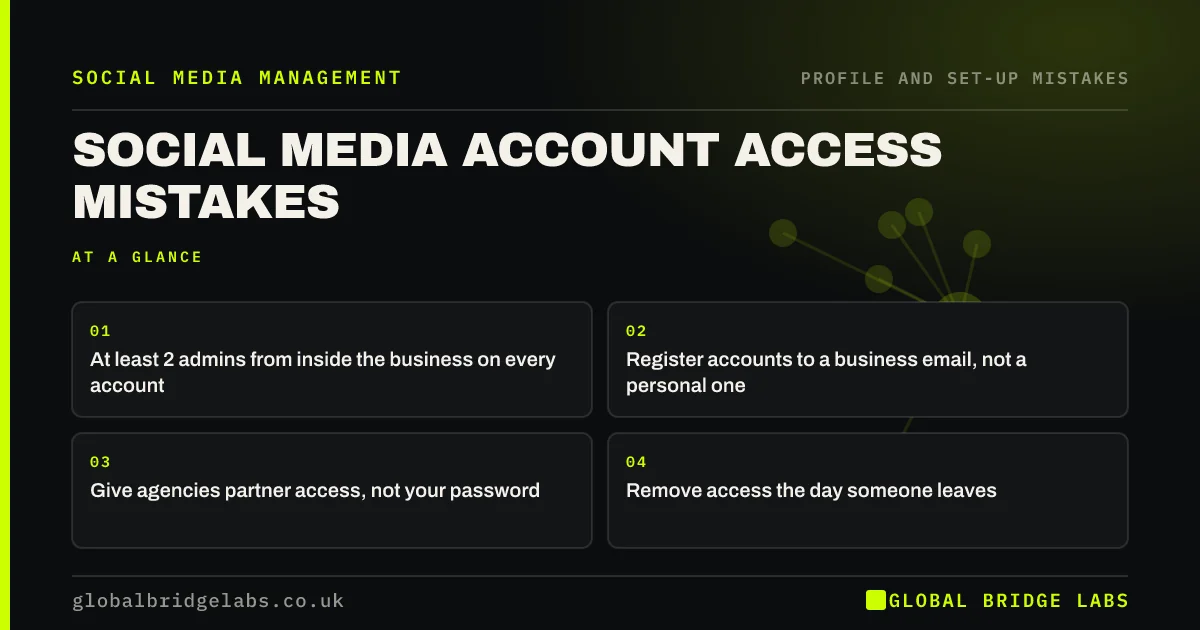
- At least 2 admins from inside the business on every account.
- Register accounts to a business email, not a personal one.
- Give agencies partner access, not your password.
- Remove access the day someone leaves.
Want an access check on your accounts? Message us on WhatsApp.
Chat on WhatsApp →Why is account access a marketing mistake?
Account access is a marketing mistake because the page, its followers, reviews and history are business assets. If the only admin leaves, falls out with you or loses their phone, the business can lose all of it. Recovery through platform support is slow and not guaranteed.
What are the common access mistakes?
The common mistakes are one admin, shared passwords, accounts set up on a former employee's email, agencies creating pages under their own business account, and nobody removing access when people leave.
- One person as the only admin.
- A shared password in a group chat.
- Personal or ex-staff email as the login.
- Agency-owned page or ad account.
- No list of who has access.
Want your access sorted before it becomes a problem? Message us on WhatsApp and we will discuss your requirements.
Chat on WhatsApp →How do you fix account access?
Keep a simple list of every account, its login email and its admins. Move logins to a business email. Add a second internal admin. Use platform business tools, such as Meta Business Suite, to give staff and agencies roles rather than passwords. Turn on two-factor authentication for every admin.
When is giving an agency full access reasonable?
Giving an agency admin access is reasonable while they run the account, as long as the business also stays an admin and owns the page and ad account. The test is simple: if the agency vanished tomorrow, could you still log in and run everything?
How do you audit account access in ten minutes?
Audit access by opening the settings of each business account and listing every admin, the login email and whether two-factor authentication is on. Then mark anyone who has left, any personal email logins and any account with only one admin. Those three marks are the fixes, in that order.
- Admins who have left the business.
- Logins on personal email addresses.
- Accounts with only one admin.
- Agencies with ownership rather than roles.
What does this look like in practice?
A pattern we see: a business page created years ago by a former marketing assistant, still the only admin, now unreachable. The fix is slow. Adding a second internal admin and moving logins to a business email takes ten minutes and prevents it.
Access checklist
- List every account and its admins.
- Use a business email for logins.
- Keep two internal admins.
- Give roles, not passwords.
- Remove access when people leave.
Next step
Open the settings of each business account today and write down every admin. Anyone you do not recognise or who has left should be removed.
Message us on WhatsApp if you need help regaining or tidying access, or book a 30-minute consultation.
Chat on WhatsApp →Sources and further reading
- Meta Business Help Centre · Meta
- Small Business Guide: cyber security · National Cyber Security Centre
- Password administration for system owners · National Cyber Security Centre
Frequently asked questions
What do I do if an ex-employee is the only admin?
Ask them to add you as an admin first, which is fastest. If they will not or cannot, use the platform's page recovery process with proof that you own the business, such as matching domain email and company documents. Expect it to take time.
Should my agency own my social media accounts?
No. The business should own its pages, profiles and ad accounts and stay an admin. Agencies should be given role-based or partner access, which you can remove when the work ends.
How many admins should a business page have?
At least two from inside the business, plus role-based access for anyone else who needs it. Keep the number small and review it every quarter.
Written by

Global Bridge Labs (GBL) is a UK–Sri Lanka partner for social media, websites and BPO. Everything here comes from client delivery, not theory.