On this page
- 01Key takeaways
- 02Why does holiday cover matter?
- 03What should you do before you go?
- 04How should replies be handled?
- 05Should you tell followers you are away?
- 06What does this look like in practice?
- 07What should a holiday handover note include?
- 08What if the whole business closes for a holiday?
- 09Next step
- 10Sources and further reading
- 11Frequently asked questions
Key takeaways
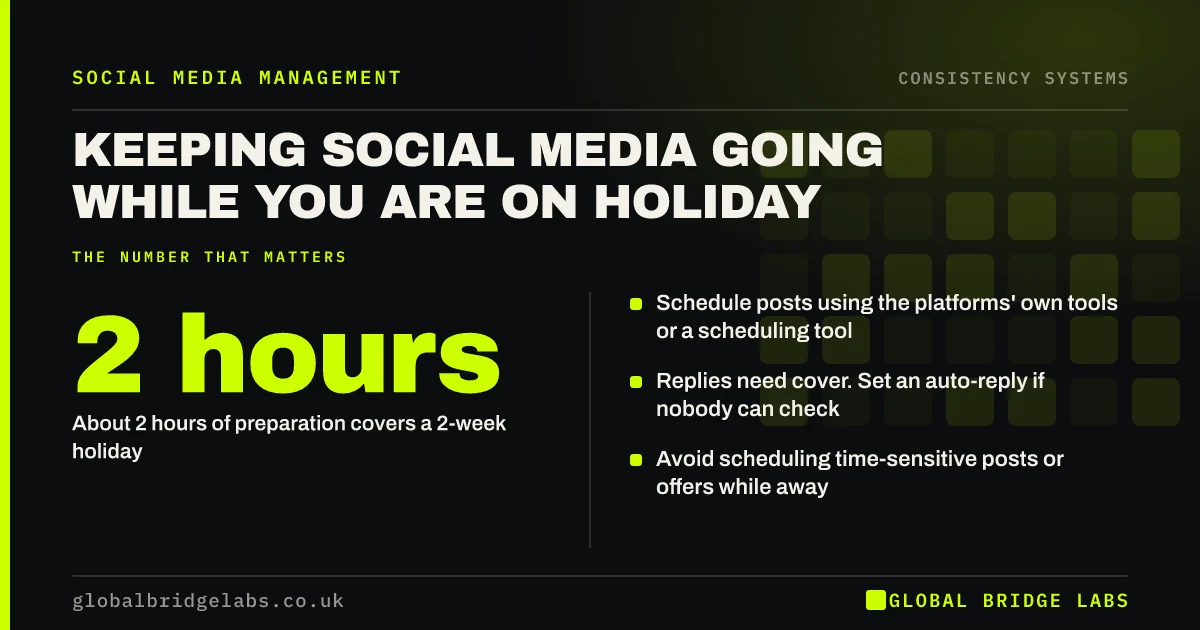
To keep social media going while on holiday, schedule posts before you leave, use your content bank for any gaps, arrange someone to handle replies or set a clear auto-reply, and tell followers if response times will be slower. A two-week holiday needs about two hours of preparation.
- About 2 hours of preparation covers a 2-week holiday.
- Schedule posts using the platforms' own tools or a scheduling tool.
- Replies need cover. Set an auto-reply if nobody can check.
- Avoid scheduling time-sensitive posts or offers while away.
- Pin a post with contact details and your return date if needed.
Going away soon? Message us on WhatsApp and we can cover your social media while you are off.
Chat on WhatsApp →Why does holiday cover matter?
Holidays are one of the most common causes of posting gaps, and gaps affect reach and trust. UK workers are entitled to 5.6 weeks of paid holiday a year, so for many small businesses, the person running social media is away for several weeks each year. Without a plan, each absence becomes a gap.
What should you do before you go?
- Schedule your normal posts for the whole period.
- Fill any gaps from your content bank.
- Brief a colleague on replies, or set an auto-reply with a return date.
- Check that scheduled posts do not include offers or dates that could go wrong.
- Update your bio or pin a post if services or response times change.
- Build a social media content bank for quiet weeks
- Social media scheduling tools for UK small businesses
Want a holiday handover checklist? Message us on WhatsApp.
Chat on WhatsApp →How should replies be handled?
Replies need a person, not a schedule. Ideally a colleague checks once a day using clear guidance on what to answer and what to hold. If nobody can check, set an automatic reply on messaging channels that states when you will respond, and consider pinning a post with alternative contact details.
Should you tell followers you are away?
Only if it affects them, for example if the business is closed or responses will be slow. A short post announcing dates and alternative contacts builds trust. If the business is still operating normally, keep posting as usual without mentioning it.
What does this look like in practice?
A UK boutique owner took two weeks off in August. Before leaving, she scheduled six posts, including two from her content bank, and briefed her shop assistant to check messages at lunchtime. Followers saw no change, and several online orders came in through Instagram messages that were answered the same day.
What should a holiday handover note include?
- Which accounts to check and how to log in via the business password manager.
- When to check: for example once a day at 12:00.
- Saved replies for common questions.
- What to escalate and to whom, including complaints.
- Which posts are scheduled and what not to change.
- Your return date.
What if the whole business closes for a holiday?
Announce the closure dates a week or two ahead, update opening hours on Google Business Profile and your social profiles, pin a post with dates and any emergency contact, and set an auto-reply. Schedule one or two light posts during the closure if appropriate, and return with a post confirming you are open.
Next step
Add a social media handover to your holiday checklist. Two hours of preparation protects weeks of consistency.
Message us on WhatsApp and we will build a holiday handover plan with you.
Chat on WhatsApp →Sources and further reading
- Holiday entitlement · GOV.UK
- Meta Business Help Centre · Meta
- Google Business Profile Help · Google
Frequently asked questions
How do I manage business social media while on holiday?
Schedule posts before you go, fill gaps from a content bank, arrange for a colleague to check replies or set an auto-reply, and avoid time-sensitive offers while away. Tell followers only if the business will be closed or slower to respond.
Can I schedule posts on Instagram and Facebook?
Yes. Meta Business Suite lets you schedule posts on both platforms for free, and many third-party tools support scheduling across several platforms. Check scheduled posts once before leaving.
Should I stop posting on social media when I am on holiday?
Preferably not. Scheduling posts keeps your consistency intact and avoids the reach dip that follows gaps. If you do pause, announce it and give a return date.
Who should reply to messages while I am away?
A colleague with clear guidance, ideally checking once a day. If no one is available, use an automatic reply stating when you will respond and alternative contact details for urgent matters.
Should I tell customers my business is closed for holidays?
Yes, if the business is closed or services are limited. Announce the dates on social media, update opening hours on Google Business Profile and set auto-replies. Clear information prevents frustration and protects trust.
Written by

Global Bridge Labs (GBL) is a UK–Sri Lanka partner for social media, websites and BPO. Everything here comes from client delivery, not theory.