On this page
- 01Key takeaways
- 02What is a social media content bank?
- 03What should go in the bank?
- 04How do you build it?
- 05When should you use the bank?
- 06How often should you refresh it?
- 07What does this look like in practice?
- 08What are the common content bank mistakes?
- 09How does a bank fit with a multi-person team?
- 10Next step
- 11Sources and further reading
- 12Frequently asked questions
Key takeaways
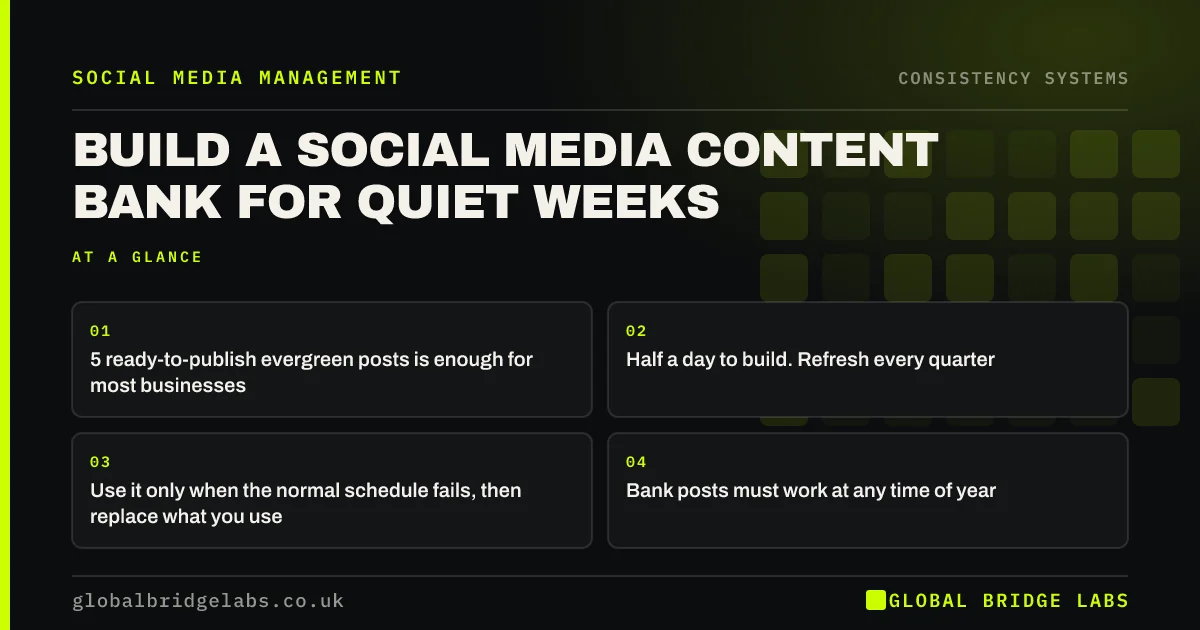
A social media content bank is a reserve of ready-to-publish evergreen posts that you use only when the normal schedule breaks. Five posts is enough for most small businesses. It costs about half a day to build and prevents the gaps that undo months of consistency.
- 5 ready-to-publish evergreen posts is enough for most businesses.
- Half a day to build. Refresh every quarter.
- Use it only when the normal schedule fails, then replace what you use.
- Bank posts must work at any time of year. No dates, no prices that change.
- Store captions and images together so anyone can publish them.
Want five bank posts written for your business? Message us on WhatsApp.
Chat on WhatsApp →What is a social media content bank?
A social media content bank is a small stock of finished, evergreen posts held in reserve to cover weeks when the normal posting routine breaks. It differs from a content calendar, which schedules planned posts, because bank posts have no fixed date and are used only in emergencies.
What should go in the bank?
- An answered customer question that comes up all year.
- A finished job or case story that will not date.
- A team introduction or how-we-work post.
- A how-to-choose-a-supplier guide for your sector.
- A customer review shared with permission.
How do you build it?
- Pick five topics from the list above.
- Create the image or video and write the full caption for each.
- Remove dates, seasonal references and prices likely to change.
- Store them in one shared folder with a simple name and a one-line description.
- Tell everyone who posts where the bank is and when to use it.
Want a content bank folder template? Message us on WhatsApp and we will send it.
Chat on WhatsApp →When should you use the bank?
Use it when the scheduled post cannot happen: illness, a large job, a holiday, a technical problem or an approval delay. Do not use it just because a week is slightly busy, or the bank will empty and the routine will weaken. Replace any post you use within two weeks.
How often should you refresh it?
Every quarter. Check the posts are still accurate, the people featured still work for you and the images still represent your work. Swap in stronger examples when you have them.
What does this look like in practice?
A UK independent pharmacy kept five bank posts: a guide to common winter remedies, a team introduction, a prescription collection explainer, a customer review and a post on the private services it offers. During a staff shortage in February, it published three bank posts over three weeks. Followers saw no gap, and the pharmacy replaced the posts in March.
What are the common content bank mistakes?
- Using the bank for ordinary busy weeks until it is empty.
- Including dated or seasonal posts that look wrong later.
- Storing posts where only one person can find them.
- Never refreshing, so featured staff or prices are out of date.
- Making bank posts weaker than normal posts. They should be your best evergreen work.
How does a bank fit with a multi-person team?
When several people post, the bank should live in a shared folder with a simple log of which posts have been used and when. Anyone covering can publish from it without asking. For multi-location businesses, a central bank that every location can draw from keeps quality consistent across branches.
Next step
Block half a day this month to build five bank posts. It is the single cheapest protection for your consistency.
Message us on WhatsApp and we will build your content bank with you.
Chat on WhatsApp →Sources and further reading
- Meta Business Help Centre · Meta
- LinkedIn Pages best practices · LinkedIn
- Google Business Profile Help · Google
Frequently asked questions
How many backup posts should I keep?
Five is enough for most small businesses. That covers two to three weeks of disruption at a typical cadence. Keep more if you post daily or operate in a sector with frequent unpredictable busy periods.
What is the difference between a content bank and a content calendar?
A content calendar schedules planned posts for specific dates. A content bank holds undated evergreen posts in reserve for emergencies. The calendar is the plan; the bank is the safety net that stops the plan from breaking.
Can I schedule bank posts in advance?
You can, but it is better to keep them unscheduled so they can be used whenever needed. If you know a disruption is coming, such as a holiday, schedule bank posts into those dates in advance.
What makes a good evergreen post?
It stays accurate and useful whenever it is published: no dates, seasonal references or changeable prices. Answered customer questions, how-to-choose guides, case stories and team introductions all work well.
Can I use AI to create content bank posts?
AI tools can help draft captions and ideas, but check every fact, keep your brand voice and use real photos of your work. Bank posts should be your strongest evergreen material, so generic AI content usually weakens them. Treat AI as a drafting aid, not a replacement for specifics.
Written by

Global Bridge Labs (GBL) is a UK–Sri Lanka partner for social media, websites and BPO. Everything here comes from client delivery, not theory.