On this page
- 01Key takeaways
- 02How do you schedule a LinkedIn post?
- 03Should you schedule personal profile posts?
- 04When should LinkedIn posts go out?
- 05What should you do when a scheduled post goes live?
- 06When should you post live instead?
- 07What does this look like in practice?
- 08LinkedIn scheduling checklist
- 09Next step
- 10Sources and further reading
- 11Frequently asked questions
Key takeaways
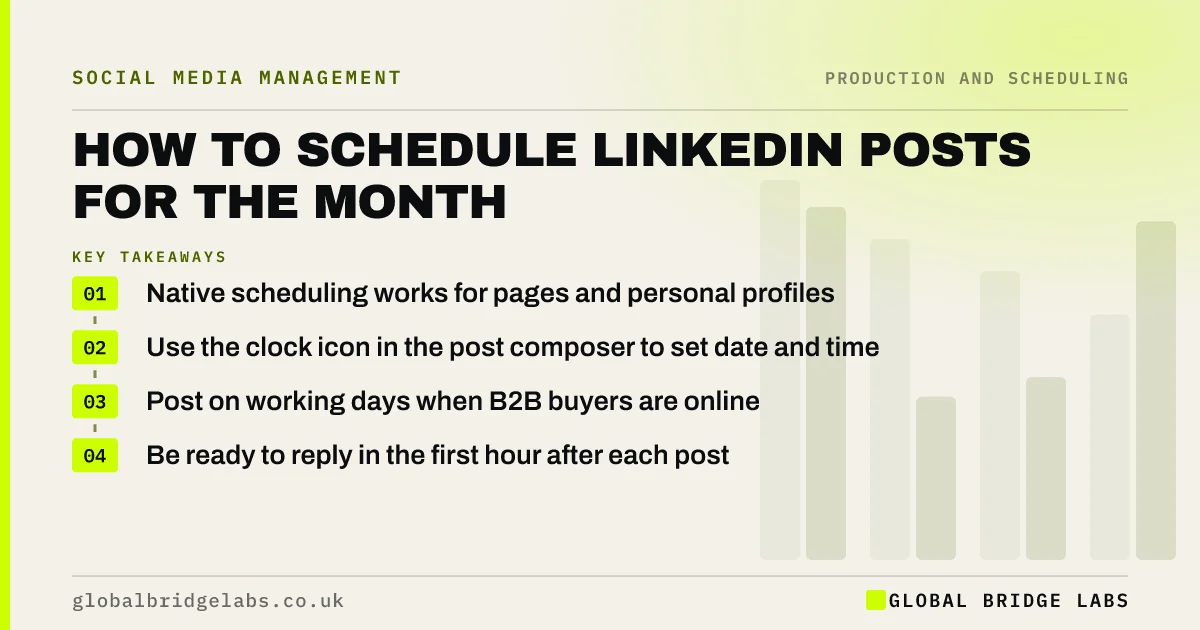
You can schedule LinkedIn posts for both company pages and personal profiles from LinkedIn's own post composer, using the clock icon to pick a date and time. Load the approved month after sign-off, post on working days, and plan to be around for the first hour after each post goes live, because early comments and replies matter on LinkedIn.
- Native scheduling works for pages and personal profiles.
- Use the clock icon in the post composer to set date and time.
- Post on working days when B2B buyers are online.
- Be ready to reply in the first hour after each post.
Want your LinkedIn month scheduled? Message us on WhatsApp.
Chat on WhatsApp →How do you schedule a LinkedIn post?
Start a post as normal from the company page admin view or your profile, write it and add the image, document or video, then select the clock icon and choose a date and time. LinkedIn shows your scheduled posts so you can edit or delete them before they publish. Third-party tools can also schedule to LinkedIn.
Should you schedule personal profile posts?
Yes, if the person agrees and will be around to reply. Scheduling a founder's posts for the month means they go out on busy days. But the comments must be answered by the person, not by someone else, because the value of personal posts is the real conversation.
When should LinkedIn posts go out?
On working days, at times your own analytics show your followers are active, often mornings and around lunchtime for UK B2B audiences. Avoid stacking the page and several staff posts at the same time; spread them through the week. Plan quieter weeks in August and at Christmas.
What should you do when a scheduled post goes live?
Be around for the first hour: reply to comments thoughtfully, thank people who share it, and respond to messages. LinkedIn says it considers how people engage with a post when deciding who else sees it, so quick, real replies help. Do not schedule posts for times when nobody can respond.
When should you post live instead?
Post live for news, reactions to industry events, live event coverage and anything time-sensitive. Scheduling is for the planned layer of expertise, proof and people posts.
What does this look like in practice?
A pattern in B2B: LinkedIn posts written in a burst, then published by hand over weeks, so many are forgotten. Scheduling the approved month on the page and the founder's profile, with reply time booked, usually means every planned post goes out.
LinkedIn scheduling checklist
- Load the approved month after sign-off.
- Use the clock icon to schedule.
- Spread page and staff posts through the week.
- Book reply time for each post.
- Post news and reactions live.
Next step
Schedule next week's LinkedIn posts today, and put a 15-minute reply slot in the diary for each one.
Message us on WhatsApp and we will help schedule your LinkedIn month, or book a 30-minute consultation.
Chat on WhatsApp →Sources and further reading
- LinkedIn Pages best practices · LinkedIn
- LinkedIn relevance: optimising the member experience · LinkedIn Help
Frequently asked questions
Can you schedule posts on LinkedIn?
Yes. LinkedIn's post composer has a clock icon that lets you schedule posts for a company page or a personal profile. You can view, edit or delete scheduled posts before they go live. Many third-party tools can schedule to LinkedIn too.
Does scheduling LinkedIn posts hurt reach?
There is no good evidence that native scheduling reduces reach. What matters more is the post itself and how quickly people engage with it, so be ready to reply to comments in the first hour after it publishes.
What is the best time to schedule LinkedIn posts?
On working days, at times your own LinkedIn analytics show your followers are most active, often mornings and around lunchtime for UK B2B audiences. Test a few times and follow your own results.
Written by

Global Bridge Labs (GBL) is a UK–Sri Lanka partner for social media, websites and BPO. Everything here comes from client delivery, not theory.