On this page
- 01Key takeaways
- 02Section 1: what is your goal?
- 03Section 2: what can you afford per enquiry?
- 04Section 3: what is organic producing now?
- 05Section 4: what budget and decision?
- 06How do you review the worksheet?
- 07What does a completed worksheet look like?
- 08Worksheet checklist
- 09Next step
- 10Sources and further reading
- 11Frequently asked questions
Key takeaways
This one-page worksheet turns the organic vs paid question into numbers. Fill in your goal and deadline, what a customer is worth, your affordable cost per enquiry, current organic results, available time and budget. The answers point to organic first, a paid test, or both, and give you a budget figure to start with.
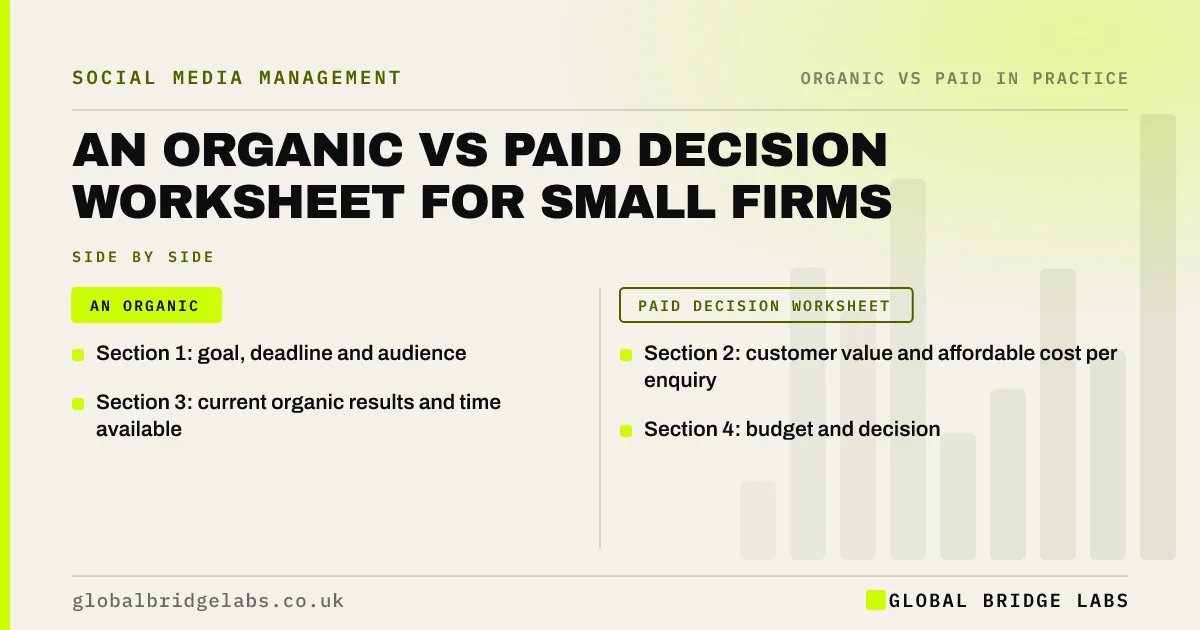
- Section 1: goal, deadline and audience.
- Section 2: customer value and affordable cost per enquiry.
- Section 3: current organic results and time available.
- Section 4: budget and decision.
Want the worksheet filled in with you? Message us on WhatsApp.
Chat on WhatsApp →Section 1: what is your goal?
Write your goal, deadline and audience in one line each. This decides whether speed matters.
- Goal: for example, 10 more enquiries a month.
- Deadline: the date results are needed.
- Audience: who and where.
- Type: new customers or repeat customers.
Section 2: what can you afford per enquiry?
Work out customer value and the most you can pay per enquiry.
- Average gross profit per customer: £___.
- Share of enquiries that become customers: ___%.
- Affordable cost per enquiry = profit × share.
- Example: £600 × 25% = £150.
Section 3: what is organic producing now?
Record current organic results and time. Value time using your hourly cost or typical earnings from ONS ASHE data.
- Organic enquiries last month: ___.
- Hours spent on social a week: ___.
- Organic cost per enquiry: ___.
- Best post or offer: ___.
Section 4: what budget and decision?
Choose a path from the answers.
- Deadline under 6 weeks and proof exists: paid test.
- No proof yet: organic first for 3 months.
- Proof and budget of £300 or more a month: both.
- Organic cost per enquiry already low: protect organic time.
- Earn, prove, buy: the GBL organic and paid social model
- A small budget: put it into organic content or ads?
Want your worksheet numbers checked? Send them to us on WhatsApp and we will discuss your requirements.
Chat on WhatsApp →How do you review the worksheet?
Revisit the worksheet every quarter with updated numbers from your records and GA4 key events. Meta's budget tools let you set the figure you chose as a cap so spending stays within it.
What does a completed worksheet look like?
A worked example: a dog groomer wants eight more bookings a month by spring. Average profit per customer is £120 and half of enquiries book, so she can afford £60 per enquiry. Organic brings six enquiries a month from four hours a week. Two Reels have brought bookings. Answer: both, with a £300 monthly ad test behind those Reels.
Worksheet checklist
- Write the goal and deadline.
- Calculate affordable cost per enquiry.
- Record organic enquiries and hours.
- Name your best post or offer.
- Choose the path from section 4.
- Set a quarterly review date.
Next step
Fill in all four sections this week using last month's numbers. Use the answer to set next quarter's plan and budget.
Message us on WhatsApp for the one-page worksheet, or book a 30-minute consultation.
Chat on WhatsApp →Sources and further reading
- Employee earnings in the UK (Annual Survey of Hours and Earnings) · Office for National Statistics
- About budgets · Meta
- About key events · Google Analytics Help
Frequently asked questions
How do I work out how much I can spend per lead?
Multiply your average gross profit per customer by the share of enquiries that become customers. If a customer brings £400 profit and one in four enquiries buys, you can afford up to about £100 per enquiry and still break even on the first sale.
What if I do not know my conversion rate?
Estimate it from the last few months: count enquiries and how many became customers. If you have little data, start with a cautious guess and update it as you track. Even a rough figure is better than none when setting an ad budget.
How often should I update the worksheet?
Every quarter, or whenever something important changes, such as prices, capacity or a big shift in results. Update the numbers from your own records and analytics, then check whether the recommended path has changed before setting the next quarter's budget.
Written by

Global Bridge Labs (GBL) is a UK–Sri Lanka partner for social media, websites and BPO. Everything here comes from client delivery, not theory.