On this page
- 01Key takeaways
- 02Should each location have its own social page?
- 03How does paid help multi-location businesses?
- 04What should organic do for multiple sites?
- 05What about Google Business Profile?
- 06How should budget be split between locations?
- 07What does this look like in practice?
- 08Multi-location checklist
- 09Next step
- 10Sources and further reading
- 11Frequently asked questions
Key takeaways
Multi-location businesses usually do best with one main brand profile for organic content and paid ads targeted to each location. Separate organic pages per branch only work if each branch has someone to post and reply. Paid location targeting reaches each catchment reliably without the effort of running many pages.
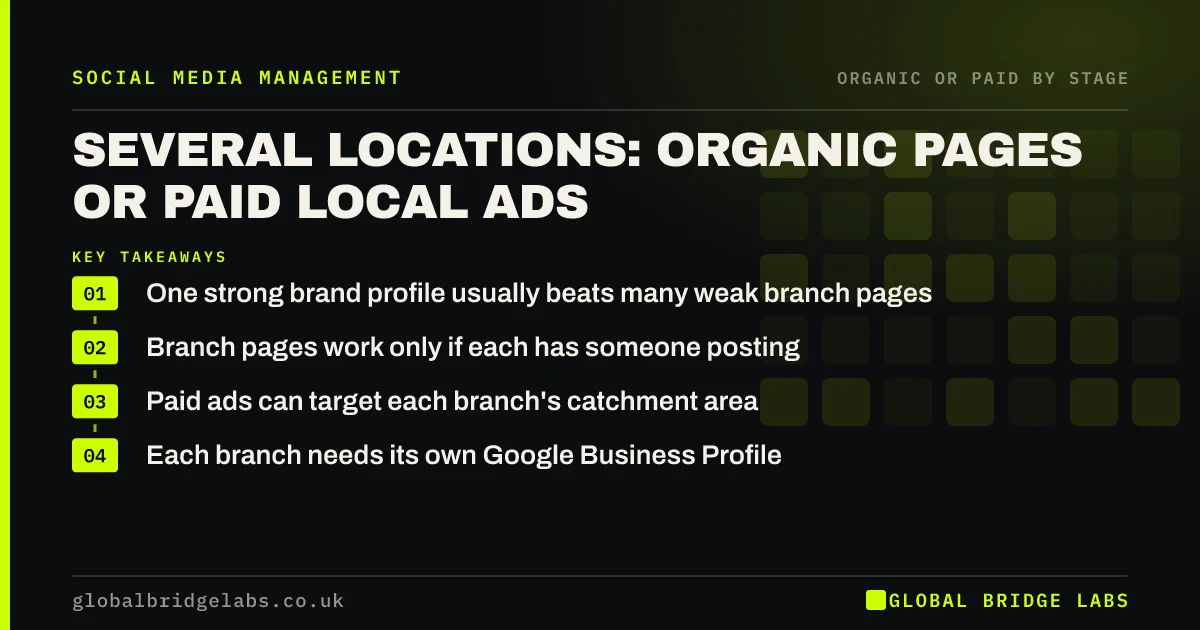
- One strong brand profile usually beats many weak branch pages.
- Branch pages work only if each has someone posting.
- Paid ads can target each branch's catchment area.
- Each branch needs its own Google Business Profile.
Running several sites? Tell us how many on WhatsApp.
Chat on WhatsApp →Should each location have its own social page?
Only if each location can keep it active. A branch page with two posts a year looks worse than none. Many multi-site businesses run one main brand profile for organic content, with branch-specific posts and stories, and use local Google Business Profiles for each site.
How does paid help multi-location businesses?
Paid lets you run one campaign with ads targeted to each branch's catchment, with location-specific creative and offers. You can set budgets per area according to demand, which is hard to do organically from one central page.
- Target each branch's radius.
- Use branch-specific images and offers.
- Set budgets by area demand.
- Compare cost per enquiry by branch.
What should organic do for multiple sites?
Organic should build the brand centrally while showing each site: staff, local events and customer stories from different branches. Rotating locations through the main profile keeps content local without needing separate teams.
What about Google Business Profile?
Each location should have its own Google Business Profile, kept up to date with posts, photos and reviews. Google's guidance treats each physical location as a separate listing. This often matters more for local discovery than separate social pages.
How should budget be split between locations?
Split paid budget by opportunity: newer branches or those with spare capacity get more, busy ones less. Use Meta's budget tools to set caps per campaign or ad set. Review monthly using enquiries and bookings by branch.
What does this look like in practice?
A pattern we see: a group of four veterinary practices had a page for each, three of them inactive. Consolidating to one brand page that featured each practice weekly, plus location-targeted ads for the newest practice, increased new client registrations there without extra staff time.
Multi-location checklist
- Decide whether branches can keep their own pages active.
- Run one strong brand profile if not.
- Feature each location in organic content.
- Keep every Google Business Profile current.
- Target ads to each catchment area.
- Split budget by branch capacity and demand.
Next step
Audit each branch page: when was the last post and the last reply? Close or merge inactive ones and plan location-targeted ads for the branch with the most spare capacity.
Message us on WhatsApp for a multi-site social plan, or book a 30-minute consultation.
Chat on WhatsApp →Sources and further reading
- Meta Business Help Centre · Meta
- Google Business Profile Help · Google
- About budgets · Meta
Frequently asked questions
Should a franchise or multi-site business have one page or many?
One main page is usually easier to keep active and credible, with local pages only where branches have staff to run them. Paid location targeting and separate Google Business Profiles can deliver local reach without the burden of many inactive social pages.
Can I run ads for different locations from one page?
Yes. You can run ads from one page targeted to different areas, each with location-specific images, offers and contact details. This is often more efficient than running separate pages and ad accounts for each branch, and makes reporting by location easier.
Do I need a Google Business Profile for every location?
Yes, if each location serves customers in person. Each physical site should have its own profile with accurate address, hours, photos and reviews. It is often the first thing local customers see when searching, so keeping each one current matters.
Written by

Global Bridge Labs (GBL) is a UK–Sri Lanka partner for social media, websites and BPO. Everything here comes from client delivery, not theory.