On this page
- 01Key takeaways
- 02What are Facebook lead ads?
- 03When should a small business use lead ads?
- 04How do you set up a lead form that qualifies?
- 05How fast must you follow up a lead ad?
- 06What does a lead from lead ads cost?
- 07What data rules apply to lead ads?
- 08When do lead ads not work?
- 09What does this look like in practice?
- 10Lead ads checklist
- 11Next step
- 12Sources and further reading
- 13Frequently asked questions
Key takeaways
Facebook lead ads let people send their details through a form inside Facebook or Instagram, pre-filled from their profile, without visiting your website. They produce more leads at a lower cost per lead than sending people to a site, but often of lower intent. Add a qualifying question, use the higher-intent form option, and call within the hour.
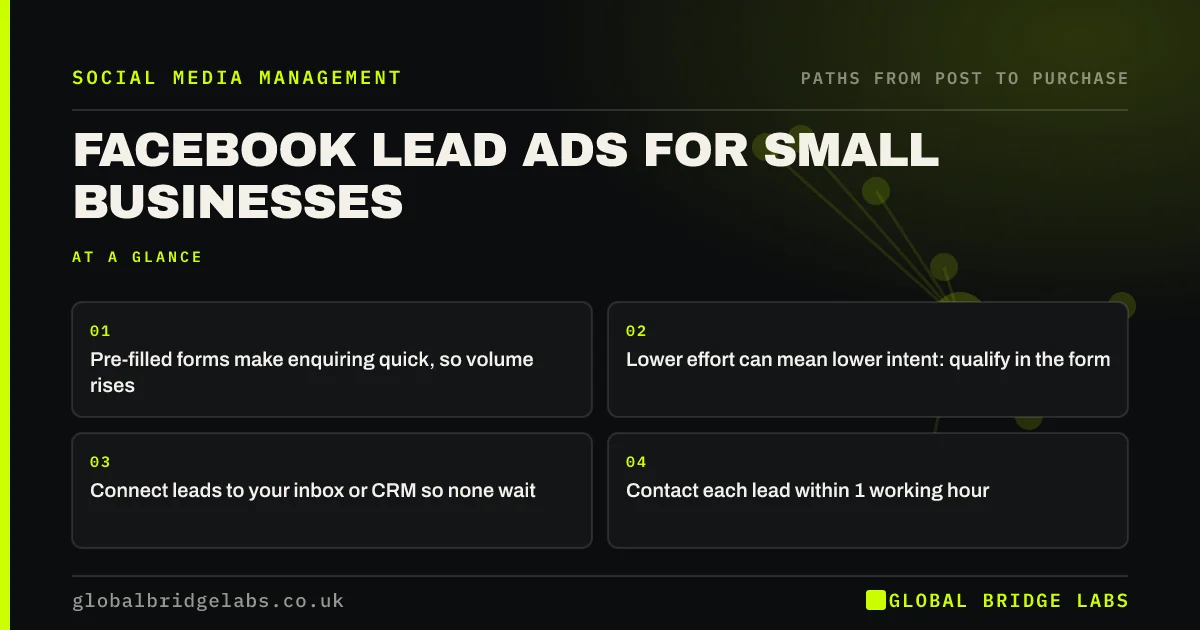
- Pre-filled forms make enquiring quick, so volume rises.
- Lower effort can mean lower intent: qualify in the form.
- Connect leads to your inbox or CRM so none wait.
- Contact each lead within 1 working hour.
Want lead ads set up and connected properly? Message us on WhatsApp.
Chat on WhatsApp →What are Facebook lead ads?
Facebook lead ads are Meta adverts that open an instant form inside Facebook or Instagram, pre-filled with the user's name, email or phone from their profile, so they can enquire without leaving the app. The business receives the details in Meta's tools or a connected system.
When should a small business use lead ads?
Use lead ads when the enquiry is simple, the buyer is on a phone and your website path is slow or long, for example quotes for home services, bookings for consultations or call-backs. Send people to your website instead when they need to see prices, galleries or detail before enquiring, or when you want to retarget site visitors.
How do you set up a lead form that qualifies?
Build the form with the minimum contact fields and one or two qualifying questions, such as postcode and project size. Choose Meta's higher-intent form type, which adds a review step before submission. Write an intro that states what happens next. Add a privacy policy link, which Meta requires.
- Contact: name, phone or email, pre-filled.
- Qualify: postcode, project type or budget band.
- Intent: choose the higher-intent form option.
- Next: "We will call within one working hour."
How fast must you follow up a lead ad?
Follow up within one working hour. Someone who tapped a form inside Facebook has often forgotten your name by the next day. Connect the form to email alerts or your CRM so leads do not sit in Meta's tools, and download them regularly: Meta does not keep them available indefinitely.
- How many times should you follow up with a social lead?
- Social media CRM: track followers from first message to sale
Leads sitting unanswered? Message us on WhatsApp and we will discuss your requirements.
Chat on WhatsApp →What does a lead from lead ads cost?
Cost per lead varies widely by sector, area and season, so test rather than rely on averages. The useful figure is cost per customer. An illustrative example: £400 of ad spend producing 40 leads at £10 each, of which 4 become customers, is £100 a customer. If a website campaign produced 15 leads at £27 and 4 customers, the cost per customer is the same.
What data rules apply to lead ads?
Lead form data is personal data under UK GDPR, so your privacy notice must explain how you use it. Contacting someone about their enquiry is fine. Adding them to marketing emails or messages afterwards generally needs consent under PECR, so include an optional, unticked opt-in on the form if you want to.
When do lead ads not work?
Lead ads do not work well for high-value or considered purchases where buyers need to see a lot first, or when nobody can follow up quickly. They also disappoint if the form is so easy that people submit without reading. If lead quality is poor, add questions before cutting budget.
What does this look like in practice?
A pattern we see: lead ads judged a failure because "the leads never answer". Usually the leads were called the next day or later. Instant alerts and a one-hour call-back, plus a qualifying question, often change the verdict.
Lead ads checklist
- Choose lead ads only for simple enquiries.
- Add one or two qualifying questions.
- Use the higher-intent form option.
- Link your privacy notice and an optional opt-in.
- Connect leads to alerts or a CRM.
- Call within one working hour.
Next step
Before running lead ads, decide who will call the leads and how they will be alerted. If there is no answer, fix that first.
Message us on WhatsApp and we will set up lead ads with follow-up built in, or book a 30-minute consultation.
Chat on WhatsApp →Sources and further reading
- Lead ads · Meta
- Meta Business Help Centre · Meta
- Electronic and telephone marketing under PECR · Information Commissioner's Office
- Right to be informed (privacy information) · Information Commissioner's Office
Frequently asked questions
Are Facebook lead ads worth it for small businesses?
They can be, for simple enquiries such as quotes, call-backs and consultations. They usually produce more leads at a lower cost per lead than website ads, but with lower intent. Judge them on cost per customer, and only run them if someone can follow up within the hour.
How do I improve the quality of Facebook leads?
Add one or two qualifying questions, such as postcode or project size, choose the higher-intent form type, and write an intro that explains what happens next. Fast follow-up also improves apparent quality, because many low-quality leads were simply contacted too late.
Where do Facebook lead ad leads go?
They are stored in Meta's tools, where you can download them, or sent to a connected CRM or email tool. Set up an integration or alerts so leads reach the person who calls them straight away, and download them regularly rather than relying on Meta to keep them.
Written by

Global Bridge Labs (GBL) is a UK–Sri Lanka partner for social media, websites and BPO. Everything here comes from client delivery, not theory.