On this page
Key takeaways
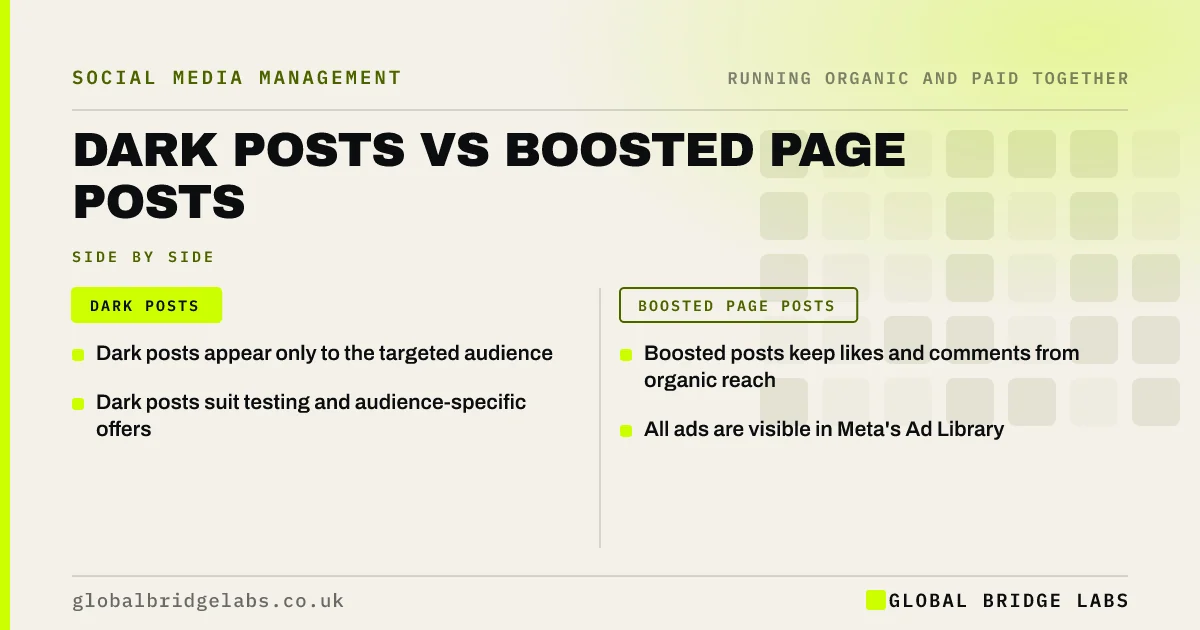
A dark post is an ad that does not appear on your page or profile feed; it only shows to the audience you target. A boosted page post is an organic post that you pay to show to more people. Dark posts suit testing, targeted offers and many ad variations; boosted posts suit proven content where social proof matters.
- Dark posts appear only to the targeted audience.
- Boosted posts keep likes and comments from organic reach.
- Dark posts suit testing and audience-specific offers.
- All ads are visible in Meta's Ad Library.
Not sure which ad type to use? Ask us on WhatsApp.
Chat on WhatsApp →What is a dark post?
A dark post is an ad created in Ads Manager that is not published to your page feed. It appears only to the people you target. Dark posts let you test many versions or tailor offers to different audiences without cluttering your profile.
What is a boosted page post?
A boosted post is a post already published on your page that you pay to show to more people. Meta's boost tool lets you choose a goal, audience and budget. The ad keeps the likes, comments and shares the post earned organically.
When should you use each?
Use each for different jobs.
- Boosted post: proven content where social proof helps.
- Dark post: testing several versions.
- Dark post: offers for specific audiences or areas.
- Boosted post: quick, simple amplification.
Are dark posts hidden from the public?
Not entirely. Dark posts do not appear on your page feed, but all active ads are visible in Meta's Ad Library, where anyone can see them. Treat every ad as public and keep claims accurate.
How do they fit with organic?
Use organic posts to find winners, boost the best when social proof matters, and use dark posts to test variations and target specific groups. Keep your organic feed for your audience, not for ad experiments.
What does this look like in practice?
A pattern we see: a training company boosted every ad from its page, filling its feed with promotional posts that followers ignored. Moving ad variations to dark posts kept the feed useful for followers, while boosting only its two best organic posts kept their social proof.
Ad type checklist
- Boost proven posts with strong engagement.
- Use dark posts for testing variations.
- Use dark posts for area-specific offers.
- Keep your feed for your audience.
- Assume every ad is publicly visible.
- Check ad claims are accurate.
Next step
Review your page feed: if it is full of promotional posts, move future ad variations to dark posts and keep the feed for useful organic content.
Message us on WhatsApp for an ad set-up review, or book a 30-minute consultation.
Chat on WhatsApp →Sources and further reading
- Meta Business Help Centre · Meta
- How to boost a post from your Facebook Page · Meta
- Meta Ad Library · Meta
Frequently asked questions
Are dark posts allowed?
Yes. Dark posts are standard ads created in Ads Manager that do not appear on your page feed. They follow the same advertising rules as any ad, are labelled as sponsored and are visible in Meta's Ad Library. They are a normal part of running social ads.
Do boosted posts get better results than dark posts?
Boosted posts keep their organic likes and comments, which adds social proof and can help. Dark posts offer more flexibility for testing and targeting. Neither is always better; the best choice depends on whether social proof or flexibility matters more for the campaign.
Can competitors see my dark posts?
Yes. All active ads, including dark posts, can be viewed in Meta's Ad Library by anyone. They do not appear on your page feed, but they are not secret. Treat every ad as public and make sure claims and offers are accurate.
Written by

Global Bridge Labs (GBL) is a UK–Sri Lanka partner for social media, websites and BPO. Everything here comes from client delivery, not theory.