On this page
- 01Key takeaways
- 02What is accessible social media content?
- 03Why does it matter for attracting customers?
- 04How do you write alt text?
- 05How should video be captioned?
- 06What about colour, text and hashtags?
- 07What are the limits?
- 08What does this look like in practice?
- 09Accessibility checklist
- 10Next step
- 11Sources and further reading
- 12Frequently asked questions
Key takeaways
Accessible social media content can be used by people with visual, hearing, motor or cognitive impairments. Four habits cover most of it: alt text on images, captions on video, strong colour contrast, and capitalised words in hashtags. They also help every viewer who is watching without sound or in bright light.
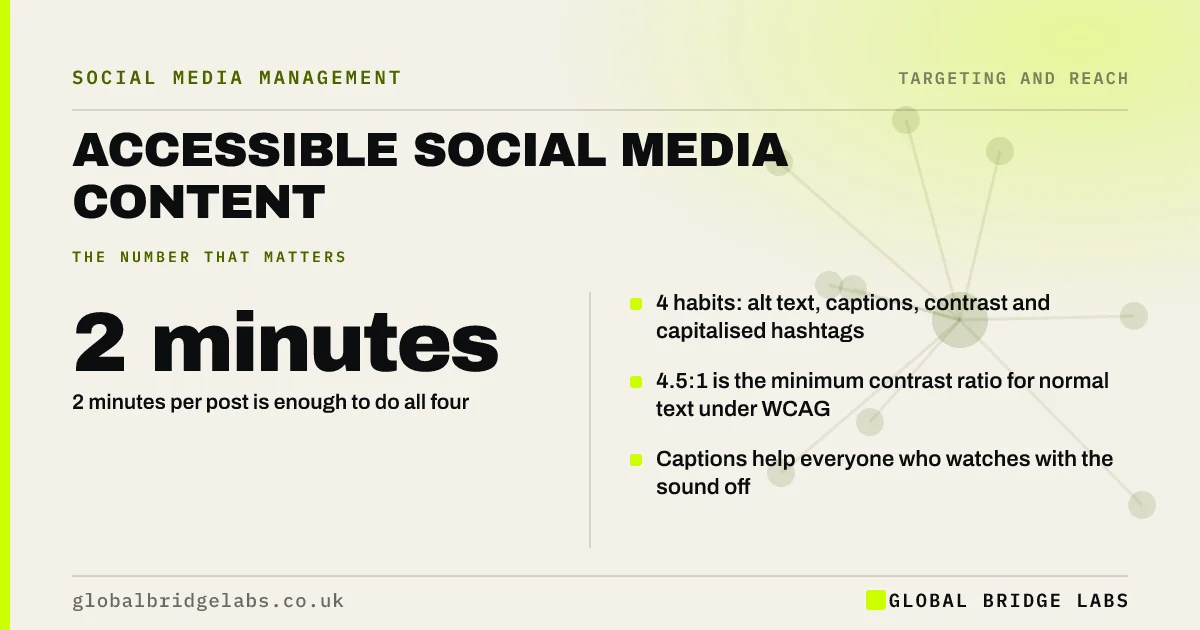
- 4 habits: alt text, captions, contrast and capitalised hashtags.
- 4.5:1 is the minimum contrast ratio for normal text under WCAG.
- Captions help everyone who watches with the sound off.
- 2 minutes per post is enough to do all four.
Want your recent posts checked for accessibility? Message us on WhatsApp.
Chat on WhatsApp →What is accessible social media content?
Accessible social media content is content that people can perceive and understand whatever their ability or device. The reference standard is the Web Content Accessibility Guidelines (WCAG), published by the World Wide Web Consortium. You cannot control the platform, but you control what you upload to it.
Why does it matter for attracting customers?
It matters because customers you want are among those excluded when content is inaccessible. Many people have some impairment, permanent or temporary, and far more watch video muted. Under the Equality Act 2010, service providers also have a duty to make reasonable adjustments for disabled people.
How do you write alt text?
Alt text is a short description of an image, read aloud by screen readers. Describe what the image shows and why it matters, in one or two sentences. Include any text that appears in the image. Do not start with 'image of', and do not stuff it with keywords.
- Weak: 'Kitchen.'
- Better: 'Finished galley kitchen with oak worktops and green cabinets.'
- Include words shown on the image.
- Skip 'picture of' and 'image of'.
Send us an image on WhatsApp and we will write example alt text. Let us discuss your requirements.
Chat on WhatsApp →How should video be captioned?
Add captions to every video with speech. Auto-captions are a good start, but check them, because names, places and trade terms are often wrong. Keep captions clear of the areas where the platform's buttons sit. For important videos, put a short summary in the post text too.
- Turn on captions for all speech.
- Correct names, places and terms.
- Keep text away from the screen edges.
- Avoid rapid flashing effects.
What about colour, text and hashtags?
Use strong contrast between text and background: WCAG sets a minimum ratio of 4.5:1 for normal-size text. Do not rely on colour alone to carry meaning. Capitalise each word in a hashtag, such as #KitchenDesignLeeds, so screen readers pronounce it. Use emoji sparingly, as each is read out.
What are the limits?
The limits are the platforms themselves. Some features have no accessible alternative, and tools change. Do what you can control and do not let perfection stop the basics. If essential information sits in an image or video, repeat it in text so nobody is locked out.
What does this look like in practice?
A pattern we see with UK small businesses: opening hours, prices and event details are posted only as text inside a graphic, with no alt text and nothing in the caption. Anyone using a screen reader, and any search system, gets nothing. Repeating the details in the caption fixes it.
Accessibility checklist
Two minutes before each post.
- Images have alt text.
- Videos with speech have checked captions.
- Text contrast is strong.
- Key details are in the caption, not only the image.
- Hashtags capitalise each word.
- Emoji are few and at the end.
Next step
Add alt text to your next image post and correct the captions on your next video. Make both a fixed step in your routine.
Message us on WhatsApp for the two-minute accessibility check, or book a 30-minute consultation.
Chat on WhatsApp →Sources and further reading
- WCAG 2 overview · W3C Web Accessibility Initiative
- Equality Act 2010 · legislation.gov.uk
- Reading content on mobile devices · Nielsen Norman Group
Frequently asked questions
What is alt text on social media?
Alt text is a written description of an image that screen readers speak aloud to people who cannot see it. Most platforms let you add it when uploading. Describe what the image shows in one or two plain sentences. Add it every time.
Do I need captions on my videos?
Yes, on any video with speech. Captions make it usable for deaf and hard of hearing viewers and for the many people who watch with the sound off. Check automatic captions for errors before posting. Keep them clear of the screen edges.
How do I make hashtags accessible?
Capitalise the first letter of each word, for example #SmallBusinessUK. Screen readers can then read the words separately. Put hashtags at the end of the caption, not in the middle of sentences. Limit emoji as well, since screen readers announce every one of them by name.
Is accessible social media a legal requirement?
The Equality Act 2010 requires service providers to make reasonable adjustments for disabled people. Public sector bodies have specific accessibility duties. For any business, accessible posts are good practice and reach more customers. It usually takes two minutes per post.
Written by

Global Bridge Labs (GBL) is a UK–Sri Lanka partner for social media, websites and BPO. Everything here comes from client delivery, not theory.