On this page
- 01Key takeaways
- 02What are UTM parameters?
- 03What are the most common UTM mistakes?
- 04How do you set a naming rule?
- 05Do ads platforms tag links automatically?
- 06How do you spot UTM problems in GA4?
- 07What does this look like in practice?
- 08UTM checklist
- 09Next step
- 10Sources and further reading
- 11Frequently asked questions
Key takeaways
The common UTM tracking mistakes are inconsistent names (facebook, Facebook and fb), tags on internal links, missing tags on bio links and ads, and campaign names nobody remembers. UTM values are case-sensitive in Google Analytics, so 'Facebook' and 'facebook' appear as two sources. A one-page naming rule fixes most of it.
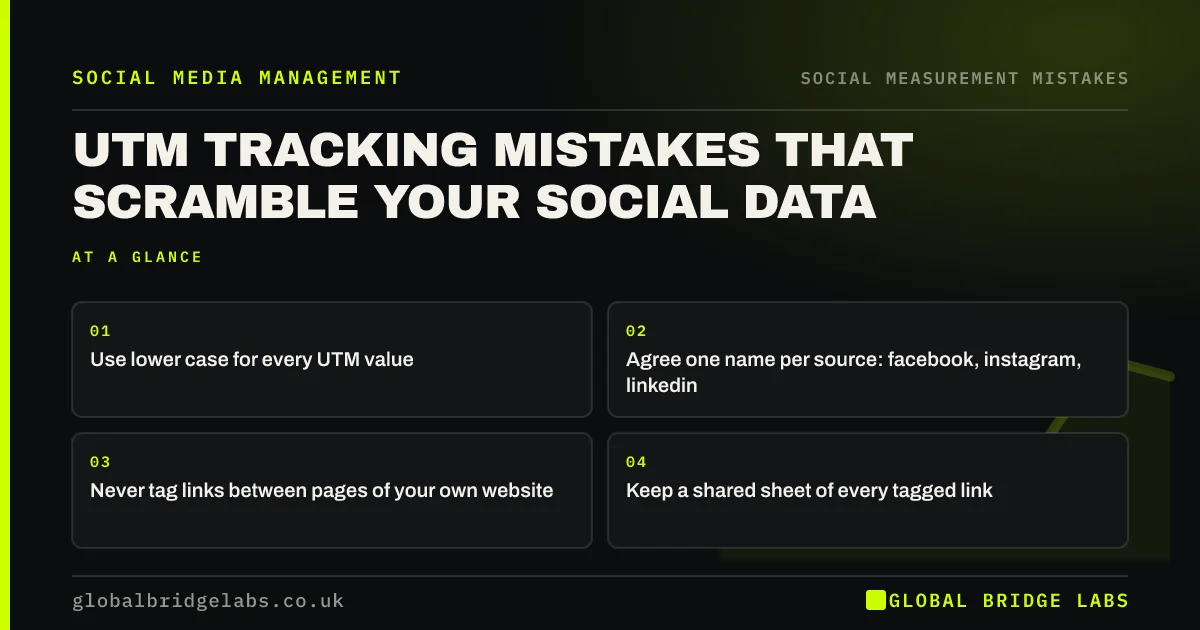
- Use lower case for every UTM value.
- Agree one name per source: facebook, instagram, linkedin.
- Never tag links between pages of your own website.
- Keep a shared sheet of every tagged link.
Want a naming rule set up for you? Message us on WhatsApp.
Chat on WhatsApp →What are UTM parameters?
UTM parameters are short tags added to the end of a link, such as utm_source, utm_medium and utm_campaign, that tell analytics tools where a visit came from. Google's campaign URL builder creates them. Without them, many social visits are hard to tell apart.
What are the most common UTM mistakes?
The most common mistakes create messy or misleading reports.
- Mixed case: Facebook and facebook as two sources.
- Different names: fb, facebook, meta.
- Tags on internal links, which overwrite the real source.
- No tags on bio links and organic posts.
- Campaign names with no pattern.
Want your links tagged consistently? Message us on WhatsApp and we will discuss your requirements.
Chat on WhatsApp →How do you set a naming rule?
Set a naming rule on one page. Source is the platform in lower case. Medium is 'social' for organic and 'paid_social' for ads. Campaign is a short, dated or themed name. Content describes the post or ad version. Record every link in a shared sheet.
- utm_source: facebook, instagram, linkedin, tiktok.
- utm_medium: social or paid_social.
- utm_campaign: for example spring_offer.
- utm_content: post or ad version.
Do ads platforms tag links automatically?
Some do partly, through their own click identifiers, but these do not always map neatly into Google Analytics channels. Adding your own UTM tags to ad links keeps reporting consistent across platforms.
How do you spot UTM problems in GA4?
Spot them in the traffic acquisition report in Google Analytics 4, viewed by session source and medium. Duplicates such as 'facebook' and 'Facebook', odd mediums and campaign names you do not recognise show inconsistent tagging. Internal campaign tags show up as sessions that change source mid-visit.
- Duplicate sources in different cases.
- Unrecognised campaign names.
- Social visits under 'referral' or 'direct'.
- Campaign tags on internal links.
What does this look like in practice?
A pattern we see: a GA4 report listing facebook, Facebook, fb and m.facebook.com as four sources, plus tagged internal links that turn every visit into the last campaign. A naming rule and removing internal tags usually makes the report readable within a month.
UTM checklist
- Use lower case everywhere.
- One name per source.
- No tags on internal links.
- Tag bio, post and ad links.
- Log every link in a sheet.
Next step
Open your GA4 traffic sources report and look for duplicates such as Facebook and facebook. That is your evidence for a naming rule.
Message us on WhatsApp for help, or book a 30-minute consultation.
Chat on WhatsApp →Sources and further reading
- URL builders: collect campaign data with custom URLs · Google Analytics Help
- Get started with attribution · Google Analytics Help
Frequently asked questions
Are UTM parameters case-sensitive?
Yes, in Google Analytics. 'Facebook' and 'facebook' appear as separate sources. Use lower case for every value and agree one name per platform.
Should I use UTM tags on internal links?
No. Tags on links between your own pages overwrite the original source of the visit and scramble your reports. Use UTMs only on links from other sites, social media, email and ads.
Do I need UTM tags on organic social posts?
Yes, on links you control, such as bio links and post links. They help separate social visits from other sources and show which posts send visitors.
Written by

Global Bridge Labs (GBL) is a UK–Sri Lanka partner for social media, websites and BPO. Everything here comes from client delivery, not theory.