On this page
- 01Key takeaways
- 02What goes in a social media asset library?
- 03How should you organise photos?
- 04Which templates are worth making?
- 05How do you track permissions and rights?
- 06When is a library overkill?
- 07What does this look like in practice?
- 08Asset library checklist
- 09Next step
- 10Sources and further reading
- 11Frequently asked questions
Key takeaways
A social media asset library is one shared folder holding everything posts are made from: approved photos sorted by topic, templates for recurring formats, logos and colours, and a record of permissions. It is what makes batched production fast, because nobody searches phones or emails for a picture. Set it up once and keep it tidy each month.
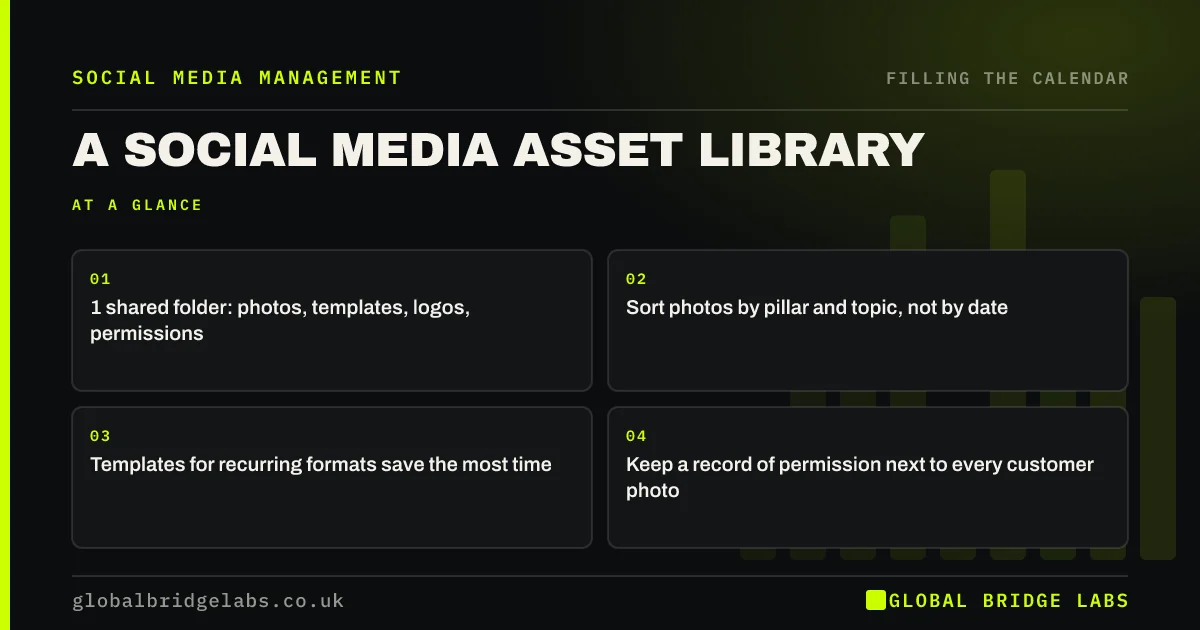
- 1 shared folder: photos, templates, logos, permissions.
- Sort photos by pillar and topic, not by date.
- Templates for recurring formats save the most time.
- Keep a record of permission next to every customer photo.
Want an asset library set up for your team? Message us on WhatsApp.
Chat on WhatsApp →What goes in a social media asset library?
Four things: photos and clips sorted by topic (jobs, products, team, premises), templates for your recurring formats (carousels, quotes, reviews), brand basics (logos, colours, fonts) and a simple permissions record for any photo of customers or staff. Add a 'new this month' folder where the team uploads.
How should you organise photos?
Organise by what posts need, not by date: folders for each pillar and topic, such as 'kitchens before and after' or 'team'. Rename the best photos so they are easy to find. Delete blurry and duplicate shots each month; a library of 5,000 unsorted photos is almost as slow as having none.
Which templates are worth making?
Make templates for the formats you post most: a carousel layout, a review or testimonial card, a tip card, an opening hours post and an offer post. Simple templates in your colours keep posts consistent and turn a 30-minute design job into five minutes. Leave room for real photos rather than covering everything with graphics.
How do you track permissions and rights?
Keep a simple record next to customer and staff photos: who, what they agreed to and when. Only use images you own, took yourself, or have a licence for; copyright arises automatically in the UK, so a picture found online is not free to use. Remove photos when someone withdraws permission or a staff member leaves.
When is a library overkill?
For a sole trader posting from their own phone, a few albums on the phone may be enough. A shared library becomes worth it as soon as two or more people make or supply posts, or when an agency or freelancer is involved.
What does this look like in practice?
A pattern we see: an hour of every production session spent asking for photos and searching old chats. A sorted shared folder with templates usually cuts the making time noticeably and makes handing work to someone else possible.
Asset library checklist
- Create one shared folder.
- Sort photos by pillar and topic.
- Make five templates for common formats.
- Store logos, colours and fonts.
- Record permissions and tidy monthly.
Next step
Create the shared folder today with four subfolders: photos, templates, brand and permissions. Move your best twenty photos in first.
Message us on WhatsApp and we will help organise your assets, or book a 30-minute consultation.
Chat on WhatsApp →Sources and further reading
- How copyright protects your work · GOV.UK
- What is valid consent? · Information Commissioner's Office
Frequently asked questions
How should I organise photos for social media?
In one shared folder sorted by what posts need, such as jobs, products, team and premises, rather than by date. Rename the best photos, delete duplicates each month and keep a record of permission for customer and staff photos.
What templates does a small business need for social media?
Templates for the formats you post most, usually a carousel, a review card, a tip card, opening hours and an offer post. Keep them simple and in your colours, with room for real photos.
Can I use images I find online in my posts?
Not unless you have permission or a licence. Copyright in the UK arises automatically, so most images online belong to someone. Use your own photos, licensed stock or images the owner has agreed you can use.
Written by

Global Bridge Labs (GBL) is a UK–Sri Lanka partner for social media, websites and BPO. Everything here comes from client delivery, not theory.