On this page
Key takeaways
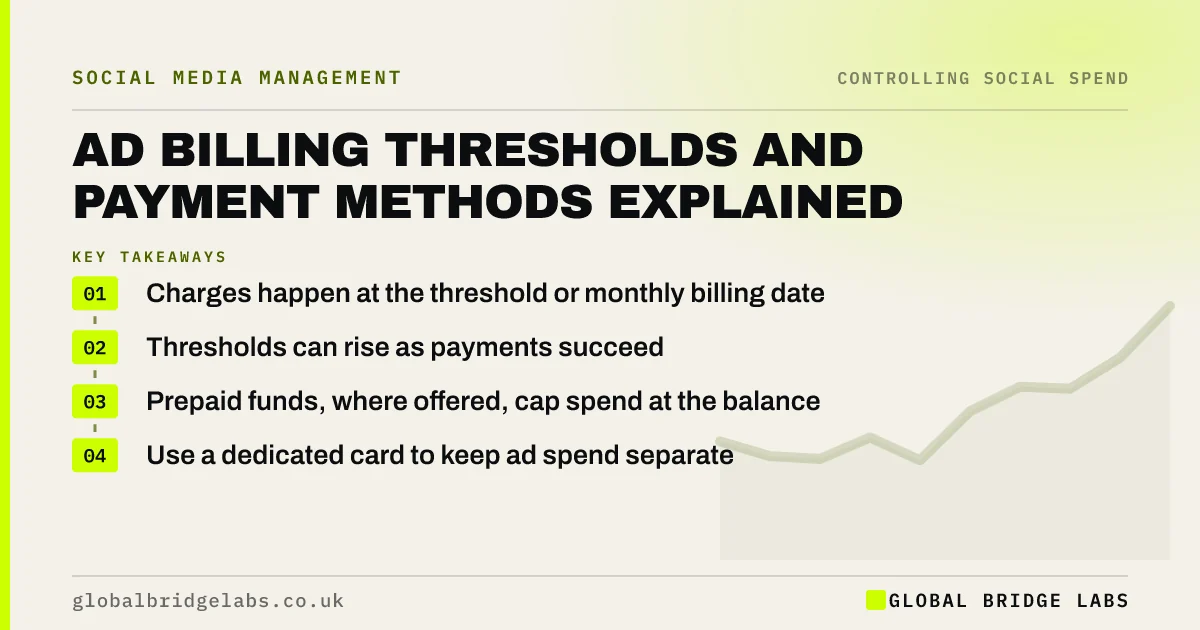
A Facebook ads billing threshold is the amount of spend that triggers a charge to your card. With automatic payments, Meta charges when spend reaches the threshold or on your monthly billing date, whichever comes first, and the threshold can rise over time. Prepaid funds, where available, let you load money in advance.
- Charges happen at the threshold or monthly billing date.
- Thresholds can rise as payments succeed.
- Prepaid funds, where offered, cap spend at the balance.
- Use a dedicated card to keep ad spend separate.
Want your ad billing set up cleanly? Message us on WhatsApp.
Chat on WhatsApp →How do automatic payments work?
As you spend, Meta adds the cost to a running balance. When the balance reaches your billing threshold, it charges your payment method; any remainder is charged on the monthly billing date. Several small charges a month are normal at the start, which can look confusing on bank statements.
Why does the threshold change?
Platforms often start new accounts with a low threshold and raise it after successful payments, so there are fewer, larger charges. Some let you adjust it in billing settings. A higher threshold means fewer charges but larger ones, which matters for cash flow.
Send us your monthly ad budget on WhatsApp and we will discuss your requirements.
Chat on WhatsApp →Is prepaid better than automatic payments?
Prepaid funds, available for some payment methods and countries, mean ads stop when the balance runs out, which gives tight control. Automatic payments keep ads running smoothly but need a spending limit for control. Choose prepaid if cash is tight; automatic with a limit if continuity matters more.
What happens if a payment fails?
Ads usually stop and the account may be restricted until the balance is paid. Repeated failures can affect the account's standing. Keep a backup payment method, watch for card expiry dates and check billing notifications.
What does this look like in practice?
A pattern we see: an owner's personal card is on the ad account, charges mix with personal spending and expire unnoticed. Moving to a business card used only for ads usually makes reconciliation simple and avoids paused campaigns.
Billing checklist
- Use a business card dedicated to ad spend.
- Add a backup payment method.
- Check the threshold and billing date.
- Consider prepaid funds if cash is tight.
- Download invoices monthly.
Next step
Open your ad account's payment settings. Note the threshold, the billing date and the card on file, and add a backup method if there is none.
Message us on WhatsApp if anything looks wrong, or book a 30-minute consultation.
Chat on WhatsApp →Sources and further reading
- About budgets · Meta
- Meta Business Help Centre · Meta
Frequently asked questions
Why was I charged several times for Facebook ads?
With automatic payments, Meta charges whenever spend reaches your billing threshold, and again on the monthly billing date for any remainder. New accounts often have low thresholds, so several small charges a month are common. Check the billing summary in Ads Manager to match them.
Can I pay for Facebook ads in advance?
In some countries and with some payment methods, Meta offers prepaid funds, where you add money first and ads stop when it runs out. Availability varies, so check your billing settings. A spending limit gives similar control with automatic payments.
What happens if my ad payment fails?
Ads usually stop delivering and the account may be restricted until the outstanding balance is paid. Update the payment method promptly and add a backup card. Repeated payment failures can lead to further restrictions on the account. Review it each quarter against your enquiries and sales, and adjust in small steps.
Written by

Global Bridge Labs (GBL) is a UK–Sri Lanka partner for social media, websites and BPO. Everything here comes from client delivery, not theory.