On this page
- 01Key takeaways
- 02Why is a rebrand risky for social media?
- 03What is the step-by-step plan?
- 04Should you create new accounts?
- 05What about Google Business Profile and legal details?
- 06How do you keep posting consistent during the change?
- 07What does this look like in practice?
- 08What does a rebrand timeline look like?
- 09What mistakes should you avoid?
- 10Next step
- 11Sources and further reading
- 12Frequently asked questions
Key takeaways
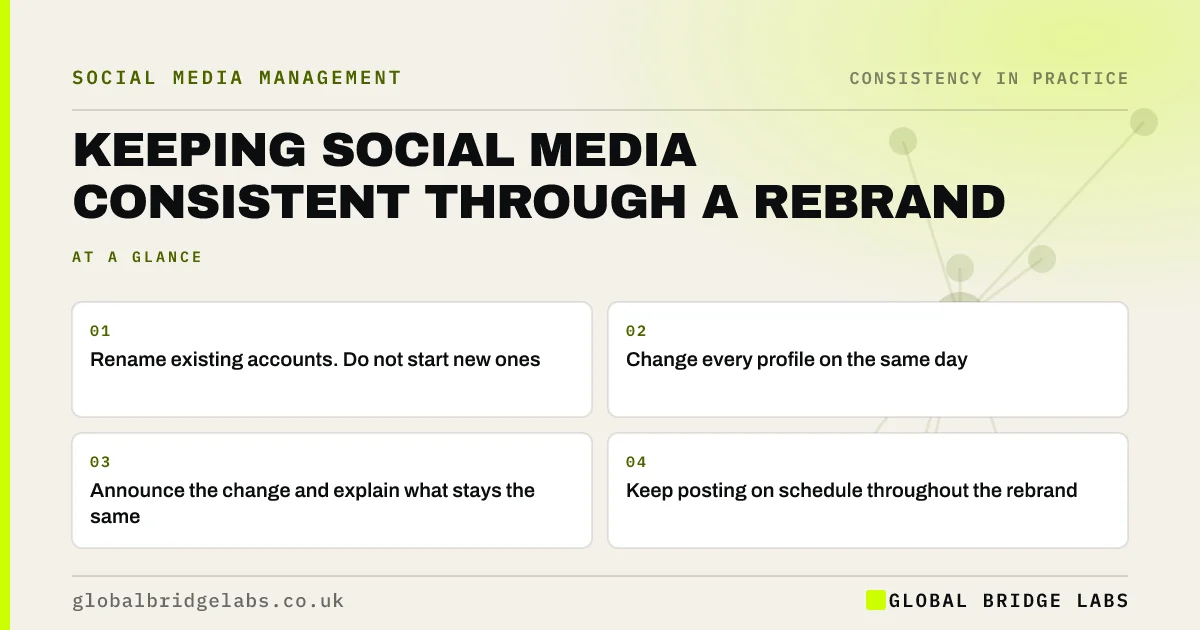
A rebrand breaks visual consistency by design, so manage it as one planned change rather than a slow drift. Keep posting throughout, change all profiles on the same day, explain the change to followers, and use the new identity consistently from then on. Rename existing accounts rather than starting new ones, so you keep followers and history.
- Rename existing accounts. Do not start new ones.
- Change every profile on the same day.
- Announce the change and explain what stays the same.
- Keep posting on schedule throughout the rebrand.
- Use the new templates consistently from day one.
Planning a rebrand? Message us on WhatsApp and we will plan the social media side.
Chat on WhatsApp →Why is a rebrand risky for social media?
Because recognition is built on consistency, and a rebrand changes the name, logo and look that followers recognise. If handled slowly or unevenly, followers may not realise the new posts are from you, and prospects may find mismatched profiles. Handled as one clear change, a rebrand can refresh an account without losing what it has built.
What is the step-by-step plan?
- Check new handle availability on every platform before announcing.
- Prepare new profile images, banners, bios and templates in advance.
- Post a teaser a week before, if appropriate.
- Change all profiles and your website on the same day.
- Post an announcement explaining the change and what stays the same.
- Pin the announcement for a few weeks.
- Continue your normal schedule using the new templates.
Want a rebrand checklist for your channels? Message us on WhatsApp.
Chat on WhatsApp →Should you create new accounts?
Almost never. Renaming existing accounts keeps followers, reviews and history. Most platforms let you change display names and handles, with some limits and verification steps. Starting new accounts means rebuilding your audience from zero.
What about Google Business Profile and legal details?
Update your Google Business Profile name, which may trigger re-verification. If your registered company name changes, update the company details shown on your website and elsewhere to meet UK disclosure rules. Keep the old name visible in bios for a few months, for example formerly known as, to help people searching the old name.
How do you keep posting consistent during the change?
Keep your normal cadence and recurring series. Continuity of content reassures followers that the business behind the new name is the same. Avoid a pause while the new identity is finalised; prepare the templates in advance so the switch is instant.
What does this look like in practice?
A UK accountancy practice rebranded after a merger. It prepared new templates, bios and banners over a month, changed all profiles and its website on one Monday, pinned an announcement explaining that the same team and services continued, and kept its weekly client question series running. Engagement dipped slightly for a week and then returned to normal, and no clients reported confusion.
What does a rebrand timeline look like?
- 6 weeks before: check handles, plan the switch date, brief the team.
- 4 weeks before: build templates, profile images, banners and bios.
- 2 weeks before: prepare the announcement and first month of posts.
- Switch day: change all profiles, website and Google Business Profile together.
- First month: keep normal series running, pin the announcement.
- 3 months after: remove formerly known as notes if searches have moved over.
What mistakes should you avoid?
- Changing profiles one at a time over several weeks.
- Pausing posts until the new brand is perfect.
- Starting new accounts and abandoning old ones.
- Using old and new templates side by side.
- Forgetting Google Business Profile, email signatures and directories.
Next step
If a rebrand is coming, check handle availability now and plan a single switch date with templates ready.
Message us on WhatsApp and we will plan your social media rebrand switch.
Chat on WhatsApp →Sources and further reading
Frequently asked questions
How do I rebrand my social media without losing followers?
Rename your existing accounts rather than creating new ones, change all profiles on the same day, announce the change clearly and keep posting on your normal schedule with the new templates.
Can I change my business name on Instagram and Facebook?
Yes. Both allow name and handle changes, though there may be limits on how often and verification steps for pages. Check handle availability before announcing a rebrand.
Should I announce a rebrand on social media?
Yes. A short announcement explaining the change and what stays the same reassures followers and customers. Pin it for a few weeks and keep a formerly known as note in bios for a few months.
Does rebranding affect social media reach?
There may be a brief dip as followers adjust to the new look, but consistent posting through the change usually restores reach within weeks. Pausing during the rebrand causes a bigger drop.
Will changing my handle break old links?
Often yes. Links to your old handle may stop working, and the old handle could be claimed by someone else on some platforms. Update links on your website and materials, and keep the old name in your bio for a few months so people can find you.
Written by

Global Bridge Labs (GBL) is a UK–Sri Lanka partner for social media, websites and BPO. Everything here comes from client delivery, not theory.