On this page
- 01Key takeaways
- 02Why do poor images matter?
- 03What are the most common image mistakes?
- 04How do you take better photos on a phone?
- 05Is stock imagery the fix?
- 06How do you spot poor images before you post?
- 07What does this look like in practice?
- 08Image checklist
- 09Next step
- 10Sources and further reading
- 11Frequently asked questions
Key takeaways
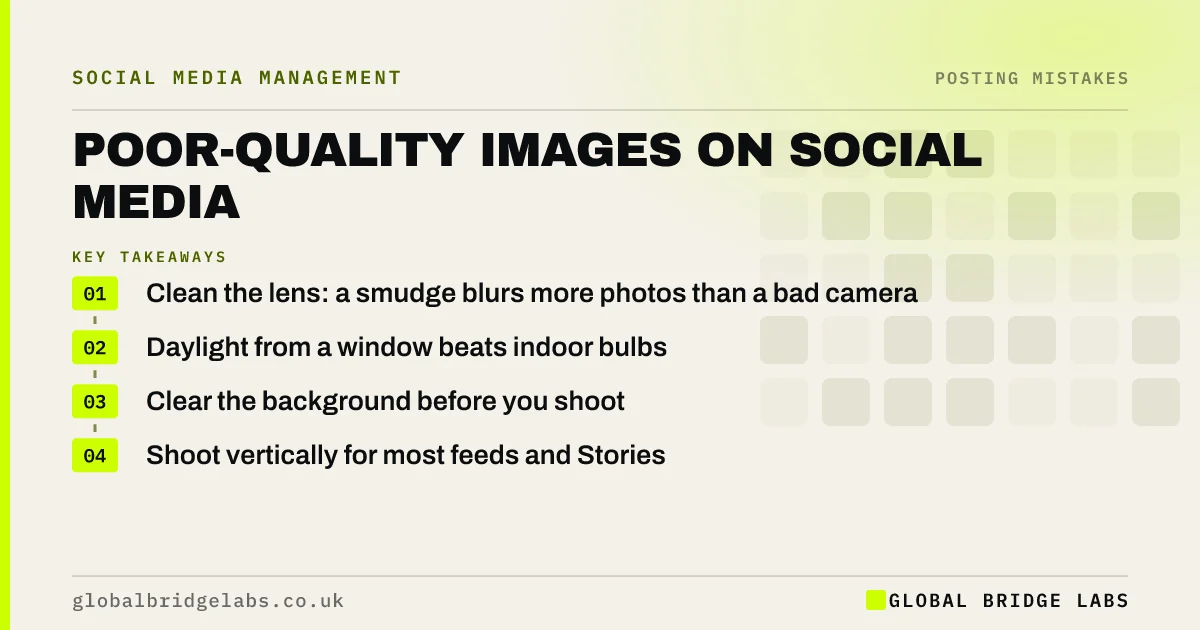
Poor-quality images on social media, such as blurry, dark, cluttered or badly cropped photos, make good work look ordinary and lower trust. Buyers judge the quality of the job partly by the quality of the picture. Most fixes are free: clean the lens, use daylight, clear the background and shoot in the right shape.
- Clean the lens: a smudge blurs more photos than a bad camera.
- Daylight from a window beats indoor bulbs.
- Clear the background before you shoot.
- Shoot vertically for most feeds and Stories.
Want feedback on your photos? Send us a few on WhatsApp.
Chat on WhatsApp →Why do poor images matter?
Poor images matter because a buyer who has never met you uses what they see as a stand-in for your standards. A great kitchen in a dark, blurry photo with tools on the worktop reads as average. The same kitchen, clean and well lit, sells the job.
What are the most common image mistakes?
The most common image mistakes are a dirty lens, poor light, clutter in the background, crooked lines, heavy filters that change colours, text too small to read on a phone and images cropped badly by the platform.
Want a one-page photo guide for your team? Message us on WhatsApp and we will discuss your requirements.
Chat on WhatsApp →How do you take better photos on a phone?
Take better photos by preparing the scene rather than the camera. Clean the lens, turn off overhead lights and use a window, tidy the space, hold the phone level and take several shots from different heights. Edit lightly for brightness and straightness only.
- 1. Wipe the lens.
- 2. Use daylight.
- 3. Clear the background.
- 4. Keep lines straight.
- 5. Edit lightly.
Is stock imagery the fix?
Rarely. Stock images are sharp but generic, and buyers want to see your work and your people. Use stock only for abstract topics. A decent phone photo of a real job usually builds more trust than a perfect stock image.
How do you spot poor images before you post?
Spot poor images by viewing each one at thumbnail size on your phone before posting, the way people see it in a feed. If the subject is not clear, the image is too dark or the background distracts, reshoot it. Then zoom in to check focus on the part that matters.
- Subject unclear at thumbnail size.
- Dark or yellow indoor light.
- Clutter in the background.
- Soft focus when zoomed in.
What does this look like in practice?
A pattern we see: trades and hospitality businesses with excellent work posting photos taken in a hurry, at night, with clutter in shot. A two-minute routine at the end of each job, clean, light and tidy, changes how the work looks without any new kit.
Image checklist
- Clean the lens before every shot.
- Use daylight where possible.
- Tidy the background.
- Hold the phone level.
- Check text is readable on a phone.
Next step
Pick your three best jobs from last month and reshoot one in daylight with a clean lens and tidy background. Compare it with the original.
Message us on WhatsApp for photo feedback, or book a 30-minute consultation.
Chat on WhatsApp →Sources and further reading
- Meta Business Help Centre · Meta
- How copyright protects your work · GOV.UK
Frequently asked questions
Do photos affect social media engagement?
Yes. Clear, well-lit images of real work tend to stop people scrolling more than blurry or cluttered ones, and they build trust in the quality of your work. Most improvements come from light, a clean lens and a tidy scene.
Do I need a professional photographer for social media?
Not for everyday posts. A phone with good technique covers most needs. A professional shoot is worth it for key images such as team photos, a portfolio or ads. As an indicative UK range, a photography day costs around £500–£1,200.
What size should social media images be?
Vertical or square formats suit most feeds, and full vertical suits Stories and Reels. Check each platform's current guidance, and keep important details away from the edges so crops do not cut them off.
Written by

Global Bridge Labs (GBL) is a UK–Sri Lanka partner for social media, websites and BPO. Everything here comes from client delivery, not theory.