On this page
Key takeaways
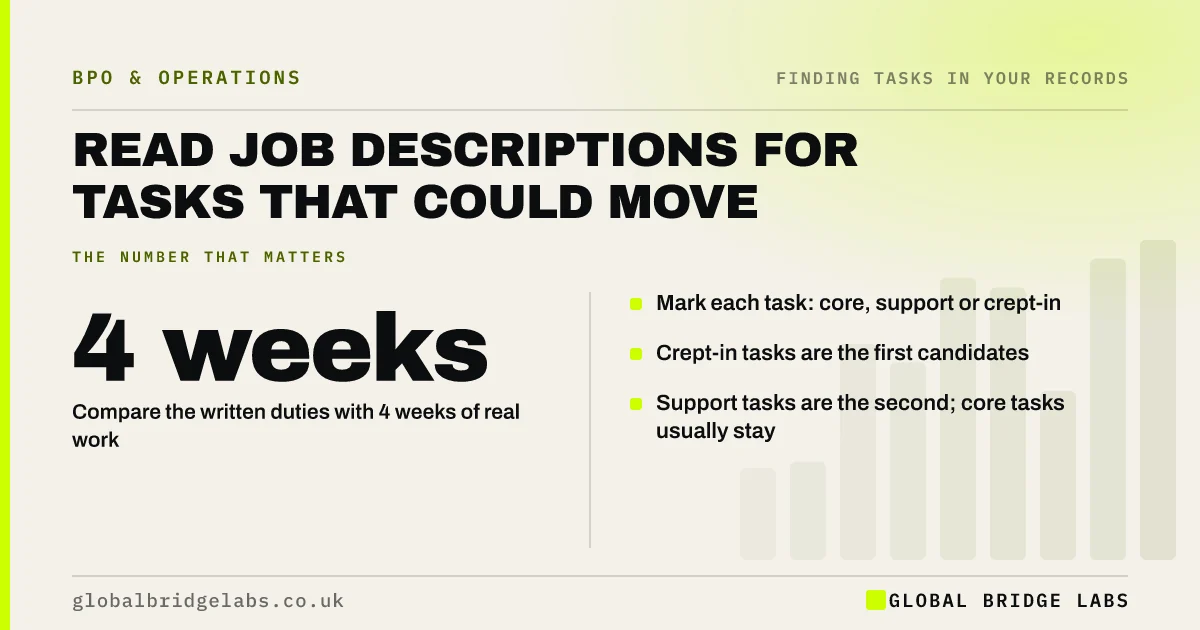
Job description task analysis compares what a role was hired to do with what the person actually does each week. The gap is where outsourcing candidates hide: admin that crept in, tasks inherited from leavers, and work that has nothing to do with the role's purpose. Mark each real task as core, support or crept-in.
- Compare the written duties with 4 weeks of real work.
- Mark each task: core, support or crept-in.
- Crept-in tasks are the first candidates.
- Support tasks are the second; core tasks usually stay.
Want help comparing job descriptions with real work? Message us on WhatsApp.
Chat on WhatsApp →Why do job descriptions help?
A job description states the role's purpose, which gives you a test for every task the person does. If a sales manager spends 8 hours a week formatting proposals, the description shows that is support work, not the selling they were hired for. Without that reference, every task looks like part of the job.
How do you compare the description with the real job?
Do it with the person in the role, using their diary and inbox as evidence.
- 1. List the duties in the description.
- 2. List the real recurring tasks from records.
- 3. Match each real task to a duty, or mark it 'crept-in'.
- 4. Mark matched tasks 'core' if they need the role's skills, 'support' if not.
- 5. Add crept-in and support tasks to the long list.
What if there is no job description?
Write a one-paragraph purpose for the role first: what it exists to achieve. Then compare the real tasks with that purpose. Many small firms find that writing the purpose alone exposes the problem, because a quarter of the role's hours do not serve it.
What does this look like in practice?
A pattern we see: a technical manager's description covers design reviews and client advice. Their real week includes supplier invoice queries, timesheet chasing and printing drawings, all inherited from a colleague who left. None of it needs their expertise, and together it takes a noticeable share of the week.
Job description review checklist
- Find or write the role's purpose.
- List real tasks from records.
- Match tasks to duties or mark crept-in.
- Split matched tasks into core and support.
- Add crept-in and support tasks to the long list.
Next step
Pick your most stretched role and compare its job description with a month of real work this week. Count the crept-in hours first.
Message us on WhatsApp for the core, support and crept-in sheet, or book a 30-minute consultation.
Chat on WhatsApp →Sources and further reading
- Employing staff for the first time · GOV.UK
- Earnings and hours worked, occupation by four-digit SOC: ASHE Table 14 · Office for National Statistics
Frequently asked questions
How can job descriptions help find tasks to outsource?
They state what a role exists to do. Comparing that with the real week shows tasks that crept in, tasks inherited from leavers and support work that does not need the role's skills. Those are usually the strongest candidates for outsourcing or delegation.
What is a crept-in task?
A task that has become part of someone's week without being part of their role: covering for a leaver, an admin job nobody else picked up, or a favour that became routine. Crept-in tasks are rarely measured and often take several hours a week.
Should I rewrite job descriptions after outsourcing?
Yes. Once tasks move, update the description so it reflects the role's purpose and the work that stays. This prevents the same tasks drifting back and gives the person a clear picture of what they are now expected to focus on.
Written by

Global Bridge Labs (GBL) is a UK–Sri Lanka partner for social media, websites and BPO. Everything here comes from client delivery, not theory.