On this page
- 01Key takeaways
- 02How much does it cost to take payments on a website?
- 03What fees do payment providers charge?
- 04Which payment set-up suits a small business?
- 05What legal points affect payment pages?
- 06When is taking payments online not worth it?
- 07What does this look like in practice?
- 08Payments checklist
- 09Next step
- 10Sources and further reading
- 11Frequently asked questions
Key takeaways
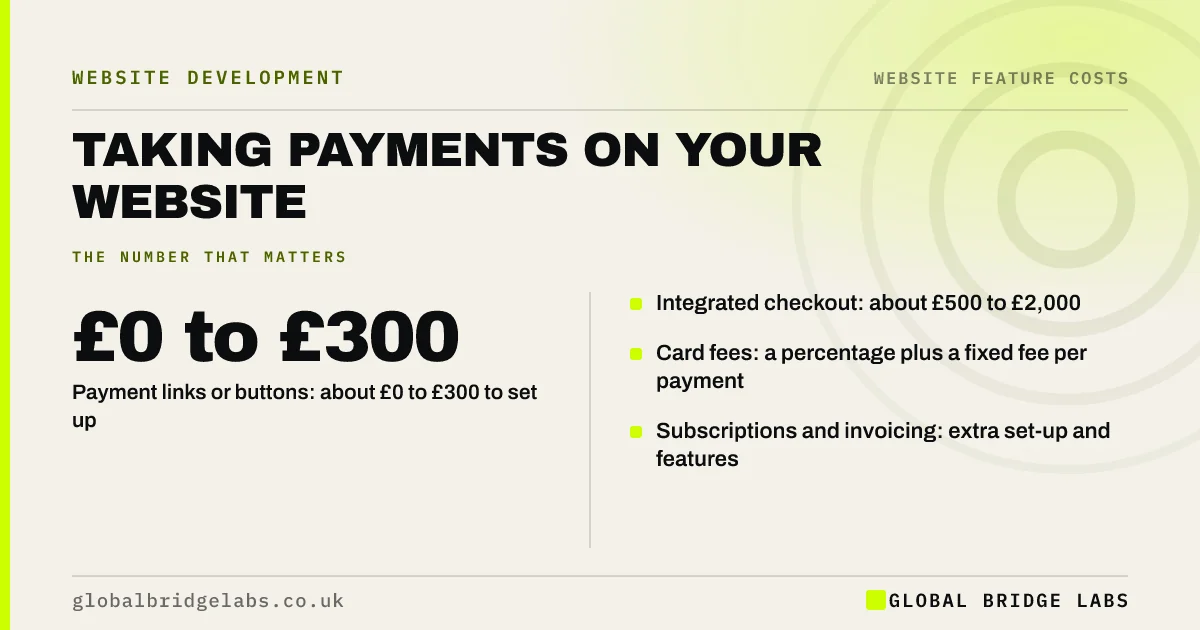
Taking card payments on a UK small business website typically costs £0 to £2,000 to set up plus processing fees on each payment, usually a percentage of the transaction plus a small fixed fee. Payment links cost almost nothing to set up; a full checkout with invoicing or subscriptions costs more. Fees, not set-up, are the main long-term cost.
- Payment links or buttons: about £0 to £300 to set up.
- Integrated checkout: about £500 to £2,000.
- Card fees: a percentage plus a fixed fee per payment.
- Subscriptions and invoicing: extra set-up and features.
Want payment options costed for your site? Message us on WhatsApp.
Chat on WhatsApp →How much does it cost to take payments on a website?
Taking payments on a website costs about £0 to £300 to set up simple payment links and £500 to £2,000 to integrate a full checkout, based on typical UK quotes. On top, the payment provider charges a fee per transaction, published on its pricing page and varying by card type and country.
What fees do payment providers charge?
Payment providers charge a percentage of each payment plus a small fixed fee, with higher rates for international and some business cards. Providers such as Stripe publish their UK rates. Some also charge for disputes, currency conversion or instant payouts. Model fees on your expected volume.
- Per-transaction percentage and fixed fee.
- Higher rates for international cards.
- Dispute or chargeback fees.
- Optional fees for faster payouts.
Want payment fees modelled on your sales? Message us on WhatsApp and we will discuss your requirements.
Chat on WhatsApp →Which payment set-up suits a small business?
Payment links suit occasional deposits or invoices. An embedded checkout suits regular online sales of a few services or products. A full e-commerce platform suits larger catalogues. Choose the simplest option that handles your payment flow without manual workarounds.
What legal points affect payment pages?
Payment pages must show the total price including VAT and any extra charges before the customer pays, plus clear terms. For consumer sales, distance selling rules require information on cancellation rights. Business sales have fewer rules but still need clear terms.
When is taking payments online not worth it?
Taking payments online is not worth it when prices vary per job and need a quote first, or when customers prefer to pay on invoice. A quote request form with invoice payment may suit better, avoiding set-up and checkout costs.
What does this look like in practice?
At Global Bridge Labs (GBL), a UK tutoring business wanted a full checkout for lesson packages. Payment links on each package page, set up in an afternoon, covered every need. They saved over £1,000 in build costs and paid only per-transaction fees.
Payments checklist
- Decide what customers pay for online.
- Compare provider fees on your volume.
- Start with payment links if possible.
- Show total price and terms before payment.
- Test payment on a phone.
- Review fees once a year.
Next step
Estimate a year of online payments and calculate fees with two providers. The difference often matters more than set-up cost.
Message us on WhatsApp for a website payments checklist, or book a 30-minute consultation.
Chat on WhatsApp →Sources and further reading
- Stripe pricing (UK) · Stripe
- Consumer Contracts (Information, Cancellation and Additional Charges) Regulations 2013 · legislation.gov.uk
- Electronic Commerce (EC Directive) Regulations 2002 · legislation.gov.uk
Frequently asked questions
How much does it cost to accept card payments on a website?
Set-up ranges from almost nothing for payment links to about £500 to £2,000 for an integrated checkout. Each payment then carries a provider fee made up of a percentage and a small fixed amount, with higher rates for international cards. Check current rates on the provider's UK pricing page.
What is the cheapest way to take payments on a website?
The cheapest way is usually payment links or buttons from a payment provider, which need little or no development. You pay only per-transaction fees. They suit deposits, packages and invoices. Move to a full checkout only when volume or product range makes links awkward.
Do I need a merchant account to take online payments?
Usually not. Most small businesses use payment providers that handle card processing without a separate merchant account. You sign up, verify your business and connect the provider to your site. Larger businesses with high volumes sometimes negotiate a merchant account for lower rates.
Written by

Global Bridge Labs (GBL) is a UK–Sri Lanka partner for social media, websites and BPO. Everything here comes from client delivery, not theory.