On this page
- 01Key takeaways
- 02How much does a website CRM integration cost?
- 03What affects integration cost?
- 04Which option should a small business choose?
- 05What about data protection?
- 06When is a CRM integration not worth it?
- 07What does this look like in practice?
- 08CRM integration checklist
- 09Next step
- 10Sources and further reading
- 11Frequently asked questions
Key takeaways
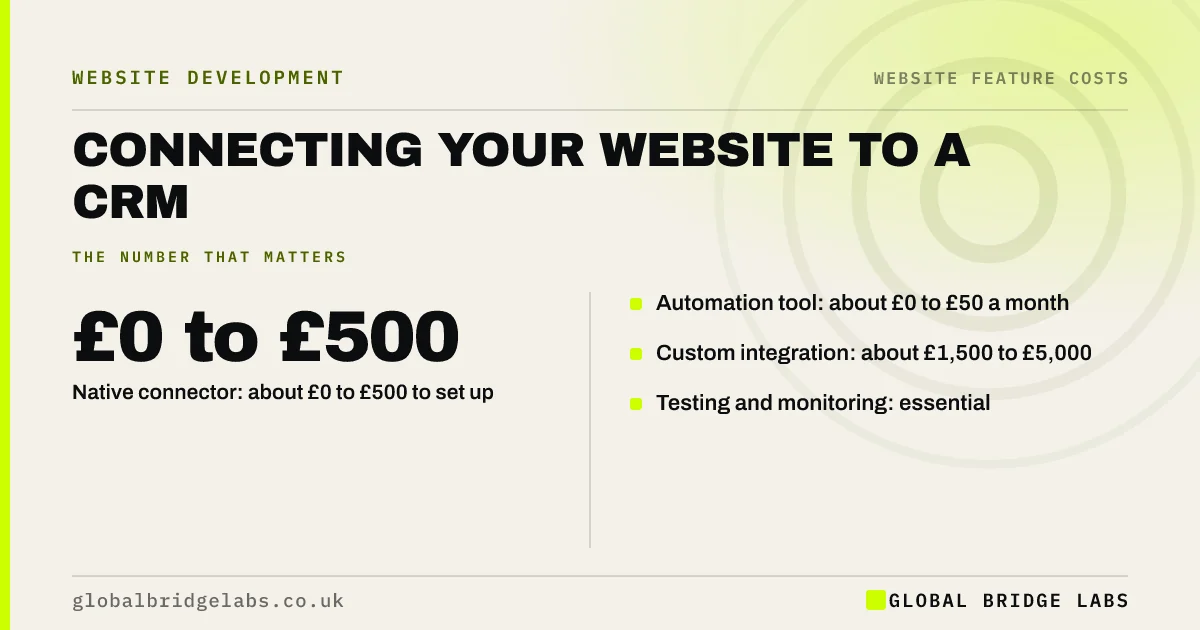
Connecting a small business website to a CRM typically costs £0 to £500 with a native connector, £0 to £50 a month for an automation tool, or £1,500 to £5,000 for a custom integration. The right choice depends on your CRM, how many systems connect and how reliable the link must be. Start simple and test that every enquiry arrives.
- Native connector: about £0 to £500 to set up.
- Automation tool: about £0 to £50 a month.
- Custom integration: about £1,500 to £5,000.
- Testing and monitoring: essential.
Want your CRM link costed? Message us on WhatsApp.
Chat on WhatsApp →How much does a website CRM integration cost?
A website CRM integration costs about £0 to £500 to set up with a native connector, £0 to £50 a month plus set-up for automation tools, and £1,500 to £5,000 for a custom-built integration, based on typical UK quotes. Complex two-way syncs or several systems cost more.
What affects integration cost?
Integration cost rises with the number of forms and fields, two-way syncing, deduplication, links to several systems and error handling. A form that adds new leads is simple. A form that updates existing contacts, assigns owners and triggers emails needs more work and testing.
- Number of forms and fields.
- One-way or two-way sync.
- Duplicate handling and lead assignment.
- Error alerts when the link fails.
Want the right integration level for your CRM? Message us on WhatsApp and we will discuss your requirements.
Chat on WhatsApp →Which option should a small business choose?
Choose a native connector if your CRM and website platform offer one. Use an automation tool when they do not, for modest volumes. Commission a custom integration only when volumes are high, rules are complex or reliability is critical. Track form submissions as key events so you can spot gaps.
What about data protection?
Moving enquiry data into a CRM is processing personal data, so you need a lawful basis and a clear privacy notice. Automation tools and CRMs act as processors, and the ICO expects written contracts with them. Check where each tool stores data.
When is a CRM integration not worth it?
A CRM integration is not worth it if you receive a few enquiries a week and handle them by email. Manual entry may be cheaper. Integrate once missed or slow follow-up is costing you work.
What does this look like in practice?
At Global Bridge Labs (GBL), a UK commercial cleaning firm paid £30 a month for an automation tool linking web forms to its CRM. After a form change, the link silently failed for nine days. Adding a daily check and error alert cost about £200 and has caught two failures since.
CRM integration checklist
- Check for a native connector first.
- List forms and fields to sync.
- Decide one-way or two-way sync.
- Set up error alerts.
- Update the privacy notice.
- Test after every form change.
Next step
Submit a test enquiry on every form today and check it reaches your CRM. If any do not, fix that before adding new features.
Message us on WhatsApp for a CRM integration checklist, or book a 30-minute consultation.
Chat on WhatsApp →Sources and further reading
- Lawful basis for processing personal data · Information Commissioner's Office
- Contracts and liabilities between controllers and processors · Information Commissioner's Office
- About key events · Google Analytics Help
Frequently asked questions
How much does it cost to connect a website to a CRM?
Connecting a website to a CRM costs about £0 to £500 with a native connector, £0 to £50 a month with an automation tool, and £1,500 to £5,000 for a custom integration. Costs rise with more forms, two-way syncing, duplicate handling and links to several systems.
Do I need a developer to connect my website to a CRM?
Not always. Many CRMs and website platforms offer native connectors or work with automation tools that need no code. A developer helps when you need two-way syncing, complex rules, high volumes or reliable error handling. Always test that each form reaches the CRM.
What happens if my website CRM integration fails?
Enquiries can sit unseen, costing work. Failures often happen after form or CRM changes. Set up error alerts, keep form emails as a backup, and test each form after any change. A daily automated check is a cheap way to catch silent failures quickly.
Written by

Global Bridge Labs (GBL) is a UK–Sri Lanka partner for social media, websites and BPO. Everything here comes from client delivery, not theory.