On this page
- 01Key takeaways
- 02What is the Meta pixel?
- 03What are the most common pixel mistakes?
- 04What does UK law require?
- 05What about the Conversions API?
- 06How do you check your pixel in five minutes?
- 07What does this look like in practice?
- 08Pixel checklist
- 09Next step
- 10Sources and further reading
- 11Frequently asked questions
Key takeaways
The common Meta pixel mistakes are not installing it, tracking the wrong events, events firing twice, and loading it before visitors give cookie consent. Without working tracking, Meta cannot optimise for enquiries and you cannot see which ads produce them. In the UK, the pixel needs consent under PECR before it loads.
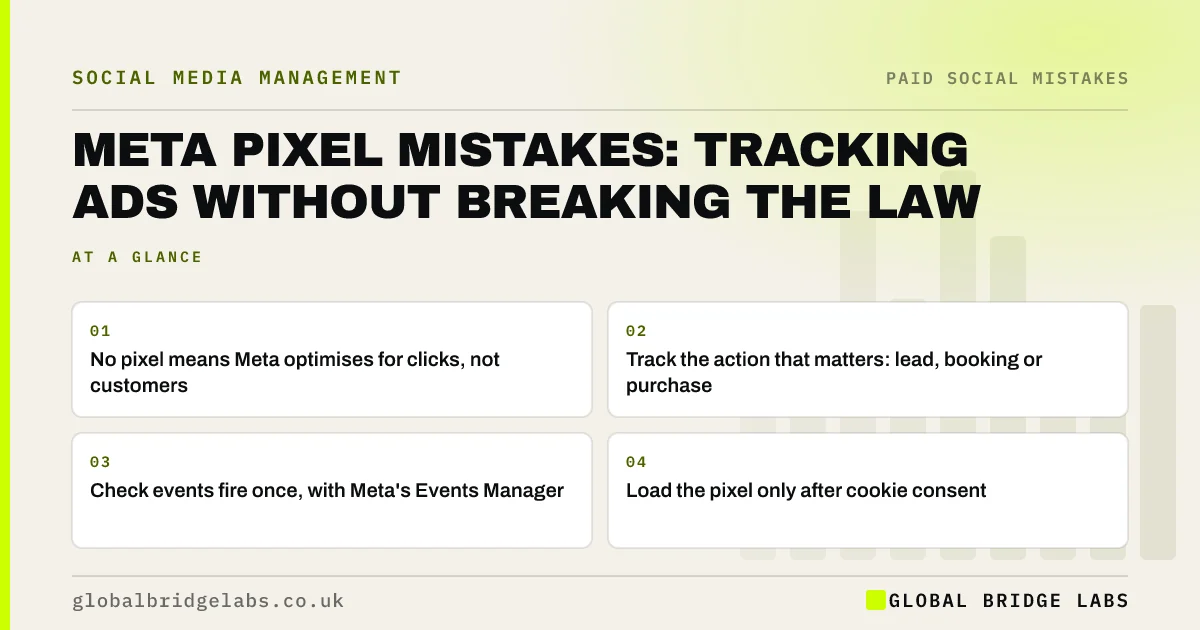
- No pixel means Meta optimises for clicks, not customers.
- Track the action that matters: lead, booking or purchase.
- Check events fire once, with Meta's Events Manager.
- Load the pixel only after cookie consent.
Want your tracking checked? Message us on WhatsApp.
Chat on WhatsApp →What is the Meta pixel?
The Meta pixel is a piece of code on your website that records actions visitors take after seeing or clicking your ads, such as viewing a page, submitting a form or buying. It lets Meta report results and find more people likely to take the same action.
What are the most common pixel mistakes?
The most common mistakes are not installing the pixel, installing it on some pages only, tracking page views but not enquiries, the same event firing twice, and the pixel loading before consent.
- No pixel at all.
- Missing on thank-you or booking pages.
- Only page views tracked.
- Events firing twice.
- Loading before cookie consent.
Want the pixel set up properly? Message us on WhatsApp and we will discuss your requirements.
Chat on WhatsApp →What does UK law require?
Under PECR and ICO guidance, non-essential cookies and similar technologies, including advertising pixels, need clear consent before they are set. A cookie banner that loads the pixel before anyone clicks 'accept' does not meet that standard. Your privacy information should also explain the tracking.
What about the Conversions API?
Meta's Conversions API sends events from your server rather than the browser, which can recover some data lost to browser restrictions. It still needs a lawful basis and consent where cookies or similar technologies are involved. Small businesses can often add it through their website platform's built-in integration.
How do you check your pixel in five minutes?
Check it in Meta Events Manager and on your own site. Look for recent events, confirm a lead or purchase event exists and fires once, then load your site in a private window and check that the pixel does not load until you accept cookies. Meta's test events tool shows events firing live.
- No events in the last 7 days.
- Only page view events.
- Events firing twice per action.
- Pixel loading before consent.
What does this look like in practice?
A pattern we see: a pixel installed years ago that only records page views, loading before the cookie banner. Adding a lead event on the thank-you page, making it load after consent and testing it in Events Manager gives the ad account something useful to optimise for.
Pixel checklist
- Install the pixel on every page.
- Track lead, booking or purchase events.
- Test events in Events Manager.
- Load only after cookie consent.
- Explain tracking in privacy information.
Next step
Open Meta Events Manager and check which events fired in the last week. If there is no lead or purchase event, that is the fix.
Message us on WhatsApp for a tracking check, or book a 30-minute consultation.
Chat on WhatsApp →Sources and further reading
- Learn about Meta pixel · Meta
- About Conversions API · Meta
- Cookies and similar technologies under PECR · Information Commissioner's Office
- Electronic and telephone marketing under PECR · Information Commissioner's Office
Frequently asked questions
Do I need a Meta pixel to run Facebook ads?
You can run ads without it, but Meta cannot then optimise for website enquiries or sales, and you cannot see which ads produce them. For any ad sending people to your website, a working pixel is strongly recommended.
Does the Facebook pixel need cookie consent in the UK?
Yes. Under PECR and ICO guidance, advertising cookies and similar tracking need consent before they load. Use a consent banner that blocks the pixel until visitors accept.
How do I know if my pixel is working?
Use Meta's Events Manager to see which events fire, and test with the Test Events tool or the Meta Pixel Helper browser extension. Check that each event fires once on the right page.
Written by

Global Bridge Labs (GBL) is a UK–Sri Lanka partner for social media, websites and BPO. Everything here comes from client delivery, not theory.