On this page
- 01Key takeaways
- 02What is Meta Business Manager?
- 03Why is an agency-owned ad account a mistake?
- 04What other set-up mistakes matter?
- 05Is this worth the time for a small business?
- 06How do you check who owns your Meta assets?
- 07What does this look like in practice?
- 08Business Manager checklist
- 09Next step
- 10Sources and further reading
- 11Frequently asked questions
Key takeaways
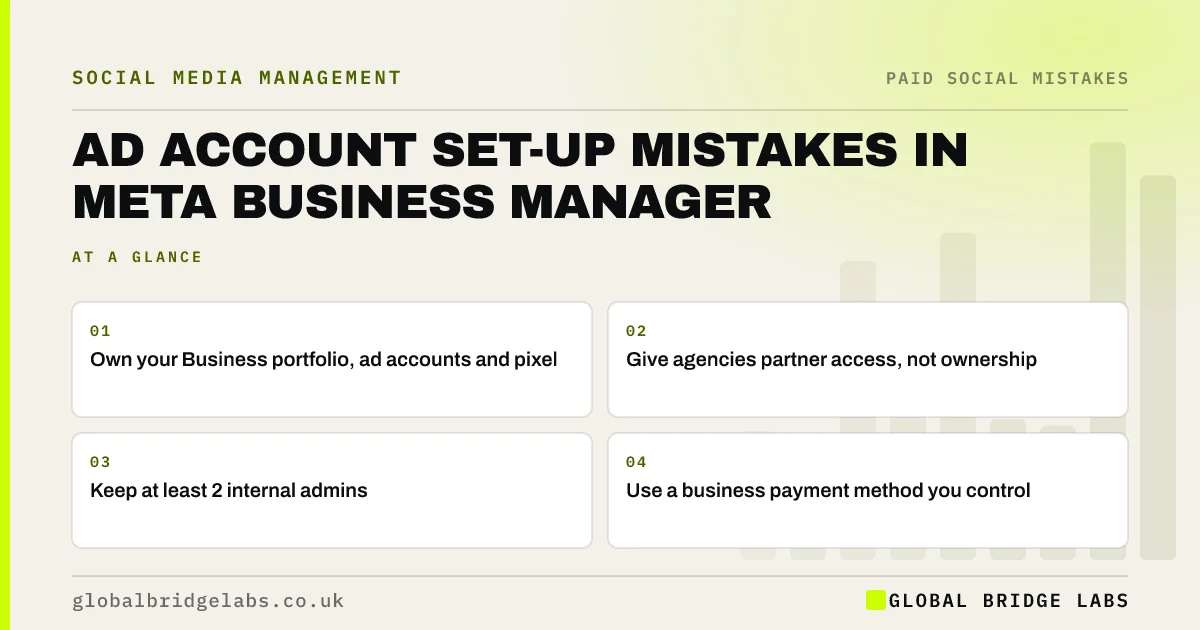
The common Meta Business Manager mistakes are letting an agency own your ad account, running ads from a personal profile's ad account, having one admin, using a personal card and skipping business verification. Your business should own its Business portfolio, pages, ad accounts and pixel, and give agencies partner access.
- Own your Business portfolio, ad accounts and pixel.
- Give agencies partner access, not ownership.
- Keep at least 2 internal admins.
- Use a business payment method you control.
Want your Meta set-up checked? Message us on WhatsApp.
Chat on WhatsApp →What is Meta Business Manager?
Meta Business Manager, now presented as a Business portfolio in Meta Business Suite, is the place where a business holds its Facebook pages, Instagram accounts, ad accounts, pixels and the people who can access them. It separates business assets from personal profiles.
Why is an agency-owned ad account a mistake?
An agency-owned ad account is a mistake because the account's history, audiences and pixel data stay with the agency if you part ways. You may have to start again with no learning. Ask any agency to work in your ad account through partner access.
Want your accounts moved into your own Business portfolio? Message us on WhatsApp and we will discuss your requirements.
Chat on WhatsApp →What other set-up mistakes matter?
Other set-up mistakes are running business ads from a personal ad account, a single admin, staff given full control when they only need to post, payments on an employee's personal card, and not completing business verification where Meta asks for it.
- Personal ad accounts for business ads.
- One admin only.
- Full control for everyone.
- Payment on a personal card.
- Verification left incomplete.
Is this worth the time for a small business?
Yes, even if you only boost occasionally. Setting up a Business portfolio properly takes an hour or two and prevents the most painful problems: losing access, losing ad history and arguments about ownership when people leave.
How do you check who owns your Meta assets?
Check it in Meta Business Suite settings, under business assets. For each page, Instagram account, ad account and pixel, see which business owns it and who has access. Assets owned by an agency or a former employee's business, or with a single admin, are the ones to fix first.
- Ad accounts owned by an agency.
- Pages owned by another business.
- A single admin on any asset.
- Payment cards in staff names.
What does this look like in practice?
A pattern we see: a business whose ads have always run from its old agency's account. When it changes agency, years of audiences and data stay behind. Setting up its own Business portfolio and giving the new agency partner access prevents it happening again.
Business Manager checklist
- Create your own Business portfolio.
- Own pages, ad accounts and pixel.
- Give agencies partner access.
- Keep two internal admins.
- Use a business payment method.
Next step
Open Meta Business Suite settings and check who owns your ad account. If it is not your business, start the move this week.
Message us on WhatsApp for help, or book a 30-minute consultation.
Chat on WhatsApp →Sources and further reading
- Meta Business Help Centre · Meta
- Password administration for system owners · National Cyber Security Centre
Frequently asked questions
Should my agency own my Facebook ad account?
No. Your business should own its ad account, pages and pixel in its own Business portfolio, and give the agency partner access. That way you keep the history and data if you change agency.
Do I need Meta Business Manager as a small business?
If you run ads, have staff or an agency helping, or manage Facebook and Instagram together, yes. It separates business assets from personal profiles and controls who can access what.
What access should staff have in Meta Business Suite?
Only what they need. Someone who posts and replies does not need full control or ad account access. Review access every quarter and remove people who have left.
Written by

Global Bridge Labs (GBL) is a UK–Sri Lanka partner for social media, websites and BPO. Everything here comes from client delivery, not theory.