On this page
- 01Key takeaways
- 02How much does a members area cost?
- 03What drives members area costs?
- 04What are the ongoing costs?
- 05Plugin, platform or custom?
- 06When is a members area not worth building?
- 07What does this look like in practice?
- 08Members area checklist
- 09Next step
- 10Sources and further reading
- 11Frequently asked questions
Key takeaways
Adding a members or client login area to a small business website typically costs £2,000 to £15,000, plus £100 to £500 a year in plugin or platform fees. Off-the-shelf membership tools suit courses and gated content. Custom portals cost more and suit client dashboards. Security, support and data protection add ongoing cost.
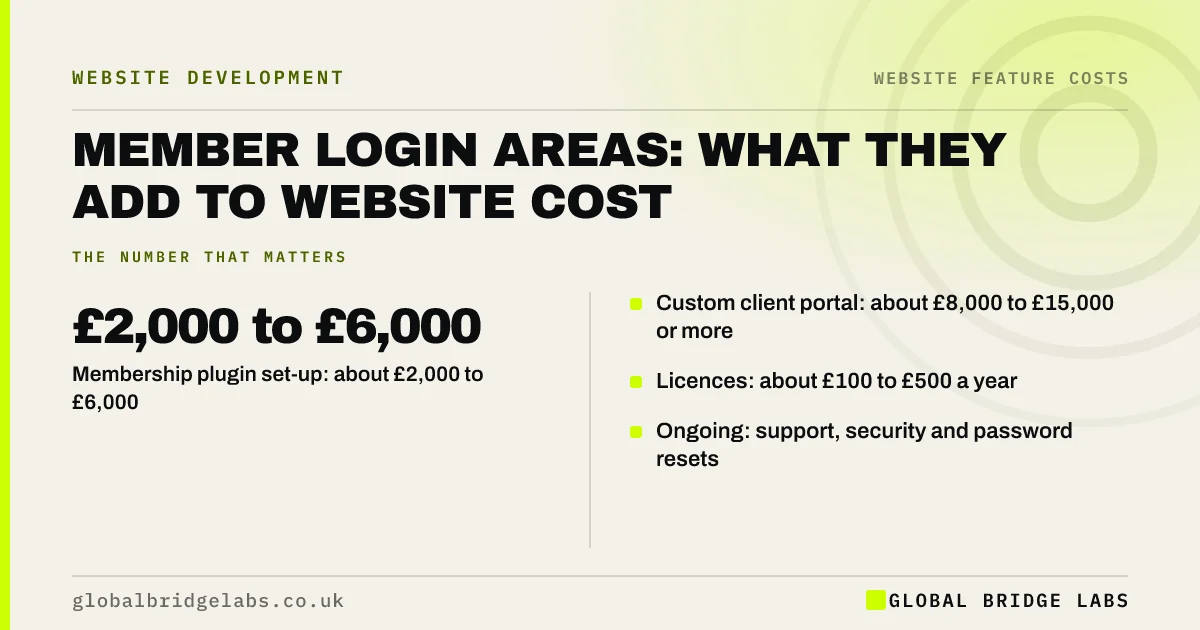
- Membership plugin set-up: about £2,000 to £6,000.
- Custom client portal: about £8,000 to £15,000 or more.
- Licences: about £100 to £500 a year.
- Ongoing: support, security and password resets.
Want a members area costed for your site? Message us on WhatsApp.
Chat on WhatsApp →How much does a members area cost?
A members area costs about £2,000 to £6,000 to set up using a membership plugin or platform, and £8,000 to £15,000 or more for a custom client portal, based on typical UK quotes. Licences add about £100 to £500 a year. Costs rise with payments, content drip and integrations.
What drives members area costs?
Costs rise with paid subscriptions, tiered access, content released over time, links to CRMs or accounts, and custom dashboards showing client data. Each needs set-up, testing and security work.
- Paid subscriptions and payment handling.
- Tiered access levels.
- Content released over time.
- Integrations and custom dashboards.
Want members features priced for your business? Message us on WhatsApp and we will discuss your requirements.
Chat on WhatsApp →What are the ongoing costs?
Ongoing costs include licences, hosting that can handle logged-in users, security updates, and support for members who forget passwords or cannot log in. Logins hold personal data, so you need sound password handling and a lawful basis for processing.
Plugin, platform or custom?
Use a plugin or platform for courses, resources or community content. Use a custom portal when clients need to see their own projects, documents or data from your systems. Many businesses start with a platform and move to custom only when needs are proven.
When is a members area not worth building?
A members area is not worth building if a shared folder or emailed documents meet the need, or if few customers would log in. Low use makes the cost per member high.
What does this look like in practice?
At Global Bridge Labs (GBL), a UK compliance trainer wanted a £12,000 custom portal for course materials. A membership platform at £40 a month, set up for about £2,500, handled courses, payments and certificates. They moved to a custom portal two years later, once member numbers justified it.
Members area checklist
- Define what members need to access.
- Price a plugin or platform first.
- Plan payments and access levels.
- Check hosting for logged-in users.
- Plan support for login problems.
- Update your privacy notice.
Next step
Estimate how many people would log in each month. Divide the yearly cost by that number to see the cost per member.
Message us on WhatsApp for a members area brief, or book a 30-minute consultation.
Chat on WhatsApp →Sources and further reading
- Lawful basis for processing personal data · Information Commissioner's Office
- Password administration for system owners · National Cyber Security Centre
- Consumer Contracts (Information, Cancellation and Additional Charges) Regulations 2013 · legislation.gov.uk
Frequently asked questions
How much does a membership website cost in the UK?
A membership website typically costs £2,000 to £6,000 using a membership plugin or platform, and £8,000 to £15,000 or more for a custom portal. Licences add about £100 to £500 a year. Payments, tiered access and integrations increase both set-up and running costs.
Can I add a client login area to my existing website?
Usually, yes. Most platforms support membership plugins or apps, and portals can be linked from an existing site. The cost depends on what clients need to see and whether it connects to your systems. Check that your hosting can handle logged-in users well.
What are the risks of a members area?
The main risks are security and support: logins hold personal data, weak passwords invite attacks, and members need help when they cannot log in. Use strong password rules, keep software updated and plan who handles support requests. Low use can also make the cost hard to justify.
Written by

Global Bridge Labs (GBL) is a UK–Sri Lanka partner for social media, websites and BPO. Everything here comes from client delivery, not theory.