On this page
- 01Key takeaways
- 02What is a social media booking button?
- 03How do you add a booking button?
- 04Why does a booking button convert better?
- 05What should the booking page show?
- 06How do you reduce no-shows from social bookings?
- 07When is a booking button not the right path?
- 08What does this look like in practice?
- 09Booking button checklist
- 10Next step
- 11Sources and further reading
- 12Frequently asked questions
Key takeaways
A booking button on Instagram or Facebook lets a follower book an appointment straight from your profile, which removes several steps between interest and a customer. Set it up through your profile's action buttons, connected to your booking system or a booking page. It suits salons, clinics, fitness, restaurants and any service sold by appointment.
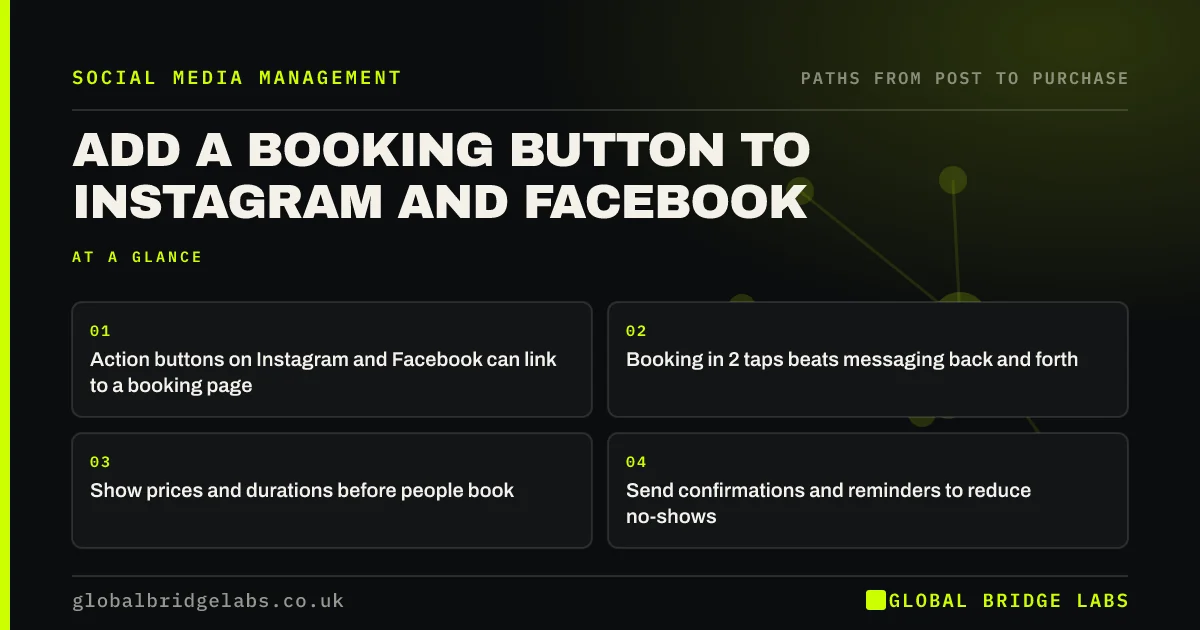
- Action buttons on Instagram and Facebook can link to a booking page.
- Booking in 2 taps beats messaging back and forth.
- Show prices and durations before people book.
- Send confirmations and reminders to reduce no-shows.
Want booking set up from your profiles? Message us on WhatsApp.
Chat on WhatsApp →What is a social media booking button?
A social media booking button is a profile action, such as "Book now" on Instagram or Facebook, that takes a follower to an appointment calendar, either through a connected booking partner or a link to the business's own booking page. It turns a profile visit into a booking without a conversation.
How do you add a booking button?
On Instagram, edit your professional profile and add an action button, choosing a supported booking partner or your own link. On Facebook, edit the Page's action button and choose a booking option. Menus and supported partners change, so follow Meta's current help pages. Then test it from a phone.
Why does a booking button convert better?
It converts better because it cuts the steps. Without one, a follower messages, waits for a reply, swaps times and confirms. With one, they choose a slot in under a minute, often in the evening when nobody would answer a message. Fewer steps lose fewer people.
What should the booking page show?
The booking page should show each service with its price or price from, duration, what is included and any preparation. Ask only for what you need to deliver the appointment. Take a deposit if no-shows are a problem, and say clearly what the cancellation policy is.
Booking page losing people? Message us on WhatsApp and we will discuss your requirements.
Chat on WhatsApp →How do you reduce no-shows from social bookings?
Reduce no-shows with an instant confirmation, a reminder 24 hours before, an easy way to rebook, and a deposit for longer appointments. Bookings from new followers can have higher no-show rates than from regulars, so reminders matter more.
When is a booking button not the right path?
A booking button is not right when every job needs a conversation first, such as building work or bespoke services, or when the price depends on details. A quote request or message is the better first step there. Healthcare businesses must also make sure the booking system handles health data securely.
What does this look like in practice?
A pattern we see with salons and clinics: a booking system exists but the profiles say "DM to book". Adding the action button and pinning a post that shows how to use it moves evening interest into bookings without anyone replying.
Booking button checklist
- Add the action button on Instagram and Facebook.
- Link to a mobile-friendly booking page.
- Show price, duration and inclusions.
- Send confirmation and a 24-hour reminder.
- State your cancellation policy.
- Test the booking from a phone monthly.
Next step
Try to book an appointment from your own profile on your phone. Count the taps. If it is more than three, there is a quick win.
Message us on WhatsApp and we will help connect booking to your profiles, or book a 30-minute consultation.
Chat on WhatsApp →Sources and further reading
- Meta Business Help Centre · Meta
- Consumer Contracts (Information, Cancellation and Additional Charges) Regulations 2013 · legislation.gov.uk
- Special category data · Information Commissioner's Office
Frequently asked questions
How do I add a book now button to Instagram?
Switch to a professional account, edit your profile and add an action button, choosing a supported booking partner or a link to your booking page. The exact menus change, so check Meta's current help pages. Test the button from a phone after setting it up.
Can I take bookings directly through Facebook?
Yes, through the Page's action button linked to a booking partner or your own booking page. A dedicated booking system usually gives better reminders, deposits and reporting than handling bookings by message.
Will a booking button reduce messages?
It usually reduces routine booking messages, because people can book themselves at any hour. Questions about suitability and price still arrive, so keep replying quickly. The time saved on swapping appointment times can go on those buying questions.
Written by

Global Bridge Labs (GBL) is a UK–Sri Lanka partner for social media, websites and BPO. Everything here comes from client delivery, not theory.