On this page
- 01Key takeaways
- 02What is a WhatsApp broadcast list?
- 03How do followers join your list?
- 04What are the consent rules?
- 05What should you send?
- 06Broadcast list, Channel or group: which should you use?
- 07What are the limits of broadcast lists?
- 08What does this look like in practice?
- 09Broadcast list checklist
- 10Next step
- 11Sources and further reading
- 12Frequently asked questions
Key takeaways
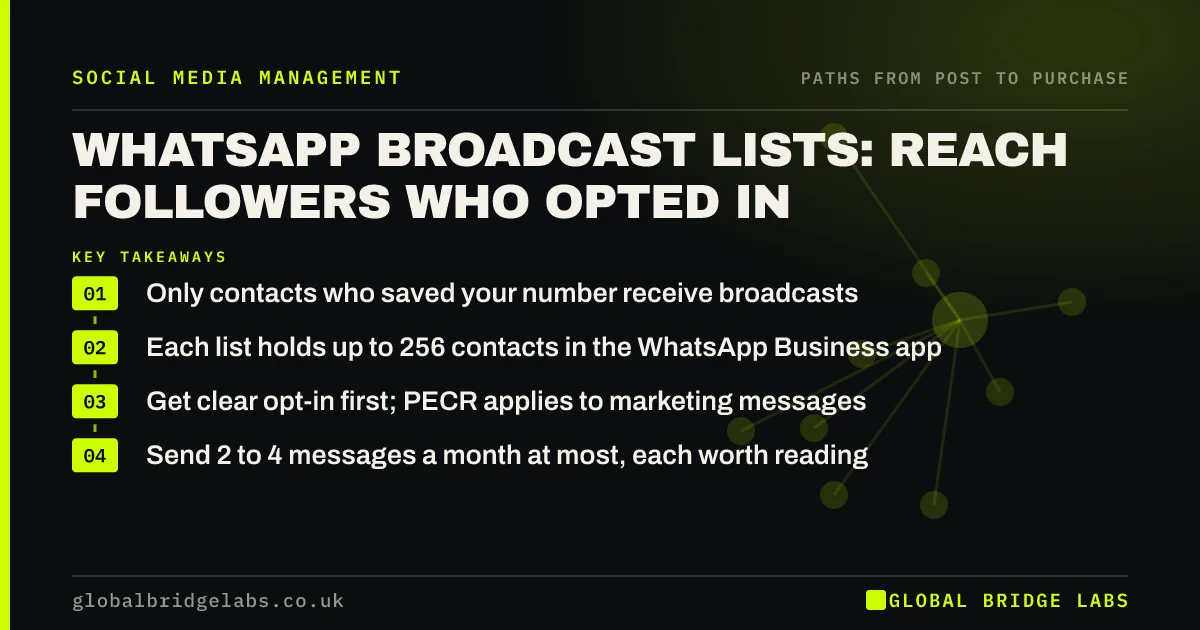
A WhatsApp broadcast list lets a business send one message to many contacts, each received as a private chat. Recipients only get it if they have saved your number, which means only people who chose you can be reached. It suits short, timely messages to customers and followers who opted in, such as new stock, last-minute slots or reminders.
- Only contacts who saved your number receive broadcasts.
- Each list holds up to 256 contacts in the WhatsApp Business app.
- Get clear opt-in first; PECR applies to marketing messages.
- Send 2 to 4 messages a month at most, each worth reading.
Want a WhatsApp list set up properly? Message us on WhatsApp.
Chat on WhatsApp →What is a WhatsApp broadcast list?
A WhatsApp broadcast list is a saved group of contacts in the WhatsApp Business app to whom a business can send the same message at once, with each person receiving it as an individual chat and replies coming back privately. Unlike a group, recipients cannot see each other.
How do followers join your list?
Followers join by messaging you and saving your number. Put a click-to-chat link in your bio and posts with a pre-filled message such as "Add me to your offers list". Reply confirming what you will send and how to stop it, and ask them to save your number so broadcasts reach them.
What are the consent rules?
WhatsApp marketing messages to individuals fall under PECR in the same way as texts, so you generally need consent. A follower asking to join the list gives it, if you are clear what they will receive. Keep a note of when each person joined, and remove anyone who asks to stop. WhatsApp's own policies also require opt-in and allow users to block or report businesses.
What should you send?
Send short, timely messages that are worth interrupting someone's day for: a last-minute appointment, new stock in a size they asked about, a seasonal reminder, or an offer only the list gets. Two to four messages a month is plenty. Every message should have one clear action.
- "Two slots free tomorrow afternoon. Reply YES to book."
- "Spring boiler services open: book before 31 March."
- "New batch is in: reply with your size to reserve."
Want message templates for your list? Message us on WhatsApp and we will discuss your requirements.
Chat on WhatsApp →Broadcast list, Channel or group: which should you use?
Use a broadcast list for personal, private messages to a few hundred people who saved your number, with replies coming to you. Use a WhatsApp Channel for one-way updates to a larger audience who choose to follow, without seeing their numbers. Use a group only for communities where members should talk to each other.
What are the limits of broadcast lists?
Broadcast lists are capped at 256 contacts each in the WhatsApp Business app, need people to have saved your number, and offer no real reporting. For larger lists or automated messages, the WhatsApp Business Platform through an approved provider is the route, at a cost per message.
What does this look like in practice?
A pattern we see with salons and trades: last-minute cancellations go unfilled because nobody knows. A list of regular customers who opted in, messaged when a slot opens, often fills it within the hour.
Broadcast list checklist
- Add a click-to-chat join link in your bio.
- Confirm what people will receive and how to stop.
- Ask them to save your number.
- Record when each person joined.
- Send two to four useful messages a month.
- Remove anyone who asks, straight away.
Next step
Write the one message you wish you could send to regular customers today. If it is useful, that is a reason to start a list.
Message us on WhatsApp and we will help set up your list, or book a 30-minute consultation.
Chat on WhatsApp →Sources and further reading
- WhatsApp Business app · WhatsApp
- How to use click to chat · WhatsApp Help Center
- Electronic and telephone marketing under PECR · Information Commissioner's Office
- What is valid consent? · Information Commissioner's Office
Frequently asked questions
How does a WhatsApp broadcast list work?
You create a list of contacts in the WhatsApp Business app and send one message, which each person receives as a private chat. Only contacts who have saved your number receive it. Replies come back to you individually, and recipients cannot see each other.
How many people can be on a WhatsApp broadcast list?
Up to 256 contacts per list in the WhatsApp Business app. You can create several lists. For larger audiences, a WhatsApp Channel or the WhatsApp Business Platform through a provider may suit better.
Do I need consent for WhatsApp marketing?
Yes. Marketing messages to individuals by electronic means generally need consent under PECR, and WhatsApp's policies require opt-in. A follower asking to join your list gives consent if you are clear what they will receive. Remove people promptly when they ask.
Written by

Global Bridge Labs (GBL) is a UK–Sri Lanka partner for social media, websites and BPO. Everything here comes from client delivery, not theory.